82
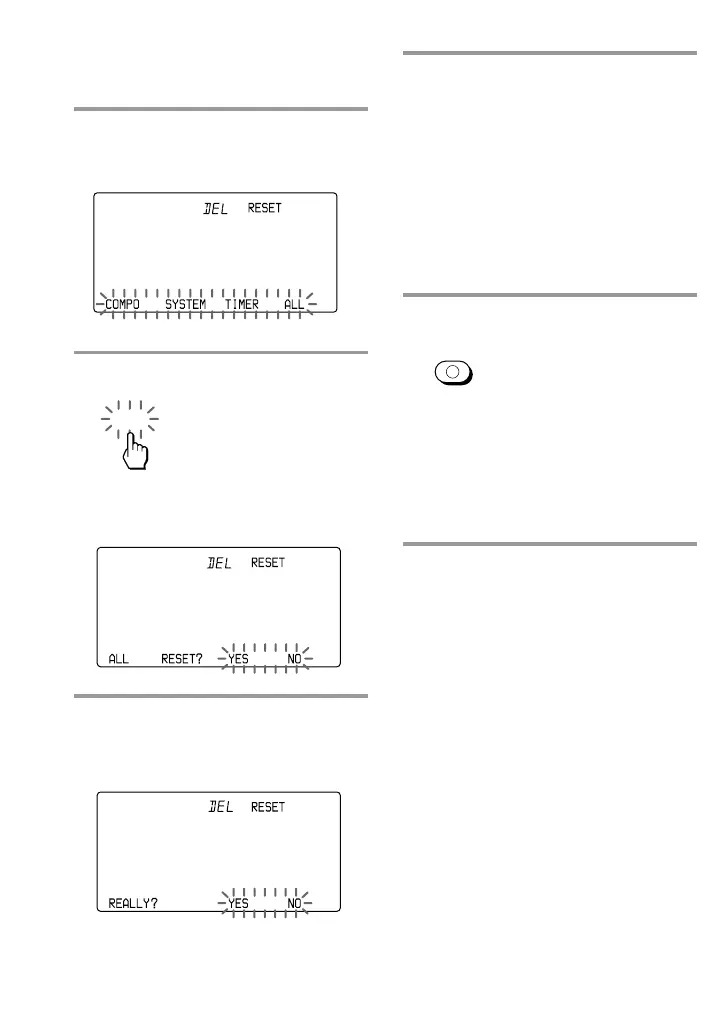
6 Press the YES key.
During erasing, “ALL c
c
c
c c
c
c
c” stays lit. When all the settings on
the Commander are erased, “OK” is
displayed with a beep sound. The
Commander is reset to its factory
settings.
If you press the NO key
The display returns to Step 3.
7 Press COMMANDER OFF.
If you keep COMMANDER OFF
pressed for more than 2 seconds
The Commander turns off.
If you keep COMMANDER OFF
pressed for less than 2 seconds
The Commander returns to the
previous setting mode.
COMMANDER
OFF
3 Press the RESET key.
“RESET” appears on the Mode
Display key.
4 Press the ALL key.
“ALL RESET?” stays lit, and “YES”
and “NO” flash.
5 Press the YES key.
“REALLY?” stays lit, and “YES” and
“NO” flash.
If you press the NO key
The display returns to Step 3.
ALL
Erasing All the Settings
(continued)


 To Next Page