9 (E)
Settings on the RM Configuration Menu
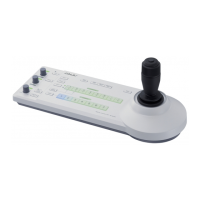
The RM-B150 is provided with RM Configuration
Menu mode, which permits you to select and adjust the
function of the buttons and controls on the panel and
check various information.
At the beginning of an RM Configuration menu
operation, select “Basic menu” or “Detail menu” and
proceed with operations as desired.
For the menu items, see the tables on the subsequent pages.
Operation
For menu operations, use the menu operation block of
the unit (see the page to the left).
To start the menu operation
To select the Basic menu
Push the RM Configuration switch in the $ direction.
The menu display shows “Cbl Comp” (the first
category of the Basic menu).
To select the Detail menu
Push the RM configuration switch in the $ direction
while holding the CANCEL/ENTER switch toward
ENTER.
The menu display shows “Mode Set” (the first
category of the Detail menu).
Note
The RM Diag category of the Detail menu is for
displaying various information, checking operations,
and resetting the menu.
For the items for which the operation procedure
differs, the procedure is discussed in the corresponding
“Contents” column on page 12 (E).
To make setttings on the menu
1 Turn the menu select knob until the desired
category appears on the display.
Ex.:
M o d e S e t → . . . → V R S e t u p
2 Push the CANCEL/ENTER switch toward ENTER
to register your selection made in step 1.
The first subcategory of the selected category
appears.
Ex.:
K n e e
If no subcategory belongs to the selected category,
the first setting (or display) item of that category
appears on the display (proceed to step 5).
3 Turn the menu select knob until the desired
subcategory appears on the display.
Ex.:
K n e e → . . . → I r i s
4 Push the CANCEL/ENTER switch toward ENTER
to register your selection made in step 3. (Pushing
toward CANCEL reverses the operation.)
The first setting item of the selected subcategory
and its current setting appear.
Ex.:
C t r l : A b s
5 Turn the menu select knob until the desired setting
(or display) item appears on the display.
Ex.:
C t r l : A b s → . . . → M i n : C l s
For a setting item, make your setting.
6 Push the CANCEL/ENTER switch toward ENTER
to register your setting made in step 5.
7 Turn the menu select knob until the desired
category appears on the display.
Ex.:
M i n : C l s → . . . → M i n : 2 2
8 Push the CANCEL/ENTER switch toward ENTER
to register your setting made in step 7. (Pushing
toward CANCEL cancels the setting in step 7.)
To continue setting of another item, repeat steps 5 to 8.
To end the menu operation
Push the RM Configuration switch in the 4 direction.
Note
•If no operation is made for more than 1 minute in
Menu mode, the menu will automatically end.
•The values set on the RM Configuration menu are
stored in memory when you end the menu operation.
Be sure to end the operation before turning off the
power.



 To Next Page