EasyManua.ls Logo

Sony RM-E100V - Page 10

Sony RM-E100V
23 pages
Print Icon
To Next Page IconTo Next Page
To Previous Page IconTo Previous Page
Loading...
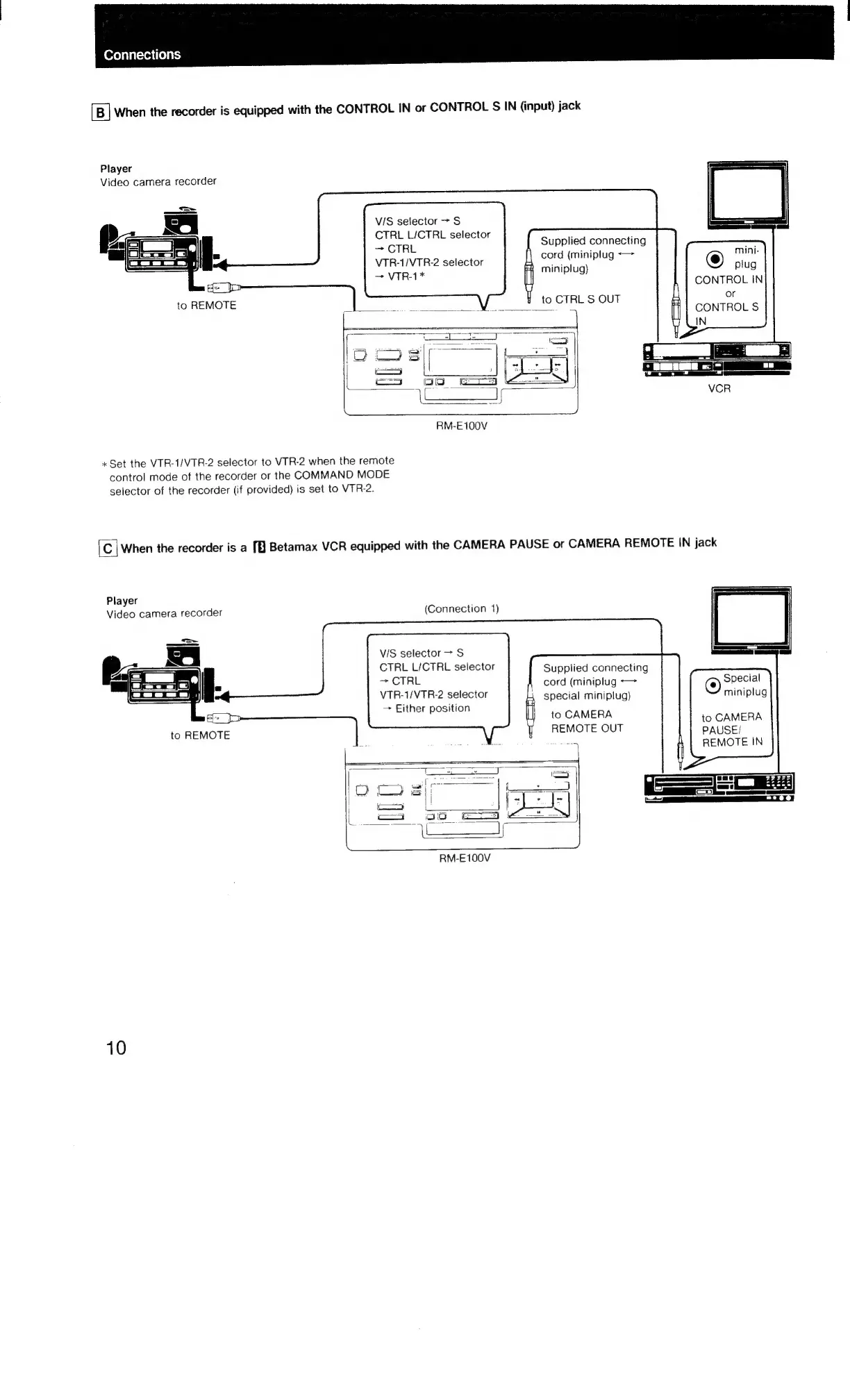
Connections
When
the
recorder
is
equipped
with
the
CONTROL
IN
or
CONTROL
S
IN
(input)
jack
Player
Video
camera
recorder
VIS
selector
>
S$
CTRL
L/CTRL
selector
>
CTRL
VTR-1/VTR-2
selector
Supplied
connecting
cord
(miniplug
<>
mini-
a
cag
miniplug)
plug
pe
CONTROL
IN
to
CTRL
S
OUT
or
CONTROL
S
———
SS
|
i
ceo
|
==
etd
=)
RM-E100V
«Set
the
VTR-1/VTR-2
selector
to
VTR-2
when
the
remote
control
mode
of
the
recorder
or
the
COMMAND
MODE
selector
of
the
recorder
(if
provided)
is
set
to
VTR-2.
C
|
When
the
recorder
is
a
[
Betamax
VCR
equipped
with
the
CAMERA
PAUSE
or
CAMERA
REMOTE
IN
jack
Player
Video
camera
recorder
(Connection
1)
=<
—_—_—
G
J
VIS
selector
>
S
CTRL
L/CTRL
selector
>
CTRL
VTR-1/VTR-2
selector
~
Either
position
Supplied
connecting
cord
(miniplug
*—
special
miniplug)
to
CAMERA
REMOTE
OUT
©
Special
miniplug
to
CAMERA
PAUSE/
REMOTE
IN
RM-E100V
10

Related product manuals