EasyManua.ls Logo

Sony RM-E100V - Page 20

Sony RM-E100V
23 pages
Print Icon
To Next Page IconTo Next Page
To Previous Page IconTo Previous Page
Loading...
Program
Play
To
play
back
the
memorized
scenes
automatically
To
erase
the
memory
of
all
the
programs
Ff
AC
(All
clear)
button
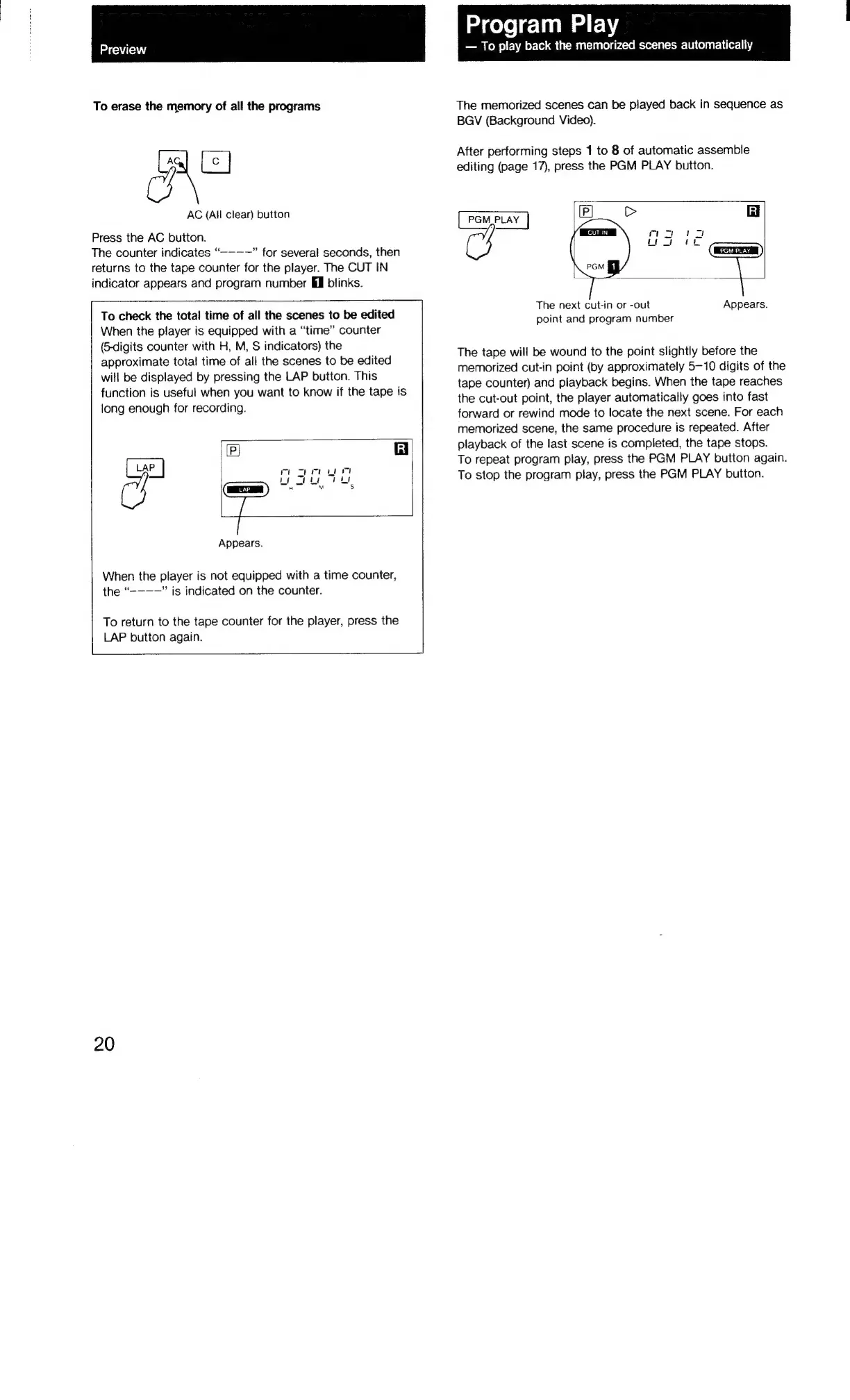
Press
the
AC
button.
The
counter
indicates
“-—-——”
for
several
seconds,
then
returns
to
the
tape
counter
for
the
player.
The
CUT
IN
indicator
appears
and
program
number
Mil
blinks.
To
check
the
total
time
of
all
the
scenes
to
be
edited
When
the
player
is
equipped
with
a
“time”
counter
(6-digits
counter
with
H,
M,
S
indicators)
the
approximate
total
time
of
all
the
scenes
to
be
edited
will
be
displayed
by
pressing
the
LAP
button.
This
function
is
useful
when
you
want
to
know
if
the
tape
is
long
enough
for
recording.
(P]
iR]
LAP
4
s
Appears.
When
the
player
is
not
equipped
with
a
time
counter,
the
“-———”
is
indicated
on
the
counter.
To
return
to
the
tape
counter
for
the
player,
press
the
LAP
button
again.
20
The
memorized
scenes
can
be
piayed
back
in
sequence
as
BGV
(Background
Video).
After
performing
steps
1
to
8
of
automatic
assemble
editing
(page
17),
press
the
PGM
PLAY
button.
PGM
PLAY
Gi
mom
or
en
ee
The
next
cut-in
or
-out
Appears.
point
and
program
number
The
tape
will
be
wound
to
the
point
slightly
before
the
memorized
cut-in
point
(by
approximately
5-10
digits
of
the
tape
counter)
and
playback
begins.
When
the
tape
reaches
the
cut-out
point,
the
player
automatically
goes
into
fast
forward
or
rewind
mode
to
locate
the
next
scene.
For
each
memorized
scene,
the
same
procedure
is
repeated.
After
playback
of
the
last
scene
is
completed,
the
tape
stops.
To
repeat
program
play,
press
the
PGM
PLAY
button
again.
To
stop
the
program
play,
press
the
PGM
PLAY
button.

Related product manuals