EasyManua.ls Logo

Sony RM-E100V - Page 22

Sony RM-E100V
23 pages
Print Icon
To Next Page IconTo Next Page
To Previous Page IconTo Previous Page
Loading...
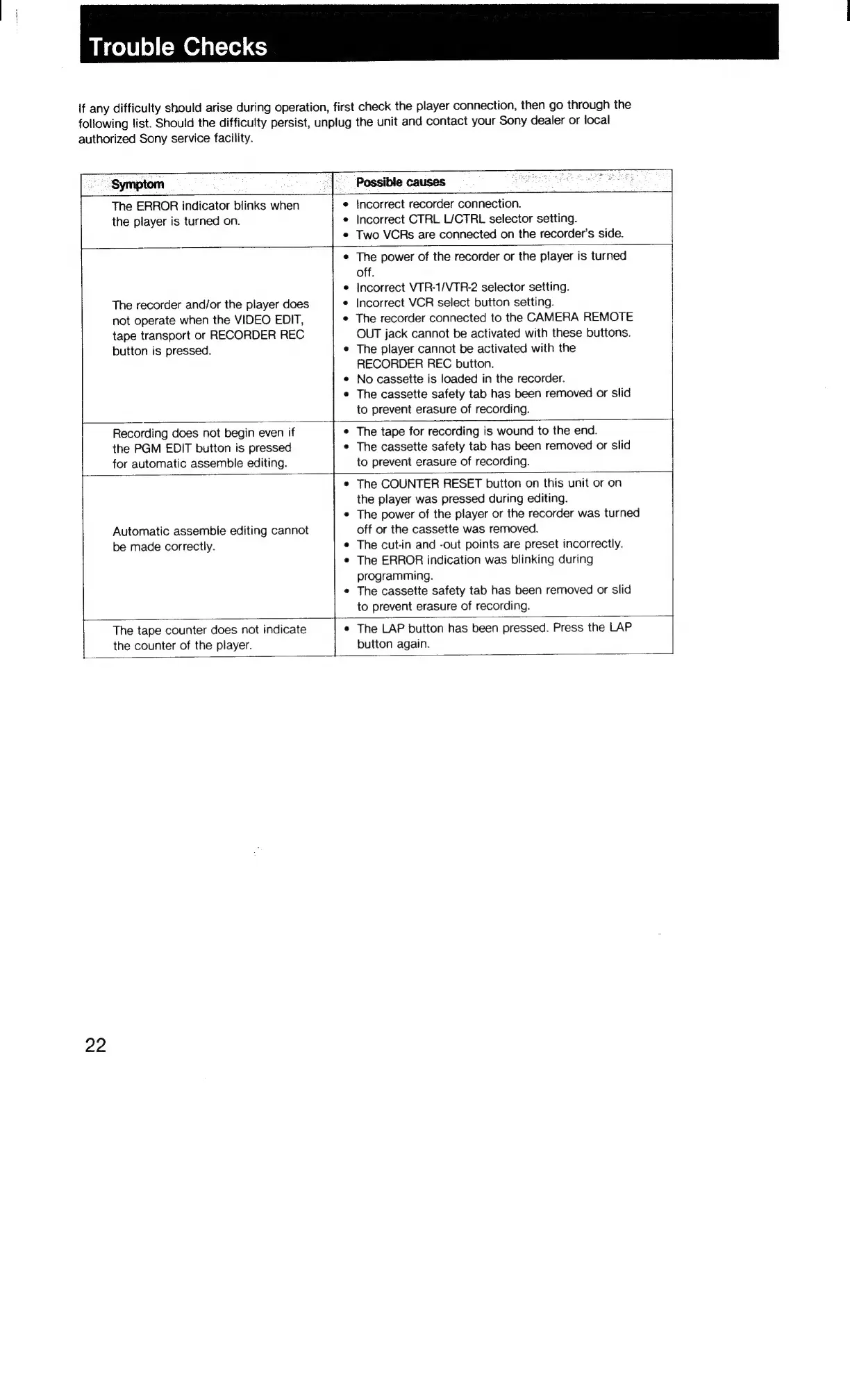
Trouble
Checks
if
any
difficulty
should
arise
during
operation,
first
check
the
player
connection,
then
go
through
the
following
list.
Should
the
difficulty
persist,
unplug
the
unit
and
contact
your
Sony
dealer
or
local
authorized
Sony
service
facility.
~
Symptom
_
The
ERROR
indicator
blinks
when
the
player
is
turned
on.
Possible
causes
¢
incorrect
recorder
connection.
Incorrect
CTRL
L/CTRL
selector
setting.
Two
VCRs
are
connected
on
the
recorder’s
side.
The
recorder
and/or
the
player
does
not
operate
when
the
VIDEO
EDIT,
tape
transport
or
RECORDER
REC
button
is
pressed.
The
power
of
the
recorder
or
the
player
is
turned
off.
Incorrect
VTR-1/VTR-2
selector
setting.
Incorrect
VCR
select
button
setting.
The
recorder
connected
to
the
CAMERA
REMOTE
OUT
jack
cannot
be
activated
with
these
buttons.
The
player
cannot
be
activated
with
the
RECORDER
REC
button.
No
cassette
is
loaded
in
the
recorder.
The
cassette
safety
tab
has
been
removed
or
slid
to
prevent
erasure
of
recording.
Recording
does
not
begin
even
if
the
PGM
EDIT
button
is
pressed
for
automatic
assemble
editing.
The
tape
for
recording
is
wound
to
the
end.
The
cassette
safety
tab
has
been
removed
or
slid
to
prevent
erasure
of
recording.
Automatic
assemble
editing
cannot
be
made
correctly.
The
COUNTER
RESET
button
on
this
unit
or
on
the
player
was
pressed
during
editing.
The
power
of
the
player
or
the
recorder
was
turned
off
or
the
cassette
was
removed.
The
cut-in
and
-out
points
are
preset
incorrectly.
The
ERROR
indication
was
blinking
during
programming.
The
cassette
safety
tab
has
been
removed
or
slid
to
prevent
erasure
of
recording.
The
tape
counter
does
not
indicate
the
counter
of
the
player.
The
LAP
button
has
been
pressed.
Press
the
LAP
button
again.
22

Related product manuals