EasyManua.ls Logo

Sony RM-E100V - Page 7

Sony RM-E100V
23 pages
Print Icon
To Next Page IconTo Next Page
To Previous Page IconTo Previous Page
Loading...
(Ove)
alatsver
te)
atsy
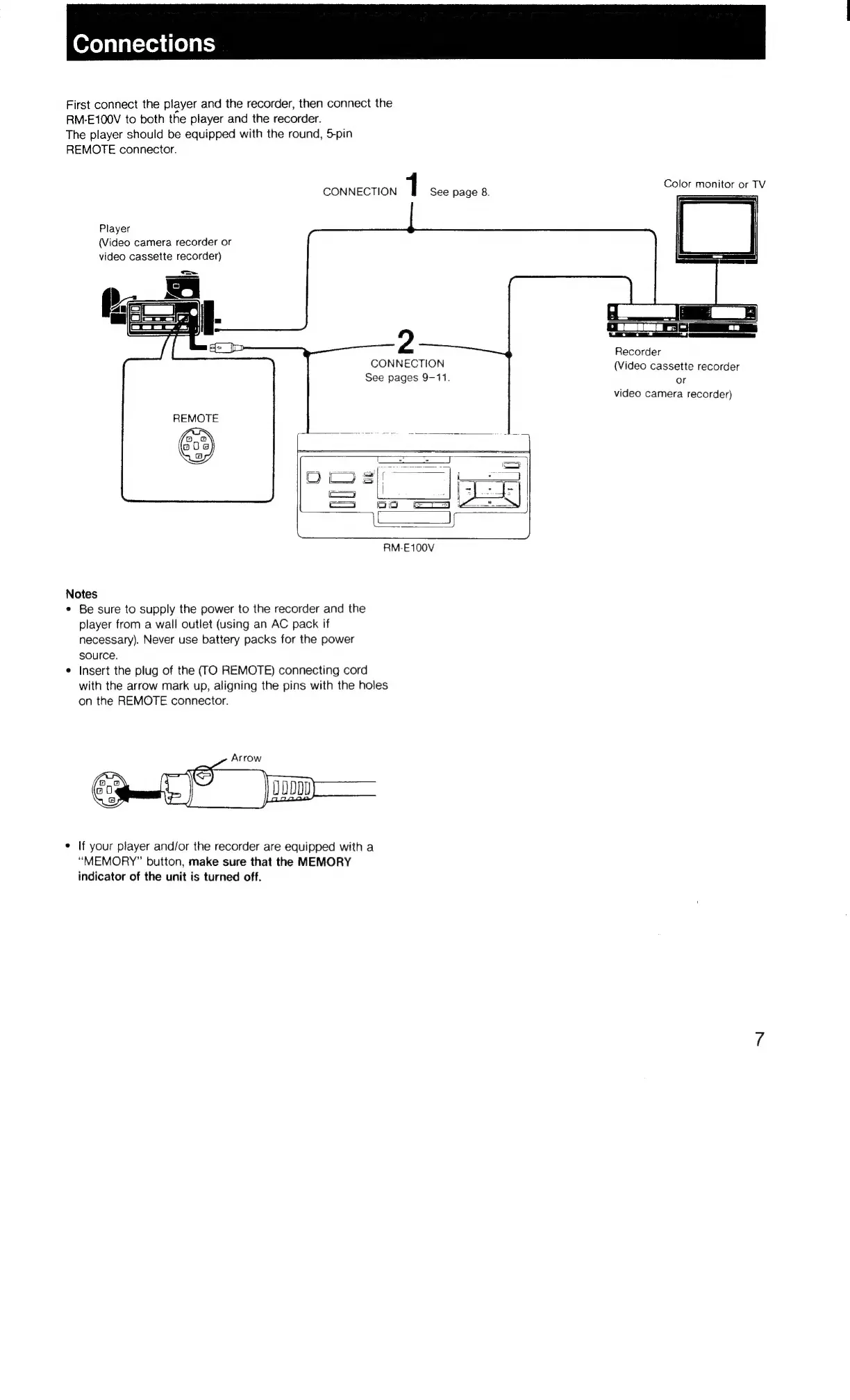
First
connect
the
player
and
the
recorder,
then
connect
the
RM-E100V
to
both
the
player
and
the
recorder.
The
player
should
be
equipped
with
the
round,
Spin
REMOTE
connector.
CONNECTION
1
See
page
8.
Color
monitor
or
TV
Player
(Video
camera
recorder
or
video
cassette
recorder)
2
a
7
aA
Recorder
(Video
cassette
recorder
or
video
camera
recorder)
CONNECTION
See
pages
9-11.
RM-E100V
Notes
¢
Be
sure
to
supply
the
power
to
the
recorder
and
the
player
from
a
wall
outlet
(using
an
AC
pack
if
necessary).
Never
use
battery
packs
for
the
power
source.
¢
Insert
the
plug
of
the
(TO
REMOTE)
connecting
cord
with
the
arrow
mark
up,
aligning
the
pins
with
the
holes
on
the
REMOTE
connector.
e
If
your
player
and/or
the
recorder
are
equipped
with
a
“MEMORY”
button,
make
sure
that
the
MEMORY
indicator
of
the
unit
is
turned
off.

Related product manuals