EasyManua.ls Logo

Sony RM-E700 - Page 40

Sony RM-E700
58 pages
Print Icon
To Next Page IconTo Next Page
To Previous Page IconTo Previous Page
Loading...
Creating
a
Video
Image
Title
You
can
create
your
own
title
by
drawing
or
writing
a
title
on
a
stiff
piece
as
paper
or
cardboard.
Use
a
plain
white
paper
and
write
the
title
in
a
dark
color
in
bold
characters.
A
simple
and
bold
title
is
recommended.
Oy
er=le-hile)
a
1
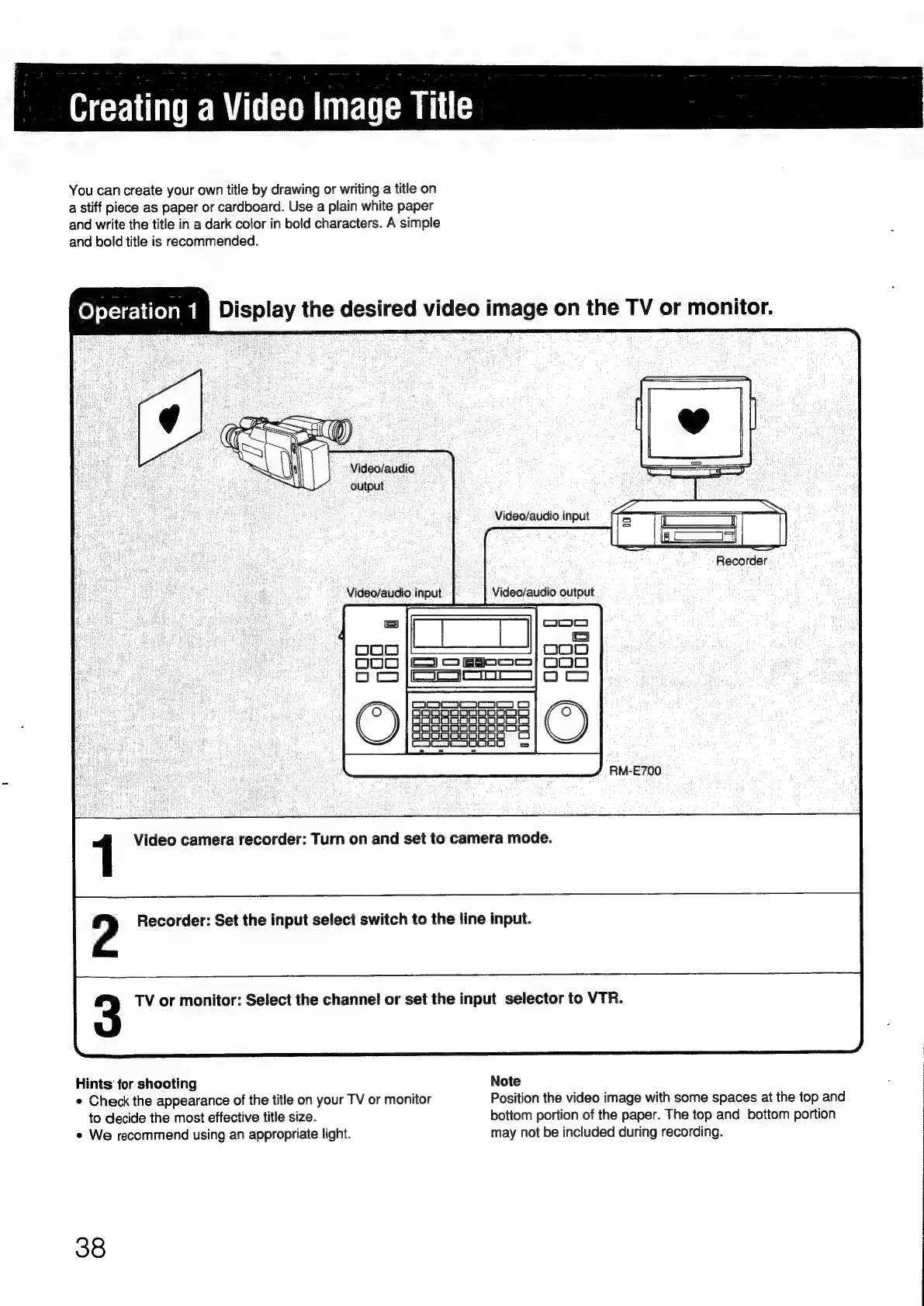
Display
the
desired
video
image
on
the
TV
or
monitor.
>
Video/audio
output
“Recorder
RM-E700
1
Video
camera
recorder:
Turn
on
and
set
to
camera
mode.
2
Recorder:
Set
the
input
select
switch
to
the
line
input.
3
TV
or
monitor:
Select
the
channel
or
set
the
input
selector
to
VTR.
Hints
for
shooting
Note
e
Check
the
appearance
of
the
title
on
your
TV
or
monitor
Position
the
video
image
with
some
spaces
at
the
top
and
to
decide
the
most
effective
title
size.
bottom
portion
of
the
paper.
The
top
and
bottom
portion
e
We
recommend
using
an
appropriate
light.
may
not
be
included
during
recording.
38

Other manuals for Sony RM-E700

Related product manuals