EasyManua.ls Logo

Sony RM-E700 - Page 39

Sony RM-E700
58 pages
Print Icon
To Next Page IconTo Next Page
To Previous Page IconTo Previous Page
Loading...
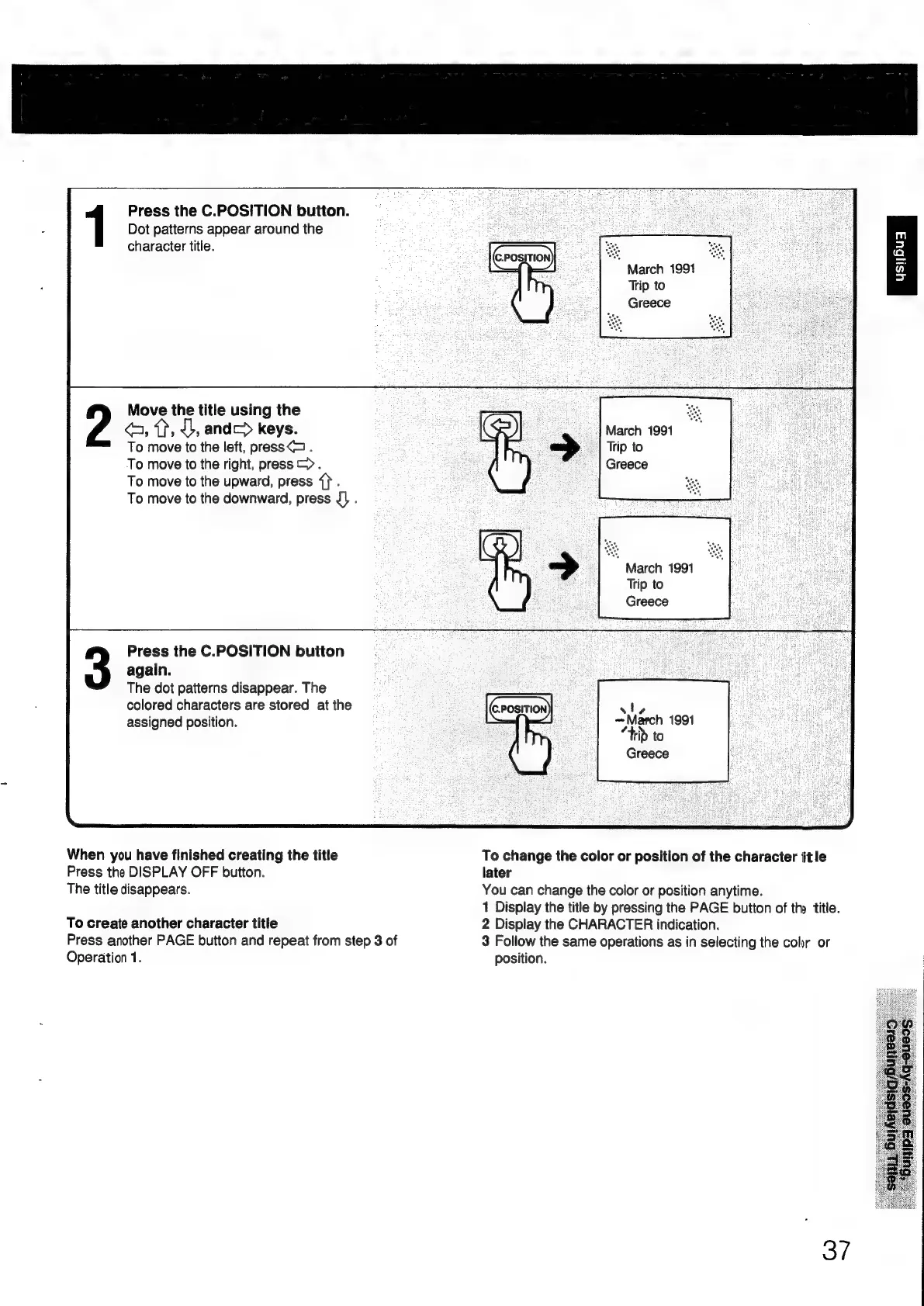
Press
the
C.POSITION
button.
Dot
patterns
appear
around
the
character
title.
Move
the
title
using
the
<a,
ff, 4b,
and
keys.
To
move
to
the
left,
press<>
.
To
move
to
the
right,
press
>>.
To
move
to
the
upward,
press
{}.
To
move
to
the
downward,
press
J]
.
Press
the
C.POSITION
button
again.
The
dot
patterns
disappear.
The
colored
characters
are
stored
at
the
assigned
position.
When
you
have
finished
creating
the
title
Press
the
DISPLAY
OFF
button.
The
title
disappears.
To
create
another
character
title
Press
another
PAGE
button
and
repeat
from
step
3
of
Operation
1.
March
1991
Trip
to
:
Greece
-|
March
1991
‘|
Trip
to
Greece
"
March
1991
Trip
to
Greece
sS
!
¢
~March
1991
eh
rib
to
Greece
To
change
the
color
or
position
of
the
character
title
later
You
can
change
the
color
or
position
anytime.
1
Display
the
title
by
pressing
the
PAGE
button
of
the
title.
2
Display
the
CHARACTER
indication.
3
Follow
the
same
operations
as
in
selecting
the
cor
or
position.
37

Other manuals for Sony RM-E700

Related product manuals