EasyManua.ls Logo

Sony RM-E700 - Page 38

Sony RM-E700
58 pages
Print Icon
To Next Page IconTo Next Page
To Previous Page IconTo Previous Page
Loading...
Creating
a
Character
Title
fele-riieiwae
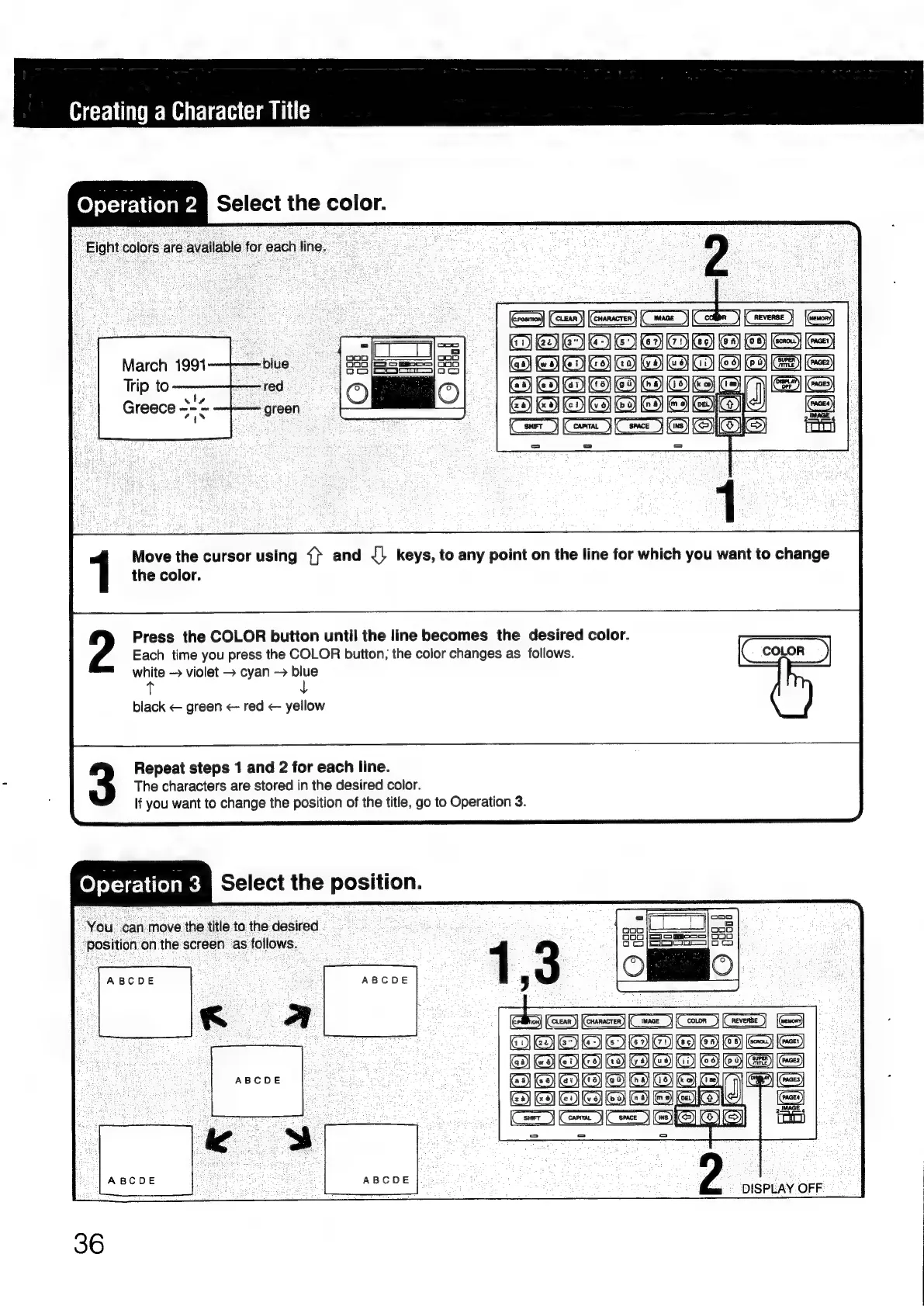
elect
the
color.
Eight
colors
are
available
for
each
line.
March
1991—~——blue,
Tip
to——-—-red._
|
(IC
Greece
3-2
—~-—
=
=
Move
the
cursor
using
{}
and
{|
keys,
to
any
point
on
the
line
for
which
you
want
to
change
the
color.
Press
the
COLOR
button
until
the
line
becomes
the
desired
color.
Each
time
you
press
the
COLOR
button,
the
color
changes
as
follows.
white
violet
>
cyan
blue
black
<
green
<-
red
<
yellow
Repeat
steps
1
and
2
for
each
line.
The
characters
are
stored
in
the
desired
color.
If
you
want
to
change
the
position
of
the
title,
go
to
Operation
3.
elem
oelect
the
position.
You
can
move
the
title
to
the
desired
position
on
the
screen
as
follows.
ABCDE

Other manuals for Sony RM-E700

Related product manuals