EasyManua.ls Logo

Sony RM-E700 - Page 55

Sony RM-E700
58 pages
Print Icon
To Next Page IconTo Next Page
To Previous Page IconTo Previous Page
Loading...
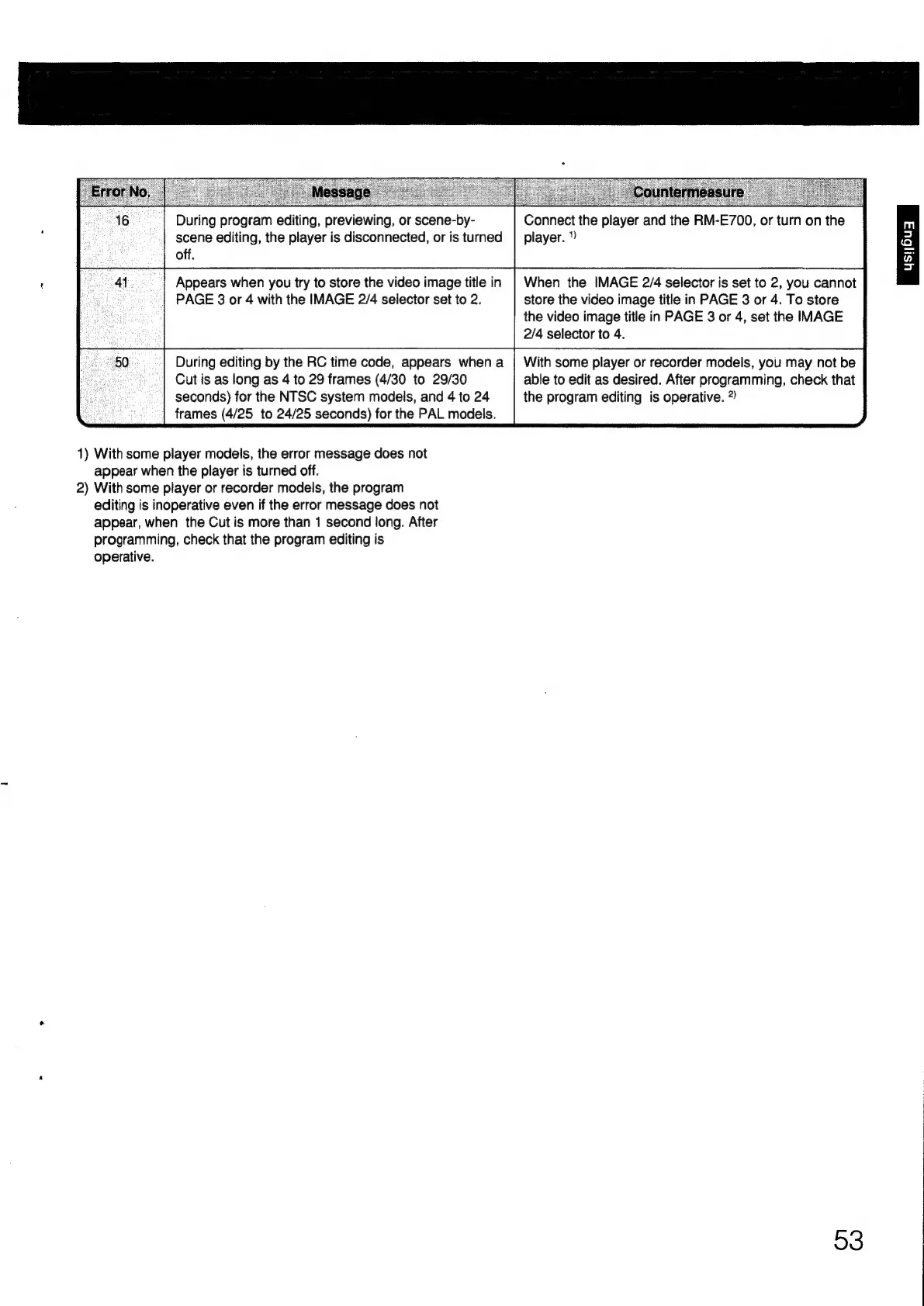
During
program
editing,
previewing,
or
scene-by-
Connect
the
player
and
the
RM-E700,
or
turn
on
the
scene
editing,
the
player
is
disconnected,
or
is
turned
|
player.
off.
Appears
when
you
try
to
store
the
video
image
title
in
|
When
the
IMAGE
2/4
selector
is
set
to
2,
you
cannot
PAGE
3
or
4
with
the
IMAGE
2/4
selector
set
to
2.
store
the
video
image
title
in
PAGE
3
or
4.
To
store
the
video
image
title
in
PAGE
3
or
4,
set
the
IMAGE
2/4
selector
to
4.
During
editing
by
the
RC
time
code,
appears
when
a
|
With
some
player
or
recorder
models,
you
may
not
be
Cut
is
as
long
as
4
to
29
frames
(4/30
to
29/30
able
to
edit
as
desired.
After
programming,
check
that
seconds)
for
the
NTSC
system
models,
and
4
to
24
the
program
editing
is
operative.
?)
frames
(4/25
to
24/25
seconds)
for
the
PAL
models.
1)
With
some
player
models,
the
error
message
does
not
appear
when
the
player
is
turned
off.
2)
With
some
player
or
recorder
models,
the
program
editing
is
inoperative
even
if
the
error
message
does
not
appear,
when
the
Cut
is
more
than
1
second
long.
After
programming,
check
that
the
program
editing
is
operative.
93

Other manuals for Sony RM-E700

Related product manuals