6
Location of Parts and Basic Remote Operations
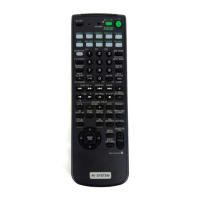
Parts Description
Lift up the top cover.
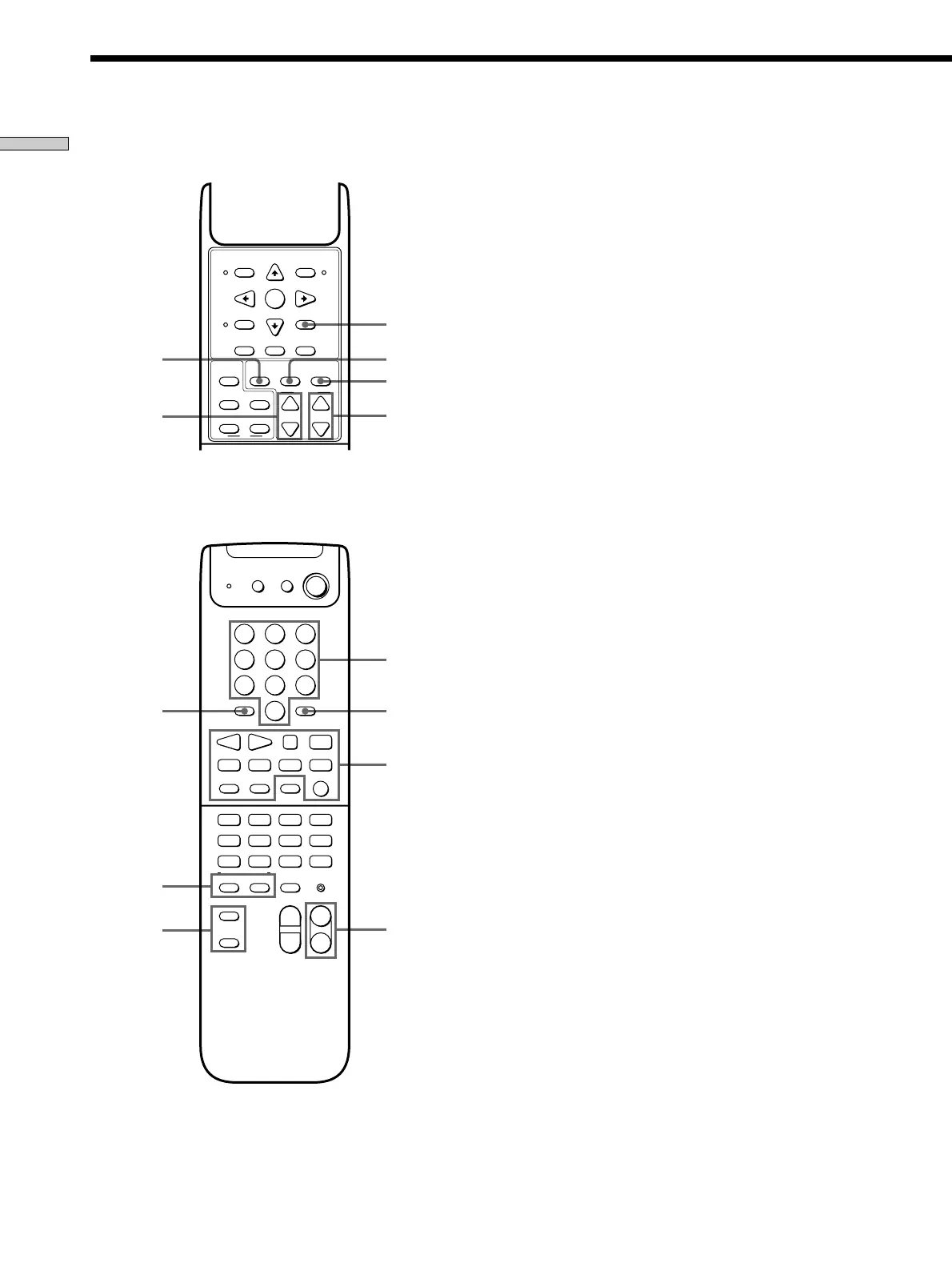
7 BASS BOOST button
Press to increase the bass of the front speakers. The
BASS BOOST indicator on the receiver lights up when
the function is turned on.
8 CURSOR MODE button
Press repeatedly to select a cursor mode, SURROUND,
BASS/TREBLE (EQ), etc. The indicator for the
selected cursor mode lights up on the receiver.
9 EQ/TONE ON/OFF button
Press to turn the tone effect on or off. The TONE
indicator on the receiver lights up while the tone effect
is turned on.
Note that if you have adjusted the tone using the
CURSOR MODE button and cursor buttons, the
adjusted tone will be produced whenever you turn on
the tone effect.
0 TEST TONE button
Press to output a test tone.
!¡ LEVEL CENTER +/– buttons
Press to adjust the volume level of the center speaker.
!™ LEVEL REAR +/– buttons
Press to adjust the volume level of the rear speakers.
!£ SHIFT >10 -/-- button
If you have selected tuner:
Press repeatedly to select a memory page for
presetting radio stations or tuning to preset stations.
If you selected VCR, TV, LD player, tape deck, MD
deck, or CD player:
Press before inputting a channel or track number of
eleven or higher.
!¶
!£
!™
!ª
!•
8
!∞
!§
!¢
0
!¡
97
MUTING IR SET
5.1CH
MASTER
VOLUME
CH/PRESET
2CH/OFF
SOUND FIELD
A.F.D.
PHONO
TUNER
TV CONTROL
MD
TAPE
TV
CD
VIDEO3
VIDEO2
VIDEO1
DVD
)
0
+
=
p
P
(9
ANT
TV/VTR
ENTER
D.TUNING
SHIFT
>
10 - / - -
D.SKIP
SLEEP
SYSTEM
STANDBY
1/u
AV
DISC
r
0
8
5
2
9
6
3
7
4
1
++
––
JUMP
CENTER
POSITION
SWAP
P IN P
BASS
BOOST
EQ/TONE
ON/OFF
TEST
TONE
SAT
GUIDE
EXIT/RETURN
ENTER
EXECUTE
DVD
TITLE
SAT
MENU
CURSOR
MODE
DVD
MENU
VCR
MENU
TV/VIDEO
–
+
REAR
–
+
LEVEL
TV
V
MODE
+
–







 To Next Page