9
GB
Getting started
Getting started
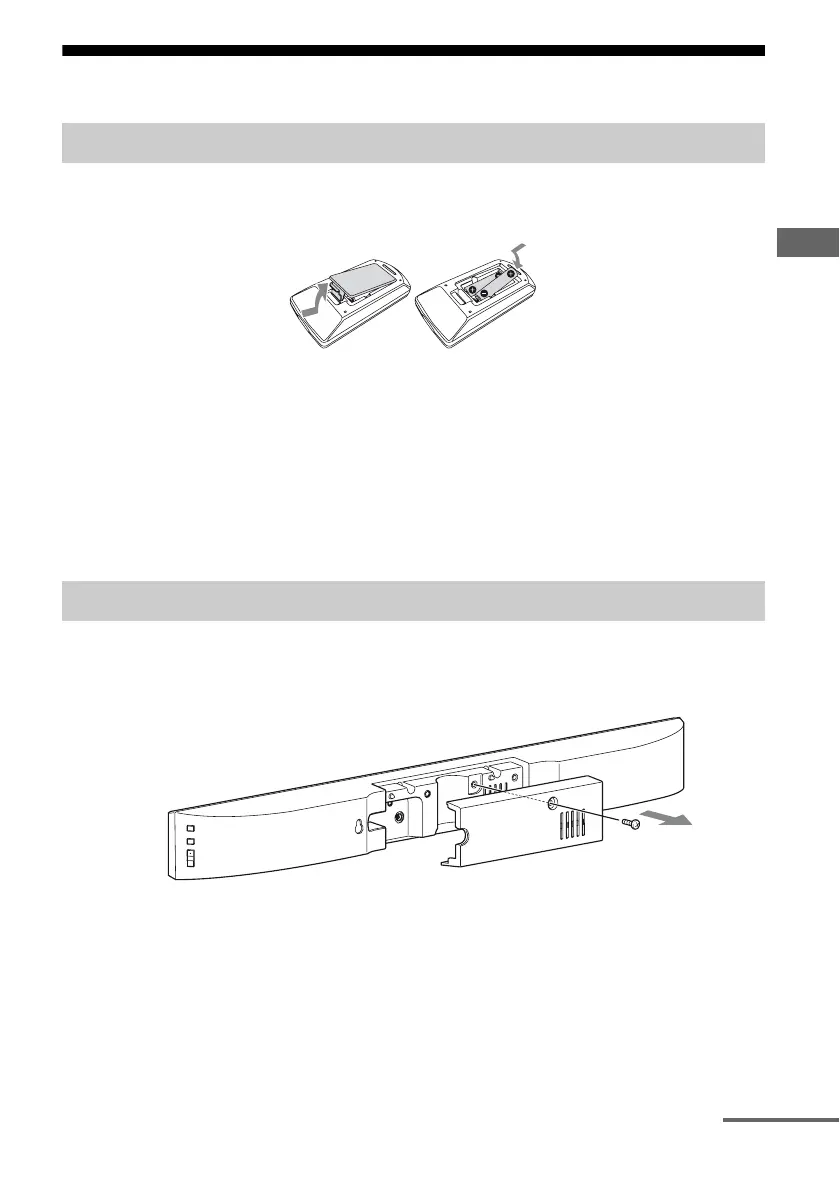
Slide and remove the battery compartment lid, and insert the two supplied R03 (size AAA)
batteries, E side first, matching the polarities shown below.
Notes
• Do not mix an old battery with a new one or mix different types of batteries.
• Do not leave the remote control in an extremely hot or humid place.
• Do not expose the remote control sensor to direct sunlight or lighting apparatuses. Doing so may cause a
malfunction.
• If you do not intend to use the remote control for an extended period of time, remove the batteries to avoid
possible damage from battery leakage and corrosion.
• When the remote control no longer operates the unit, replace both batteries with new ones.
• Do not drop any foreign object into the remote control casing, particularly when replacing the batteries.
1 Remove the screw on the rear cover of the unit, then remove the rear
cover.
Installing a battery
Hooking up the unit
continued



 To Next Page