5
Speaker System Hookups
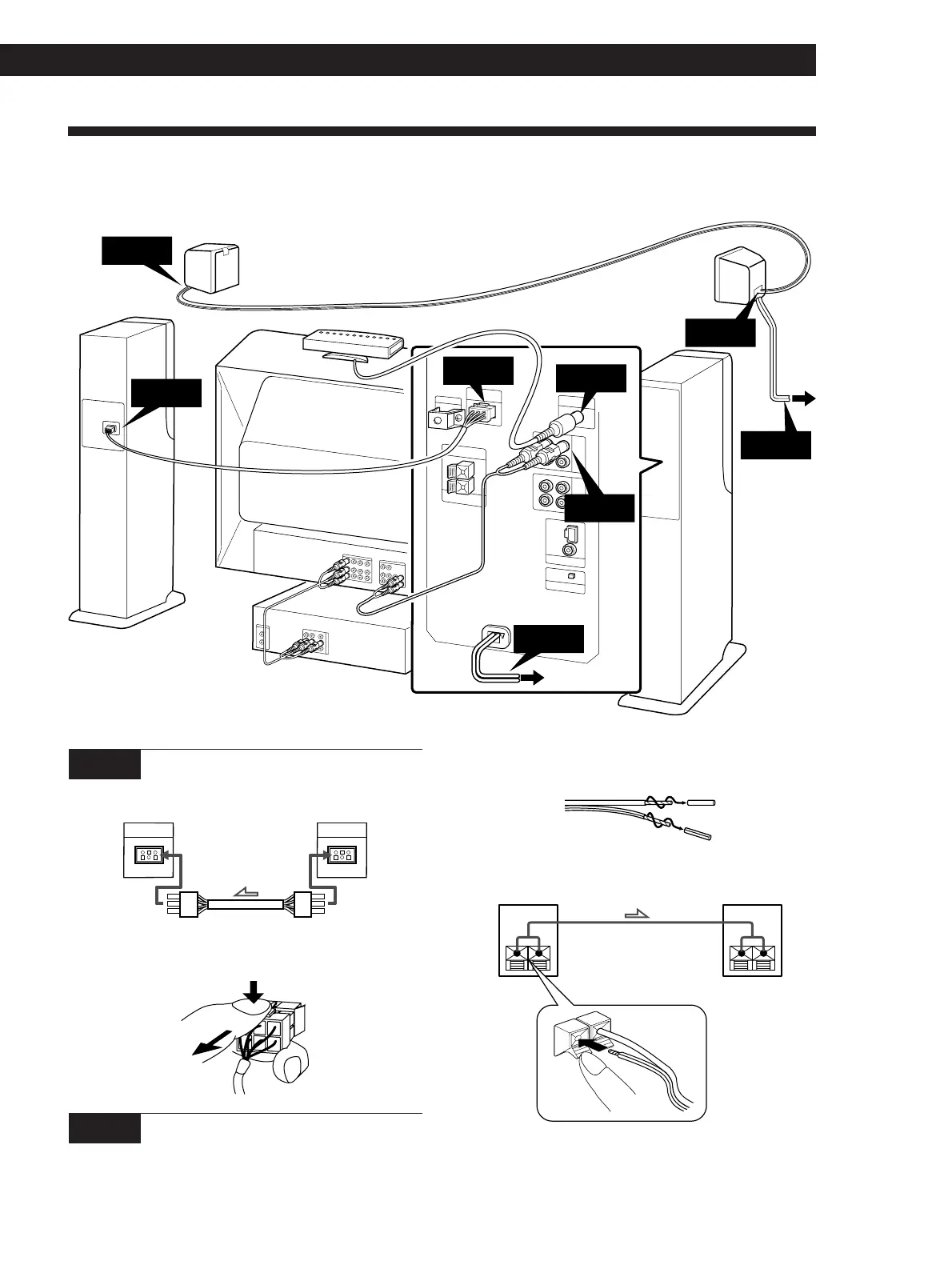
This section describes how to connect the speaker system and how to connect your TV or VCR to the speakers.
Getting Started
1 Twist the speaker cord coating and strip it from
the end of the cords.
2 Insert the stripped wire into speaker terminals.
+
–
SPEAKER OUT SPEAKER IN
Be sure to connect matching speaker terminals (e.g. use
the solid wire to connect + to +, and use the striped wire
to connect – to –). If the connections are reversed
(+ to –), the sound will be lack bass.
(Continued)
STEP 1 Connecting the front speakers
R-ch SPEAKER
OUTPUT
R-ch SPEAKER
INPUT
ONLY FOR
SAVA-57
ONLY FOR
SAVA-57
To disconnect, pull the connector out while pressing
the release tab. Never pull the cord itself.
STEP 2 Connecting the rear speakers
Use the supplied speaker cord to connect the left and
right rear speakers.
right speaker left speaker
passive
active
Rear speaker (passive)
Front speaker
(right)
TV
VCR
STEP 1
STEP 2
STEP 5
STEP 3
Rear speaker
(active)
Front speaker
(left)
Infrared transmitter
to wall
outlet
to wall outlet
STEP 4
STEP 5
The arrow ç indicates signal flow.
STEP 1
STEP 2



 To Next Page