EasyManua.ls Logo

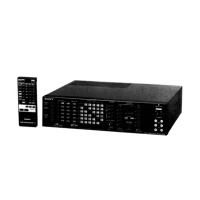
Sony SB-V3000 - General Information; 1-1. Outline and Capabilities

Sony SB-V3000
79 pages
Print Icon
To Next Page IconTo Next Page
To Previous Page IconTo Previous Page
Loading...
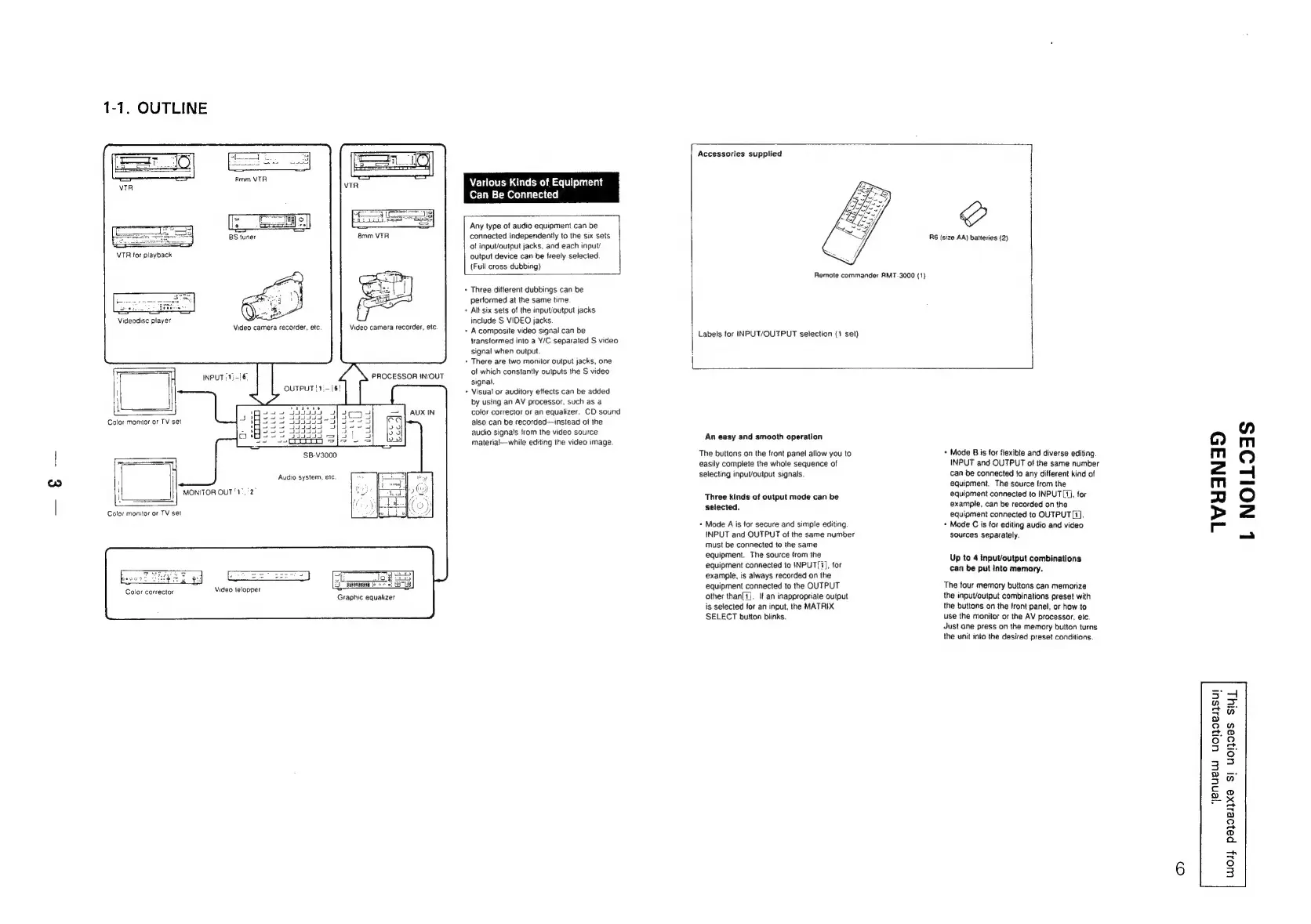
1-1.
OUTLINE
Video
camera
recorder,
etc.
INPUT:
1}-[6.
OUTPUT
[1;-|
LELLLL
PELLELE
Varlous
Kinds
of
Equipment
Can
Be
Connected
Video
camera
recorder,
etc.
PROCESSOR
IN/OUT
6!
SB-V3000
Audio
system,
etc.
MONITOR
OUT'1’,
Color
monitor
or
TV
set
Color
corrector
Video
telopper
oF
log!
5
Spies
Be
Graphic
equalizer
Any
type
ot
audio
equipment
can
be
connected
independently
to
the
six
sets
of
input/output
jacks,
and
each
input/
output
device
can
be
freely
selected.
(Fuil
cross
dubbing)
+
Three
different
dubbings
can
be
performed
at
the
same
time
+
Alt
six
sets
of
the
input/output
jacks
include
S
VIDEO
jacks.
>
Acomposite
video
signal
can
be
transtormed
into
a
Y/C
separated
S
video
signal
when
output.
+
There
are
two
monitor
output
jacks,
one
of
which
constantly
outputs
the
S
video
signal.
+
Visual
or
auditory
effects
can
be
added
by
using
an
AV
processor,
such
as
a
color
corrector
or
an
equalizer.
CD
sound
also
can
be
recorded—instead
of
the
audio
signals
from
the
video
source
materia!—while
editing
the
video
image.
Accessories
supplied
Remote
commander
AMT-3000
(1)
Labels
for
INPUT/OUTPUT
selection
(1
set)
R6
(size
AA)
batteries
(2)
An
easy
and
smooth
operation
The
buttons
on
the
front
panel
aliow
you
to
easily
complete
the
whole
sequence
of
selecting
input/output
signals.
Three
kinds
of
output
mode
can
be
selected.
+
Mode
A
is
for
secure
and
simple
editing
INPUT
and
OUTPUT
of
the
same
number
must
be
connected
to
the
same
equipment.
The
source
from
the
equipment
connected
to
NPUT{1],
for
example,
is
always
recorded
on
the
equipment
connected
to
the
OUTPUT
other
than{1j.
If
an
inappropriate
output
is
selected
for
an
input,
the
MATRIX
SELECT
button
blinks.
+
Mode
B
is
for
flexible
and
diverse
editing
INPUT
and
OUTPUT
of
the
same
number
can
be
connected
to
any
different
kind
of
equipment.
The
source
from
the
equipment
connected
to
INPUT[1),
for
example,
can
be
recorded
on
the
equipment
connected
to
OUTPUT
[1].
Mode
C
is
for
editing
audio
and
video
sources
separately,
Up
to
4
input/output
combinations
can
be
put
into
memory.
The
four
memory
buttons
can
memorize
the
input/output
combinations
preset
with
the
buttons
on
the
front
panel,
or
how
to
use
the
monitor
or
the
AV
processor,
etc.
Just
one
press
on
the
memory
button
turns
the
unit
into
the
desired
preset
conditions.
WHYANAD
yenuew
U0l}0e1]SU!
oH
=:
no
a
Q
Q
ot,
°
3
a
@
x
aa
a
g
QO
o>
oO
Q
bal
bal
°
3
L
NOILOAS

Related product manuals