4
Part names
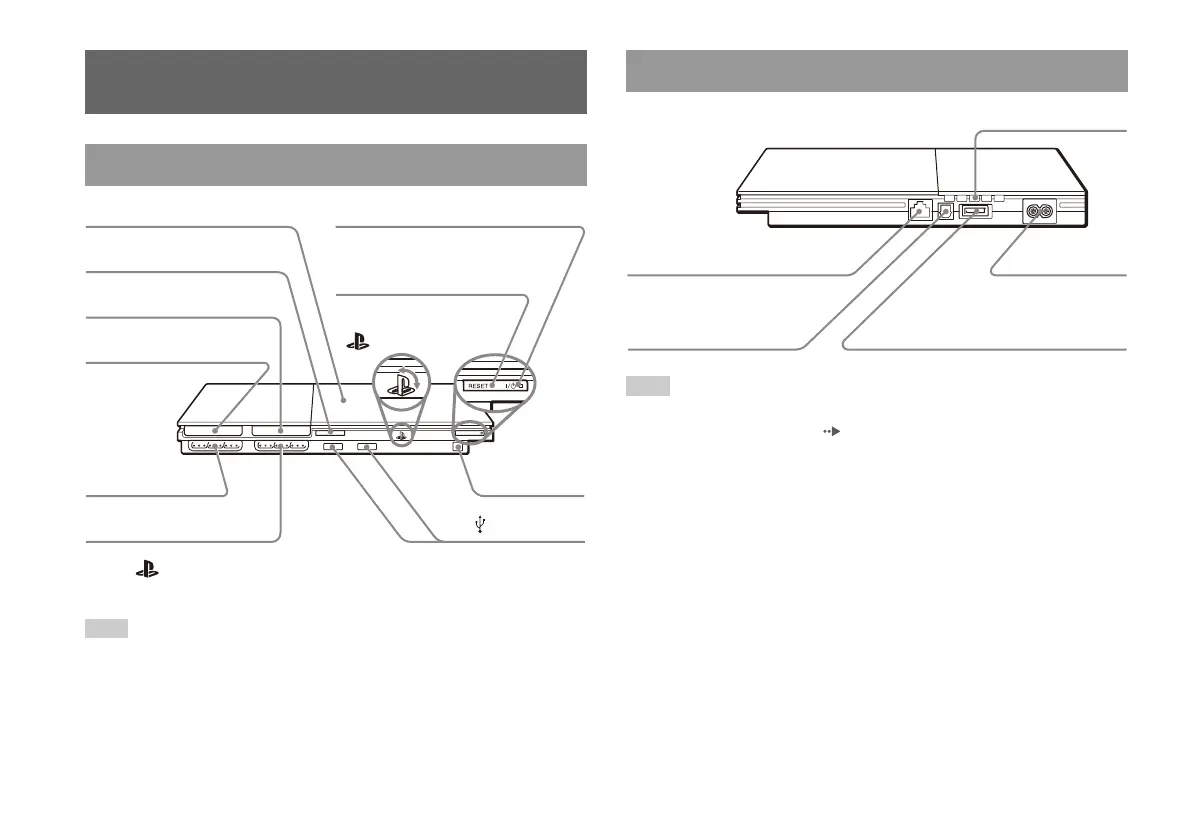
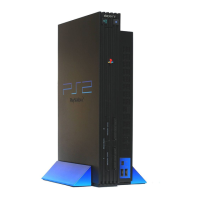
* The " " product family logo can be rotated to match the horizontal or vertical
positioning of the console.
Hint
You can connect USB devices that are compatible with the PlayStation®2 console.
Note, however, that not all USB-compatible products work with the PlayStation
®2
console. Refer to the instructions supplied with the device to be connected for more
information.
Hint
For part names of the analog controller (DUALSHOCK®2), see "Using the analog
controller (DUALSHOCK
®2)" ( page 12).
Part names
PlayStation®2 console front
MEMORY CARD MEMORY CARD
Controller port 2
" " product family logo*
A (open) button
IR receiver
USB connector
MEMORY CARD slot 2
MEMORY CARD slot 1
Controller port 1
]/1 (on/standby) indicator
]/1 (on/standby)/RESET button
Disc cover
PlayStation®2 console rear
Rear vent
~AC IN connector
AV MULTI OUT connector
DIGITAL OUT (OPTICAL)
connector
NETWORK connector





 To Next Page