7
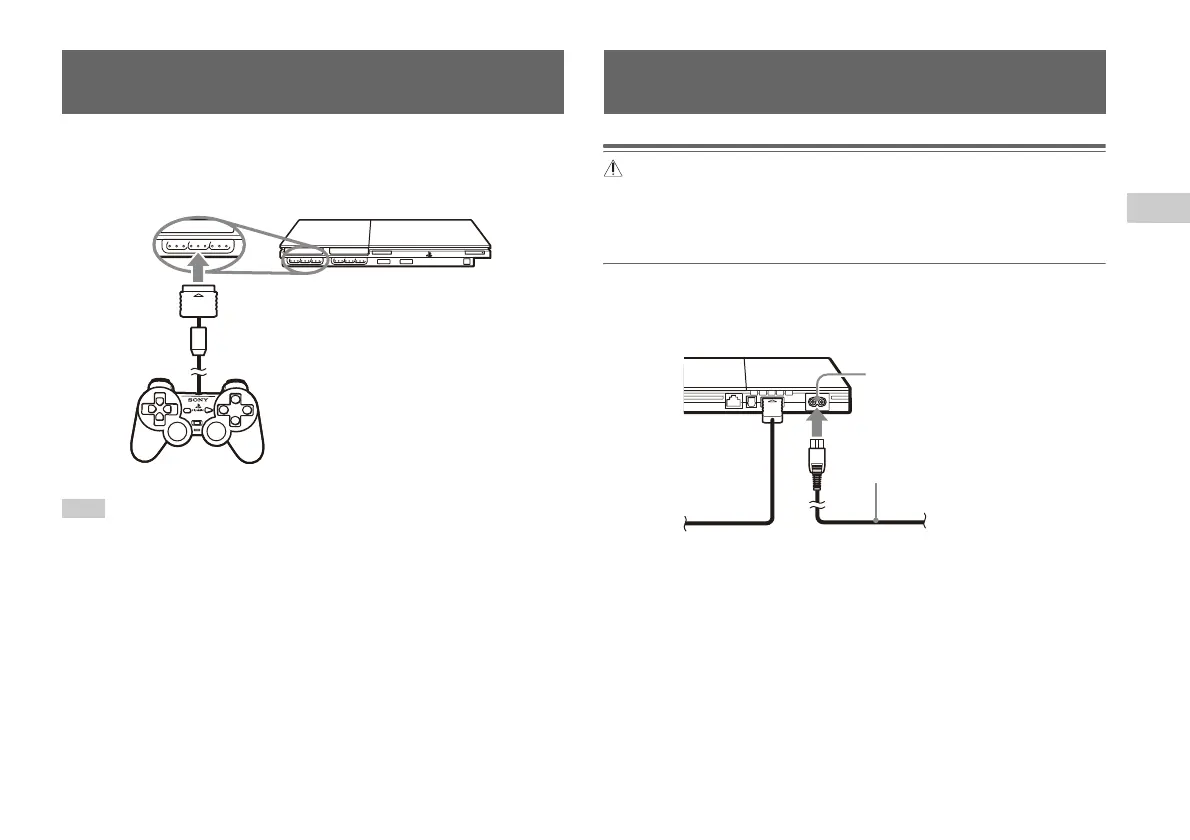
Connecting the controller
Preparation
EN
1 Insert the analog controller (DUALSHOCK®2) into a controller
port of the console.
Hint
Some software titles designate a specific controller port to be used. Refer to the
instructions supplied with the software for details.
Warnings
• The socket-outlet shall be installed near the equipment and shall be easily
accessible.
• Do not plug the AC power cord for the console into an electrical outlet until you
have made all other connections.
1 Connect the AC power cord to the ~ AC IN connector on the
console rear.
Connecting the controller
MEMORY CARD MEMORY CARD
Console front
Analog controller
(DUALSHOCK
®2)
Connecting the AC power cord
Console rear
AC power cord
~AC IN connector





 To Next Page