model name [SHAKE-7]
[4-451-239-11(1)] GB
5
GB
filename[D:\NORM'S JOB\SONY HA\SO120050\SHAKE-
7\4451239111_GB\04PLA.fm]
masterpage:Right
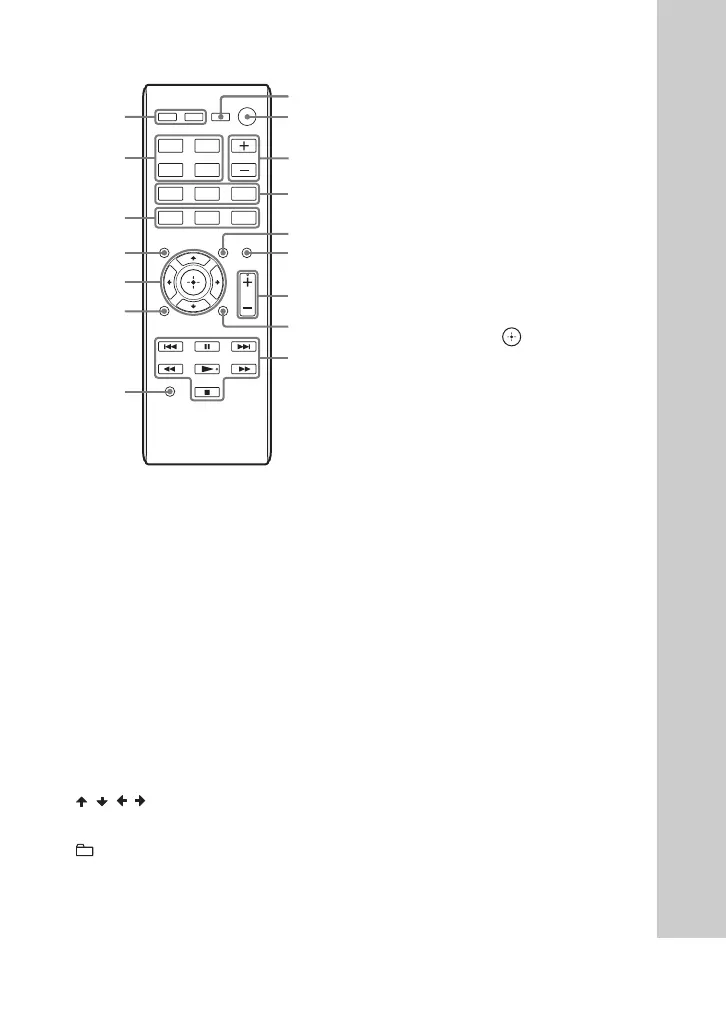
Remote control RM-AMU163
1
"/1 (on/standby)
Turn on the system, or set it to standby
mode.
B
FLANGER, ISOLATOR, SOUND
FLASH, PHASER (page 22)
Select the DJ EFFECT type.
C
MUSIC, MOVIE/GAME, FOOTBALL
Select the preset sound effect (page 22).
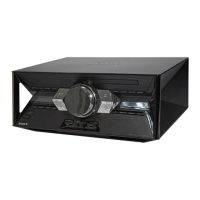
Unit: BASS BAZUCA (page 22)
Select the BASS BAZUCA effect.
D
///
Select the menu items.
+/– (select folder)
Select a folder on an MP3 disc or a USB
device.
m/M (rewind/fast forward)
Hold down to find a point in a track or file
during playback.
./> (go back/go forward)
Select a track or file.
TUNING+/–
Tune to the station you want.
x (stop)
Stop playback.
Press twice to cancel resume playback of
the USB device.
Unit: ENTER
Remote control:
Enter the settings.
Unit: NX (play/pause)
Remote control: N (play)*,
X (pause)
Start or pause playback.
To resume playback, press NX or N.
E
Unit: VOLUME/DJ CONTROL
Adjust the volume.
Adjust the DJ EFFECT level (page 22).
You cannot use this knob to adjust the
volume when the DJ EFFECT is
activated.
Remote control: VOLUME +/–*
Adjust the volume.
Remote control: DJ CONTROL +/–
Adjust the DJ EFFECT level.
F
Disc tray
G
OPTIONS
Enter or exit options menu.
H
Z OPEN/CLOSE
Insert or eject a disc.
S
A
C
U
E
D
I
B
J
D
Y
X
W
T
V
E
ISOLATOR
MUSIC
FOOTBALL
CD
FUNCTION
USB
FLANGER
PHASER
MOVIE
/
GAME
SOUND
FLASH



 To Next Page