model name [SHAKE-7]
[4-451-239-11(1)] GB
10
GB
filename[D:\NORM'S JOB\SONY HA\SO120050\SHAKE-
7\4451239111_GB\06BAS.fm]
masterpage:Left
Setting the clock
You cannot set the clock in Power Saving
Mode.
1 Press "/1 to turn on the system.
2 Press TIMER MENU.
If “PLAY SET” appears in the display
panel, press / repeatedly to
select “CLOCK SET”, then press
.
3 Press / repeatedly to set the
hour, then press .
4 Press / repeatedly to set the
minutes, then press .
Playing a disc
1
Press CD.
2 Press Z OPEN/CLOSE on the
unit.
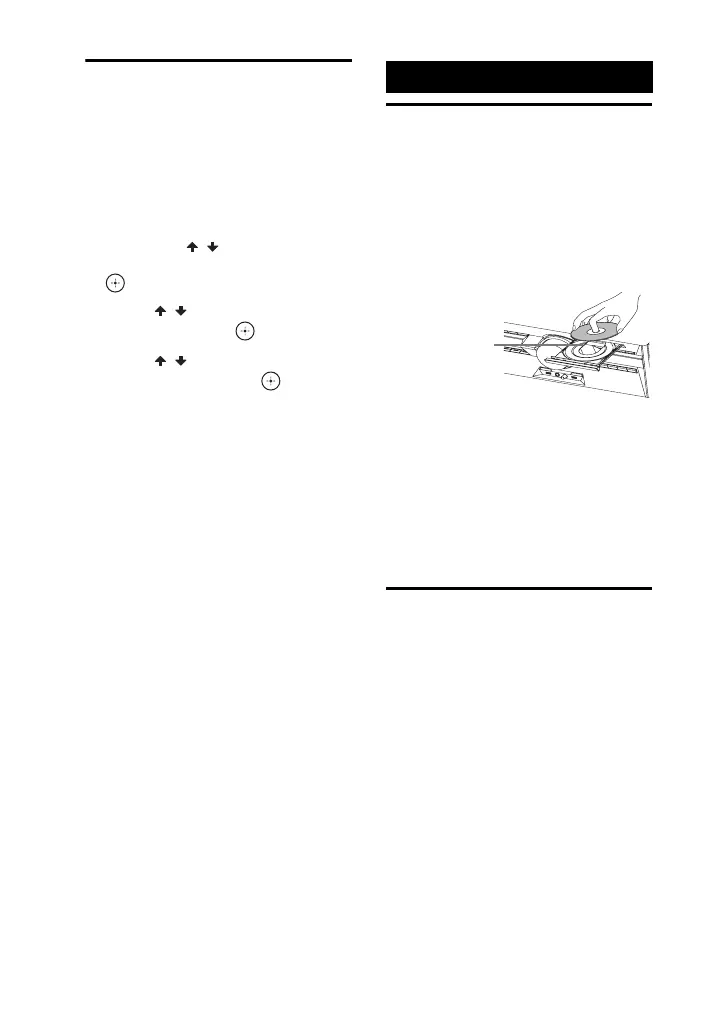
3 Load a disc with the label side
facing up on the disc tray.
4 Press Z OPEN/CLOSE on the
unit to close the disc tray.
Do not forcibly push the disc tray to
close it as this may cause a
malfunction.
5 Press N to start playback.
Before using the USB
device with this system
Check the websites for the information
about compatible USB devices (page 27).
To select the playback source or
transferring destination (USB
memory select)
If the USB device has more than one
memory (for example, internal memory
and a memory card), you can select which
memory to use as a playback source or
transferring destination.
Use the buttons on the unit to perform this
operation.
Disc/USB Playback
When you play
back an 8 cm
disc such as a
CD single, place
it on the inner
circle of the tray



 To Next Page