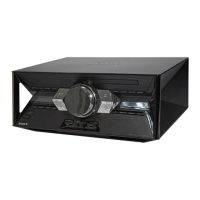
model name [SHAKE-7]
[4-451-239-11(1)] GB
9
GB
filename[D:\NORM'S JOB\SONY HA\SO120050\SHAKE-
7\4451239111_GB\05CON.fm]
masterpage:Right
Getting Started
– LED SPEAKER terminals
Connect the LED SPEAKER connector
of the speaker to this terminal.
The lighting on the speakers will react
according to the music source. You can
select the illumination pattern and color
according to your preference (page 23).
Example:
C AUDIO IN jacks
Use an audio cord (not supplied) to
connect to the audio output jacks of the
following equipment. The sound is output
through this system.
– TV/DVD/SAT L/R
Connect to a TV or an audio/video
equipment.
– PC/GAME L/R
Connect to a computer or gaming
device.
D Power
Plug the power cord into a wall socket.
The demonstration appears in the display
panel. Press "/1 to turn on the system and
the demonstration automatically ends.
If the supplied adaptor on the plug does
not fit your wall outlet, detach it from the
plug (only for models equipped with an
adaptor).
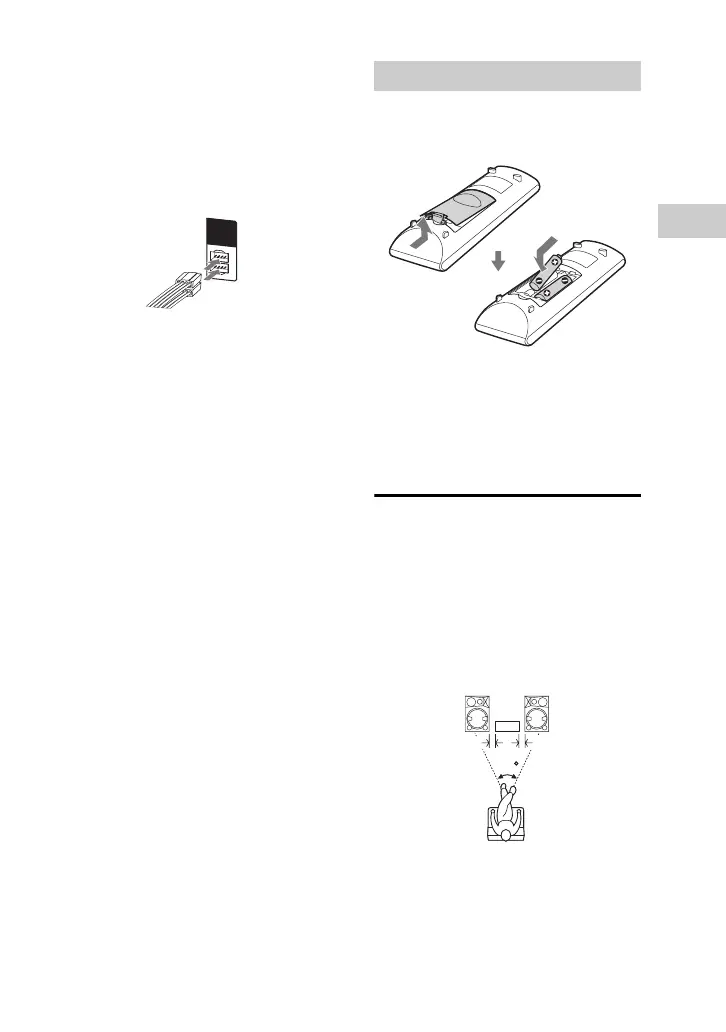
Insert the two supplied R6 (size AA)
batteries, matching the polarities shown
below.
Notes
• Do not mix an old battery with a new one or
mix different types of batteries.
• If you do not use the remote control for a long
period of time, remove the batteries to avoid
damage from battery leakage and corrosion.
Positioning the
speakers
To obtain optimum performance from the
system, we recommend you to place the
speakers as shown below.
A Unit
B Speaker (left)
C Speaker (right)
LED
SPEAKER
L
R
Inserting batteries
4545
A
B
C
0.3 m 0.3 m



 To Next Page