EasyManua.ls Logo

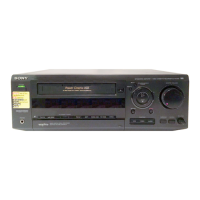
Sony SLV-AX10 - User Manual

Sony SLV-AX10
84 pages
Print Icon
To Next Page IconTo Next Page
Loading...
3-868-107-12 (1)
Video Cassette
Recorder
Operating Instructions
If you have any questions about this product, you may call: Sony
Customer Information Center 1-800-222-SONY (7669) or write to:
Sony Customer Information Center 1 Sony Drive, Mail Drop #T1-11,
Park Ridge, NJ 07656
Declaration of Conformity
Trade Name: SONY
Model No.: SLV-N60/AX20/N50/AX10
Responsible Party: Sony Electronics Inc.
Address: 1 Sony Drive, Park Ridge, NJ.07656 USA
Telephone No.: 201-930-6972
This device complies with Part 15 of the FCC Rules. Operation is subject to
the following two conditions: (1) This device may not cause harmful
interference, and (2) this device must accept any interference received,
including interference that may cause undesired operation.
SLV-N60
SLV-AX20
SLV-N50
SLV-AX10
© 2000 Sony Corporation


Other manuals for Sony SLV-AX10

Questions and Answers

  • J
    James ZunigaSep 9, 2025
    Why did the clock stop and “–:– –” appear in the display window of my Sony VCR?
    • E
      Erin DyerSep 9, 2025
      If the clock has stopped and “–:– –” is displayed on your Sony VCR, it's likely because the VCR was disconnected from the wall outlet for more than one hour. Reset the clock (and timer).
  • K
    Kyle MannAug 23, 2025
    Why does the timer not operate on my Sony SLV-AX10 VCR?
    • D
      Dr. Hannah JamesAug 23, 2025
      If the timer on your Sony VCR isn't working, check the following: * Make sure the clock is set. * Ensure a tape has been inserted. * Verify that the safety tab hasn't been removed from the tape. * Make sure the tape isn't at its end. * Confirm that a program has been set for timer recording. * Ensure your timer settings are past the current time. * Check that the cable box is turned on. * If the VCR was disconnected from the wall outlet for more than one hour, reset the clock and timer. * Turn the power off and unplug the AC power cord.
  • J
    Jennifer CostaAug 25, 2025
    What to do if the playback picture does not appear on the TV screen for Sony SLV-AX10?
    • M
      mullenlarryAug 25, 2025
      If you're not seeing a picture from your Sony VCR on the TV screen, first, make sure your TV is set to the correct channel for the VCR. If you're using a monitor, ensure it's set to video input.
  • J
    John JonesAug 27, 2025
    Why a TV program does not appear on the TV screen for Sony SLV-AX10?
    • R
      Rebecca MooreAug 27, 2025
      If a TV program isn't showing on your Sony VCR, first, ensure the TV is set to the correct channel for the VCR. If you're using a monitor, set it to video input. Also, select the correct source using the INPUT SELECT or CH +/– buttons. Choose a channel number when recording TV programs, and select “L1” or “L2” when recording from other equipment.
  • G
    Garrett MedinaAug 27, 2025
    How to fix the picture if it is not clear on Sony VCR?
    • A
      alvaradojulieAug 28, 2025
      If the picture on your Sony VCR isn't clear, try these steps: * Adjust the tracking using the TRACKING +/– buttons. * The video heads may be dirty. Clean them using a Sony T-25CLD, T-25CLDR, or T-25CLW video head cleaning cassette. Do not use a commercially available liquid type cleaning cassette other than Sony’s, as it may damage the video heads. If cleaning cassettes aren't available, have the heads cleaned at a Sony dealer for a fee. * The video heads might need replacement. Contact your local Sony dealer.
  • A
    Andrew White MDAug 29, 2025
    What to do if Sony SLV-AX10 power is on but the VCR does not operate?
    • T
      Terry SmithAug 29, 2025
      If your Sony VCR's power is on but it's not working, it might be due to moisture condensation. Turn the power off, unplug the AC power cord, and let the VCR dry for over three hours.
  • C
    Corey PowellSep 18, 2025
    Why I cannot control other TVs with my Sony VCR?
    • T
      Tara LoweSep 18, 2025
      If you're unable to control other TVs with your Sony VCR remote, set your TV's code number. Note that the code number may change when you replace the remote's batteries.
  • G
    georgemurraySep 18, 2025
    Why the tracking meter does not appear on the screen of my Sony SLV-AX10 VCR?
    • P
      pamelaperezSep 18, 2025
      If the tracking meter isn't showing up on your Sony VCR screen, it could be because the tape's recording condition is very poor, preventing tracking adjustments.
  • R
    robert55Sep 7, 2025
    How to improve TV reception on Sony SLV-AX10 VCR?
    • T
      Tracy PalmerSep 8, 2025
      If the TV reception is poor on your Sony VCR, try adjusting the TV antenna.
  • D
    Daniel HillSep 4, 2025
    Why does the tape start playing as soon as it is inserted in my Sony SLV-AX10 VCR?
    • B
      brownheatherSep 4, 2025
      If a tape starts playing as soon as you insert it into your Sony VCR, it means the safety tab has been removed. To record on this tape, cover the tab hole.

Summary

Getting Started

Initial Setup: Unpacking, Remote, and Hookups

Unpack VCR, set up remote, and connect to TV/antenna via various hookup procedures.

Channel Tuning and Clock Setting

Learn to select language, set the clock, and preset channels for optimal reception.

VCR Plus+ System Configuration

Guide to setting up the VCR Plus+ system for easy program recording.

Basic Operations

Playing and Searching Tapes

Learn to play, pause, fast-forward, rewind, skip sections, and use the time counter.

Recording TV Programs Directly

Record broadcast TV programs directly and view other channels during recording.

Timer Recording Methods

Set scheduled recordings using the Dial Timer or VCR Plus+ system.

Additional Operations

Playback and Search Controls

Control playback speed, slow motion, frame-by-frame, and tape search functionality.

Recording Management and Settings

Manage recording duration, timer settings, audio options, and picture adjustments.

Editing and Advanced Functions

Connect for editing, operate during recording, and access advanced menu options.

Additional Information

General Setup and Troubleshooting

Information on RF unit setup, antenna connections, and solutions for common VCR problems.

Technical Specifications and Parts Identification

Details on VCR specs, accessories, front/rear panel controls, and remote commander functions.

Sony SLV-AX10 Specifications

General IconGeneral
TypeVCR
Video FormatVHS
Recording SpeedSP, LP, EP
Playback SpeedSP, LP, EP
Audio SystemMono
Remote ControlYes
Heads4
OutputsRF, Composite video, Audio
InputsComposite video, Audio (RCA)

Related product manuals