Caller ID Features
Caller ID Features
73
US
continued
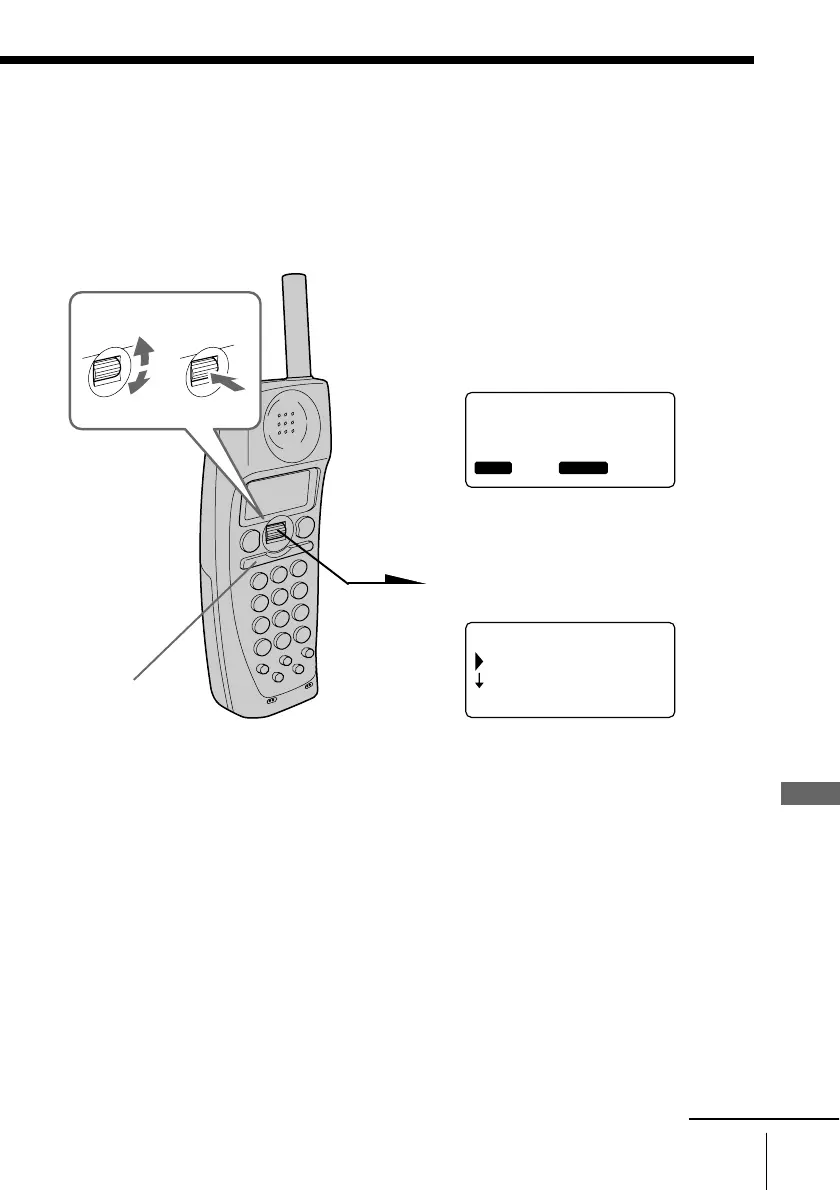
Playing back a message from the Caller ID list
– Direct Message Access function
When there is a message in the received Caller ID data, you can play
back the message while continuing to display the Caller ID list.
1 Display the phone number you
want to play back a message
from the Caller ID list (see page
69).
“MESSAGE” appears on the
display.
2 Press Jog Dial.
3 Turn Jog Dial to choose “PLAY
BACK”, and then press Jog Dial.
The message is played back.
Note
Do not allow more than 60 seconds to elapse during the operation procedure.
Tips
• When you select “(GO BACK)”, you can return to the previous set display by
pressing Jog Dial.
• Messages can be played back by pressing (HOLD/PLAY) on the cordless
handset in step 1.
(HOLD/PLAY)
SMITH JOHN
1-201-123-4567
01 7.04 4:53PM
RING OFF
MESSAGEOLDNEW
(GO BACK)
DIAL
PLAY BACK
RING OFFMASSAGEOLDNEW
Turn Press



 To Next Page