EasyManua.ls Logo

Sony SRX-R515 - User Manual

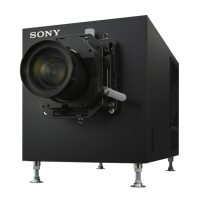
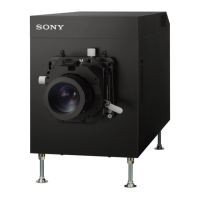
Sony SRX-R515
51 pages
Print Icon
To Next Page IconTo Next Page
Loading...
Digital Cinema
Dual System
Operating Instructions
Before operating the unit, please read this manual and supplied Safety Regulations
thoroughly and retain it for future reference.
SRX-R515P
SRX-R515
LKRA-010
LKRA-011
LKRA-PCAB1
4-573-779-11(1)
© 2015 Sony Corporation

Table of Contents

Other manuals for Sony SRX-R515

Question and Answer IconNeed help?

Do you have a question about the Sony SRX-R515 and is the answer not in the manual?

Summary

SRX-R515 Digital Cinema Projector

XCT-S10 Digital Cinema Server

LKRA-007 Touch Panel Monitor

Main Screen Interface

Startup Procedures

Powering On Projectors and Server

Steps for powering on the projectors and starting the cinema server.

Shutting Down the System

System Shutdown Sequence

Details the steps to properly shut down the projection system.

Ingesting Digital Cinema Packages (DCP)

Ingesting DCP via USB Connector

Step-by-step guide to ingest DCPs from an external HDD via USB.

Managing Encryption Keys (KDM)

Ingesting KDM Files

Process for ingesting KDM encryption key files when DCP is encrypted.

Playback Control

Creating Show Playlists (SPL)

Creating a New SPL

Guides on creating a new SPL by adding CPLs, SPLs, or cues.

Playing Back and Scheduling SPLs

Creating a Screening Schedule

Sets up automatic playback of SPLs at specific times.

Screen Calibration

Installing and Connecting Calibration Camera

Guides on installing the calibration camera and connecting it to projectors.

Performing Calibration - Initial Steps

Details manual projector adjustments and calibration mode selection.

Performing Calibration - Test Pattern

Checks test patterns and adjusts camera position for alignment.

Performing Calibration - Finalizing

Verifies alignment results, saves calibration data, and quits the application.

Understanding Indicator Lights

Troubleshooting Guide

Checking Installation and Connections

Verifies projector lens mount, lamp status, and server connection.

Error Code Reference

Summary

SRX-R515 Digital Cinema Projector

XCT-S10 Digital Cinema Server

LKRA-007 Touch Panel Monitor

Main Screen Interface

Startup Procedures

Powering On Projectors and Server

Steps for powering on the projectors and starting the cinema server.

Shutting Down the System

System Shutdown Sequence

Details the steps to properly shut down the projection system.

Ingesting Digital Cinema Packages (DCP)

Ingesting DCP via USB Connector

Step-by-step guide to ingest DCPs from an external HDD via USB.

Managing Encryption Keys (KDM)

Ingesting KDM Files

Process for ingesting KDM encryption key files when DCP is encrypted.

Playback Control

Creating Show Playlists (SPL)

Creating a New SPL

Guides on creating a new SPL by adding CPLs, SPLs, or cues.

Playing Back and Scheduling SPLs

Creating a Screening Schedule

Sets up automatic playback of SPLs at specific times.

Screen Calibration

Installing and Connecting Calibration Camera

Guides on installing the calibration camera and connecting it to projectors.

Performing Calibration - Initial Steps

Details manual projector adjustments and calibration mode selection.

Performing Calibration - Test Pattern

Checks test patterns and adjusts camera position for alignment.

Performing Calibration - Finalizing

Verifies alignment results, saves calibration data, and quits the application.

Understanding Indicator Lights

Troubleshooting Guide

Checking Installation and Connections

Verifies projector lens mount, lamp status, and server connection.

Error Code Reference

Sony SRX-R515 Specifications

General IconGeneral
3DYes
Color SpaceDCI-P3
Resolution4096 x 2160
Contrast Ratio10, 000:1
Light SourceLaser
Laser Life20, 000 hours
TechnologySXRD
InputsHDMI
Power RequirementsAC 200 V to 240 V, 50/60 Hz
LensInterchangeable

Related product manuals