EasyManua.ls Logo

Sony ST-5066 - Printed Circuit Board Removal; Switch Replacement

Sony ST-5066
26 pages
Print Icon
To Next Page IconTo Next Page
To Previous Page IconTo Previous Page
Loading...
i
k
li-
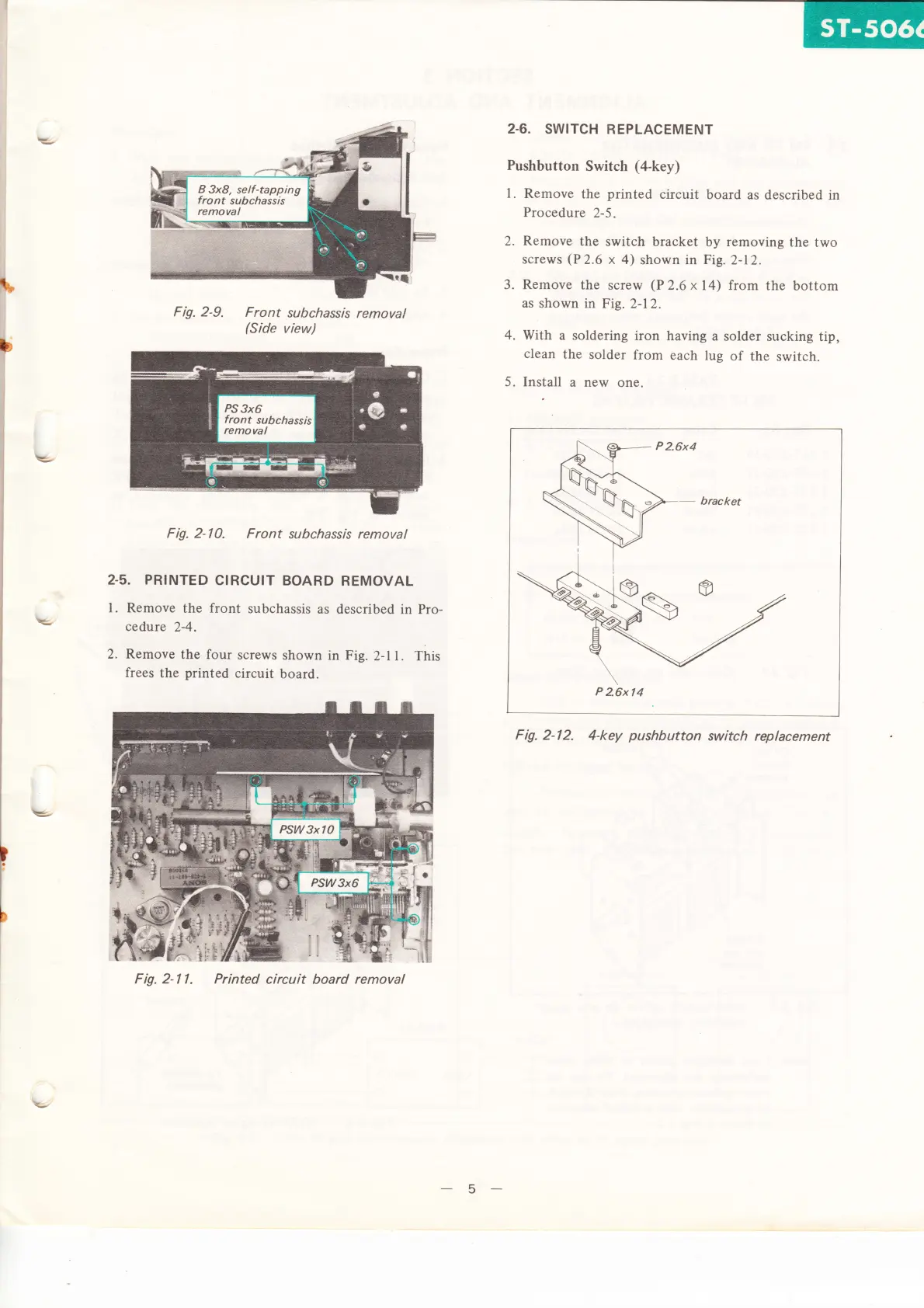
Fig. 2-9.
Front
subcha,ss/s
removal
(Side
view)
F ig.
2- I
0. F
ront
su
bchassls
remova
I
2.5. PRINTED
CIRCUIT
BOARD
REMOVAL
I . Remove
the
front
subchassis
as
described
in
Pro-
cedure
2-4.
2.
Remove
the
four
screws
shown
in
Fig.
2-l L This
frees
the
printed
circuit
board.
Fig.
2-l
l. Printed
circuit board
removal
2.6.
SWITCH
REPLACEMENT
Pushbutton
Switch
(a-key)
l.
Remove
the
printed
circuit
board
as
described in
Procedure
2-5.
2.
Remove
the
switch bracket
by
removing
the
two
screws
(P2.6
x 4)
shown
in
Fig.
2-12.
3.
Remove
the
screw
(P
2.6 x
14)
from
the
bottom
as
shown
in
Fig. 2-12.
4.
With a
soldering
iron
having
a
solder
sucking
tip,
clean
the
solder
from
each
lug
of
the
switch.
5.
Install
a new
one.
-
bracket
P
2.6x
l4
Fig.
2-12.
4-key
pushbutton
switch
replacement
E,
E-
\=
5