EasyManua.ls Logo

Sony ST-S770ES - Stored Station Scanning; Scanning Stored Stations Automatically; Scanning Stored Stations Manually

Sony ST-S770ES
29 pages
Print Icon
To Next Page IconTo Next Page
To Previous Page IconTo Previous Page
Loading...
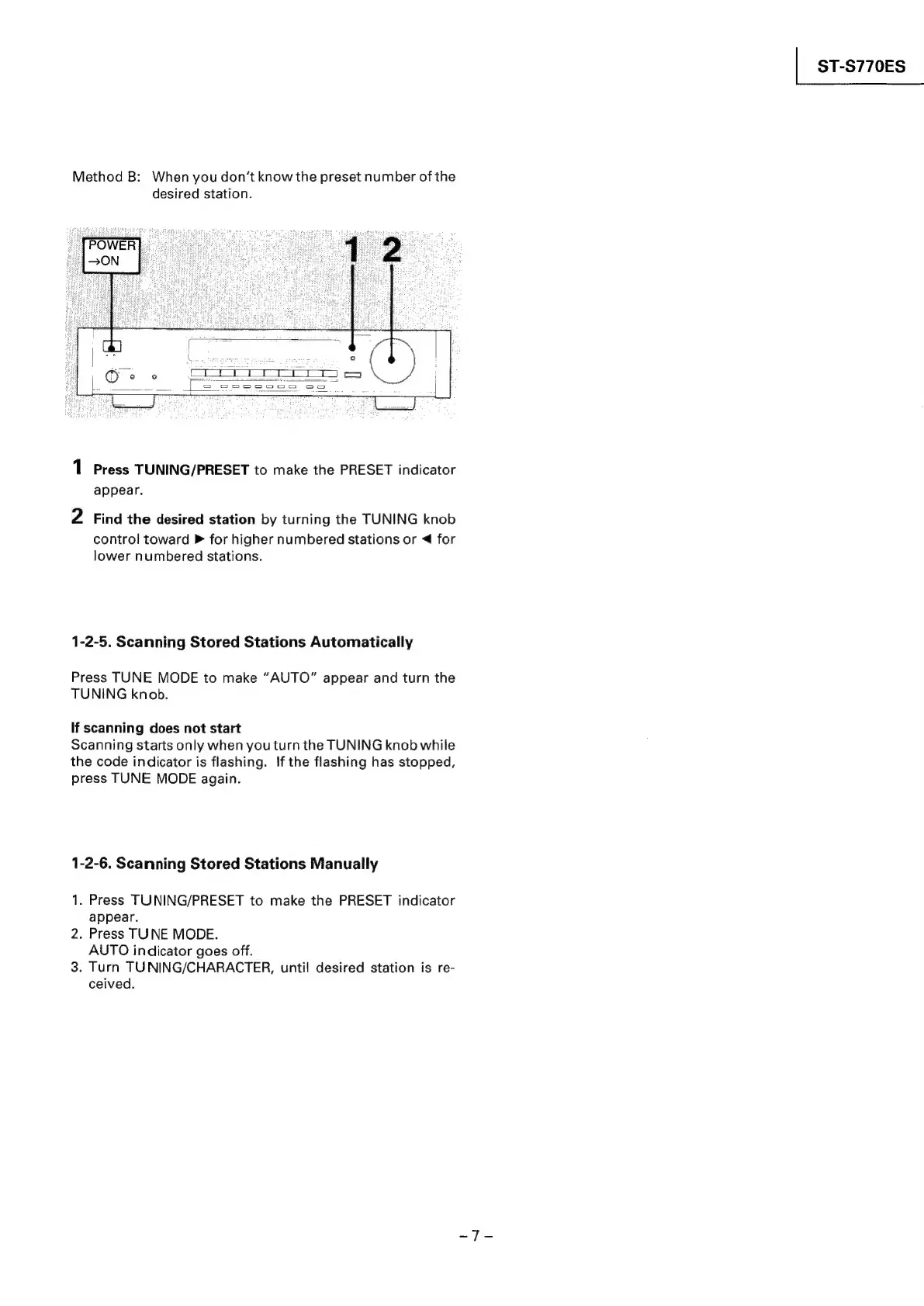
Method
B:
When
you
don’t
know
the
preset
number
of
the
desired
station.
1
Press
TUNING/PRESET
to
make
the
PRESET
indicator
appear.
2
Find
the
desired
station
by
turning
the
TUNING
knob
control
toward
»
for
higher
numbered
stations
or
<
for
lower
numbered
stations.
1-2-5.
Scanning
Stored
Stations
Automatically
Press
TUNE
MODE
to
make
“AUTO”
appear
and
turn
the
TUNING
knob.
If
scanning
does
not
start
Scanning
starts
only
when
you
turn
the
TUNING
knob
while
the
code
indicator
is
flashing.
If
the
flashing
has
stopped,
press
TUNE
MODE
again.
1-2-6.
Scanning
Stored
Stations
Manually
1.
Press
TUNING/PRESET
to
make
the
PRESET
indicator
appear.
2.
Press
TUNE
MODE.
AUTO
indicator
goes
off.
3.
Turn
TUNING/CHARACTER,
until
desired
station
is
re-
ceived.
|
ST-S770ES