16
GB
You can assign a name of up to 16 characters
long to each preset station except DAB and FM
RDS stations. When the station is tuned in, the
station name will appear.
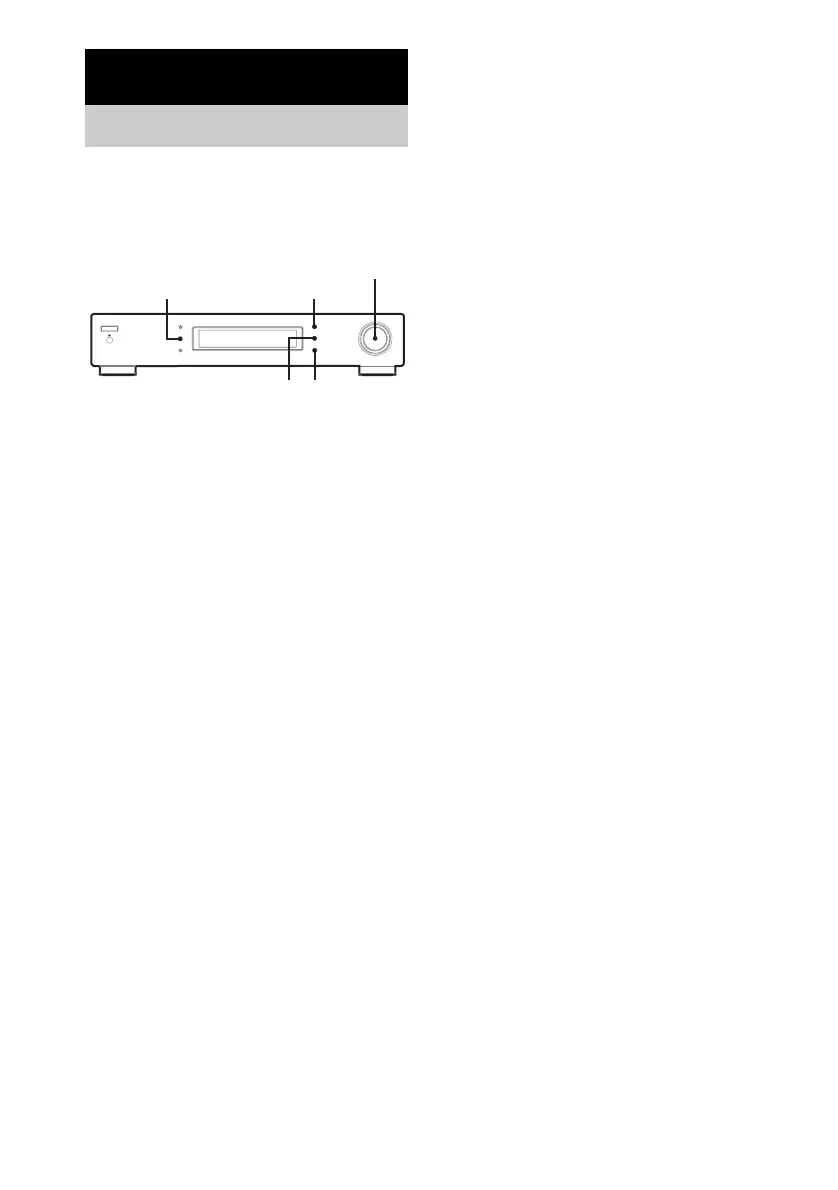
1 Press TUNING MODE to display
“PRESET”.
2 Tune in the preset station you want to
name.
3 Press MENU.
4 Turn TUNING/SELECT to display
NAME.
5 Press ENTER.
6 Turn TUNING/SELECT to select a
character.
7 When the character you want appears,
press ENTER to move the cursor into
position for the next character.
If you make a mistake
Press ENTER repeatedly until the character
you want to change flashes (every time you
press ENTER, the next character flashes).
Then turn TUNING/SELECT to select a
new character.
8 Press MEMORY.
The tuner stores the preset name.
9 Repeat steps 1 to 8 to name other
preset stations.
Notes
• You can only name stations that are stored under
PRESET.
• If you name a station which has a preset name
already, the previous preset name is deleted.
• “No Name” appears when you display a preset
station without a preset name.
• You cannot use a “ ” (blank space) for a preset
name.
Advanced Tuner Operations
Naming preset stations
MENU
MEMORY
TUNING/SELECT
ENTER
TUNING MODE


 To Next Page