Getting Started
9
GB
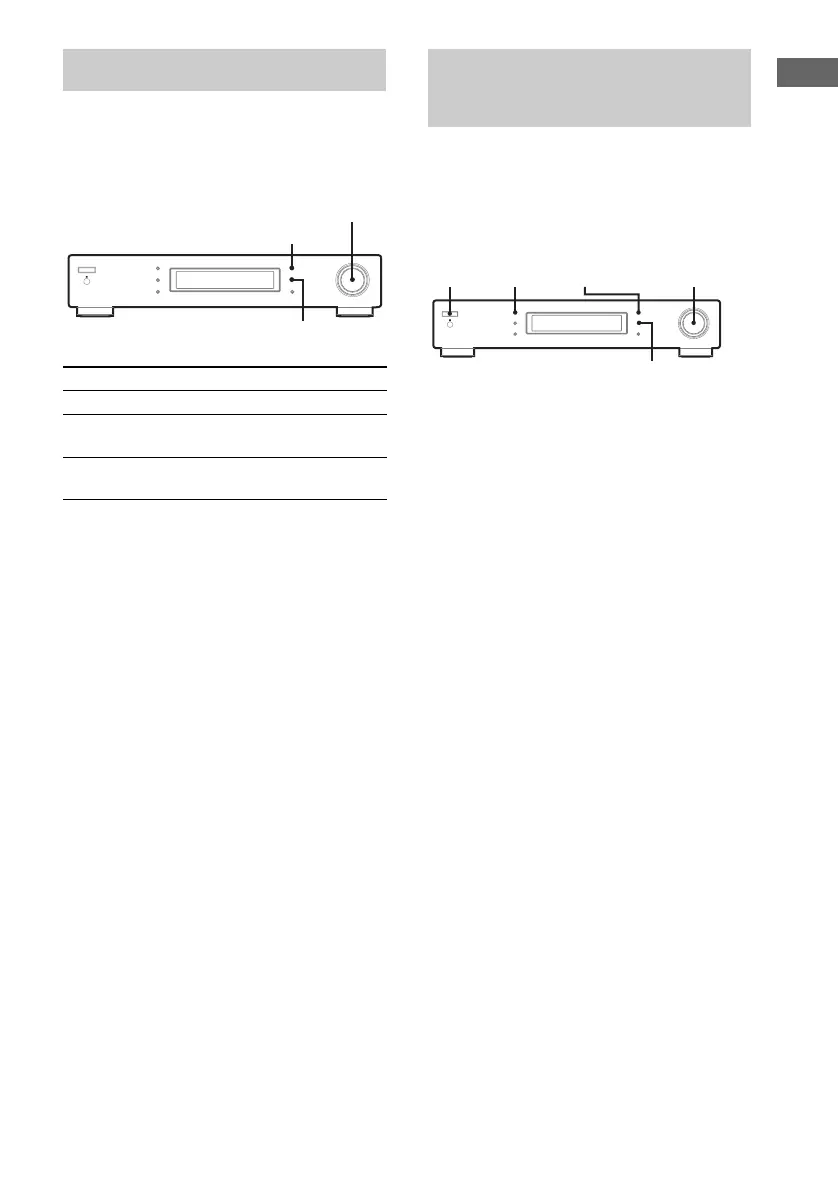
This tuner uses a menu entry system which
allows you to operate various functions by
following messages on the display. Use the
following controls for basic menu operation.
Before you can receive DAB, you must register
the contents of broadcasts (service components)
so that they can be received by the DAB tuner
using the DAB Initialization Scan procedure.
1 Press POWER to turn on the tuner.
2 Press BAND repeatedly to select DAB.
“DAB Tuning” will appear in the display
while the tuner is collecting DAB data.
Please wait until this message disappears.
3 Press MENU.
4 Turn TUNING/SELECT to display “DAB
INIT SCAN”.
5 Press ENTER.
6 Turn TUNING/SELECT to display
“Yes”.
7 Press ENTER.
Scanning begins. Depending on the DAB
services available in your area, this may
take a few minutes.
8 When scanning is complete, “End”
appears in the display momentarily
and the tuner returns to normal
operation.
Turn TUNING/SELECT to select a service.
Notes
• Do not press any button on the tuner or supplied
remote during DAB INIT SCAN, except POWER.
• If you move to another area, repeat this procedure to
store the stations for your new area.
• This procedure does not create any presets.
• This procedure clears all previously stored presets.
• For details on presets, see “Storing stations
manually” on page 12.
Basic menu operation
Use the To
MENU button Enter/Exit menu mode.
TUNING/SELECT
control
Display different items or
settings.
ENTER button Select the currently displayed
item or setting.
MENU
TUNING/SELECT
ENTER
Before you can receive
DAB stations
— DAB INIT SCAN
POWER TUNING/SELECT
ENTER
BAND MENU


 To Next Page