[POWER "-* ON I 23
c o I--
o i i
o
c ODrlnrll I I I I1 j:®:®::_:
L_.._J I I I
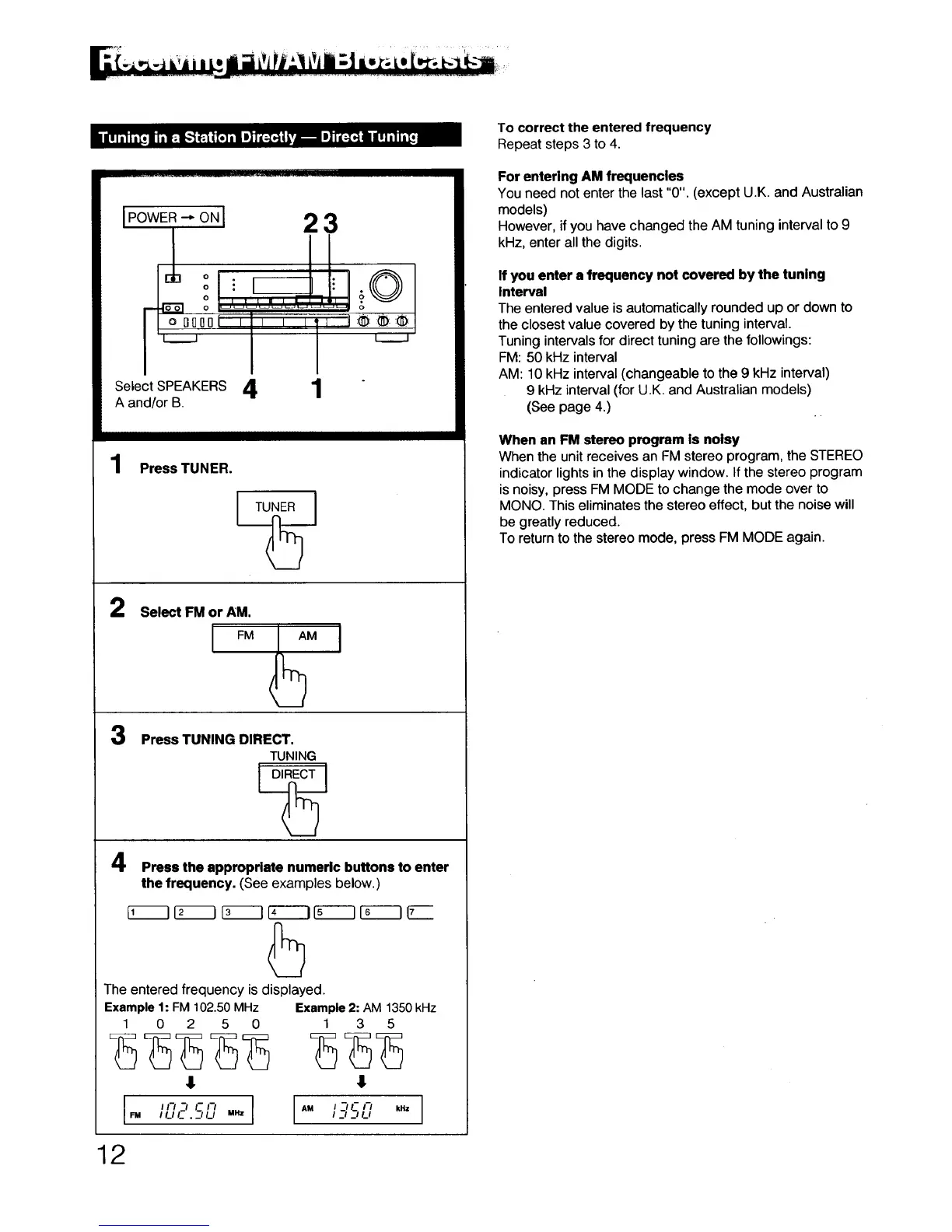
Select SPEAKERS 4 1
A and/or B.
1 Press TUNER.
U TUNE_
2
Select FM or AM.
FM
3
4
Press TUNING DIRECT.
TUNING
DIRECT ]
Press the appropriate numeric buttons to enter
the frequency. (See examples below.)
The entered frequency is displayed.
Example 1: FM 102.50 MHz Example2: AM 1350kHz
1 0 2 5 0 1 3 5
I I I-I "l I- I"t I AM I -I C I-/ kHz
I
We I U I- . -_IU MHz I I EI J U
TO correct the entered frequency
Repeat steps 3 to 4.
For entering AM frequencies
You need not enter the last "0". (except U.K. and Australian
models)
However, if you have changed the AM tuning interval to 9
kHz, enter all the digits.
If you enter s frequency not covered by the tuning
Interval
The entered value is automatically rounded up or down to
the closest value covered by the tuning interval,
Tuning intervals for direct tuning are the followings:
FM: 50 kHz interval
AM: 10 kHz interval (changeable to the 9 kHz interval)
9 kHz interval (for U.K. and Australian models)
(See page 4.)
When an FM stereo program is noisy
When the unit receives an FM stereo program, the STEREO
indicator lights in the display window. If the stereo program
is noisy, press FM MODE to change the mode over to
MONO. This eliminates the stereo effect, but the noise will
be greatly reduced.
To return to the stereo mode, press FM MODE again.
12



 To Next Page