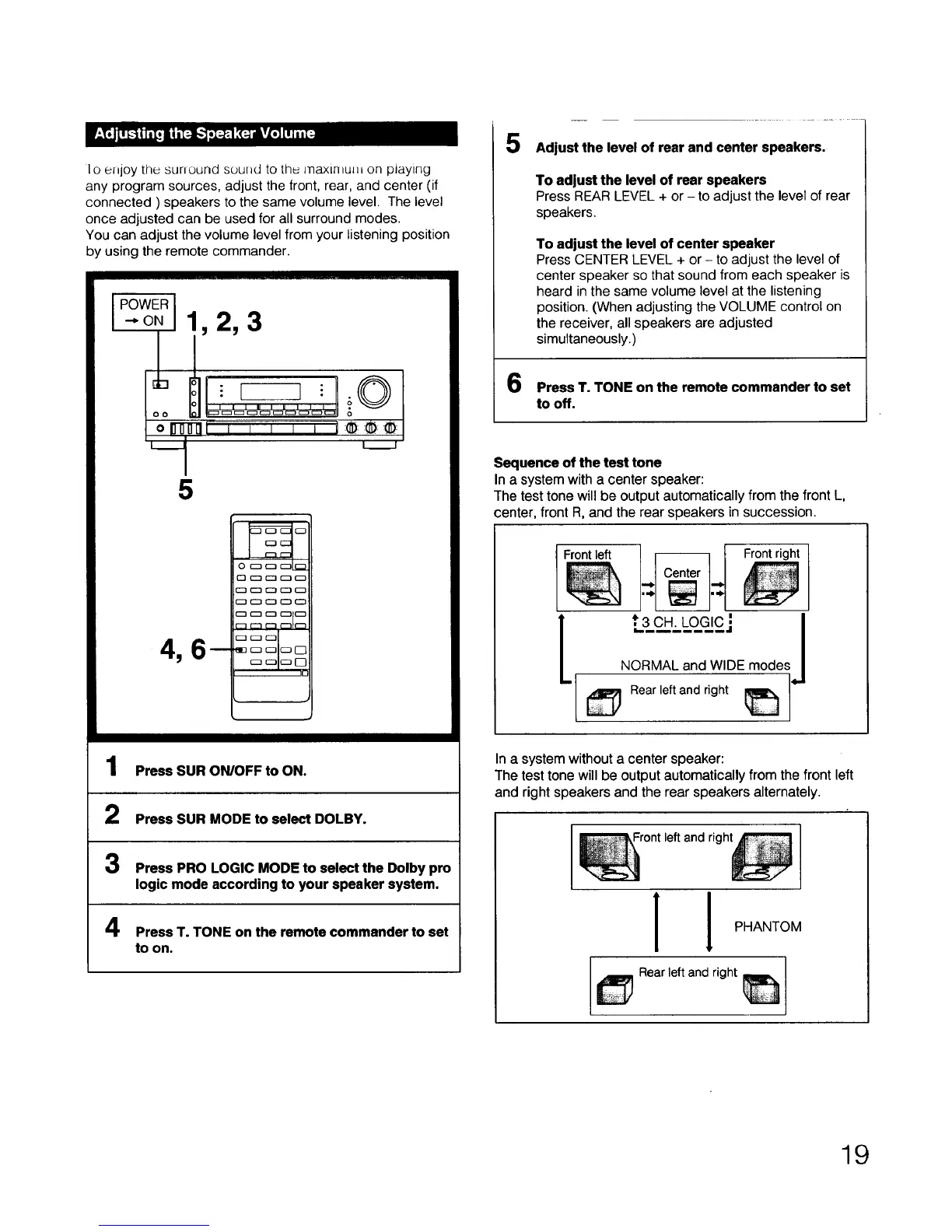
Ioel_joythesunoundsoundtothemaxlmu_honplaying
anyprogramsources,adjustthefront,rear,andcenter(if
connected)speakerstothesamevolumelevel.Thelevel
onceadjustedcanbeusedforallsurroundmodes.
Youcanadjustthevolumelevelfromyourlisteningposition
byusingtheremotecommander.
5
1
2
Press SUR ON/OFF to ON.
Press SUR MODE to select DOLBY.
3
4
Press PRO LOGIC MODE to select the Dolby pro
logic mode according to your speaker system.
Press T. TONE on the remote commander to set
to on.
5
6
Adjust the level of rear and center speakers.
To adjust the level of rear speakers
Press REAR LEVEL + or - to adjust the level of rear
speakers.
To adjust the level of center speaker
Press CENTER LEVEL + or - to adjust the level of
center speaker so that sound from each speaker is
heard in the same volume level at the listening
position. (When adjusting the VOLUME control on
the receiver, all speakers are adjusted
simultaneously.)
Press T. TONE on the remote commander to set
to off.
Sequence of the test tone
In a system with a center speaker:
The test tone will be output automatically from the front L,
center, front R, and the rear speakers in succession.
Front left
t.3C_.H_LO_eJCj I
I
NORMAL and WIDE modesI
,J
In a system without a center speaker:
The test tone will be output automatically from the front left
and right speakers and the rear speakers alternately.
Front left and right
11
PHANTOM
Rear left and right
19



 To Next Page