_ i _i¸_
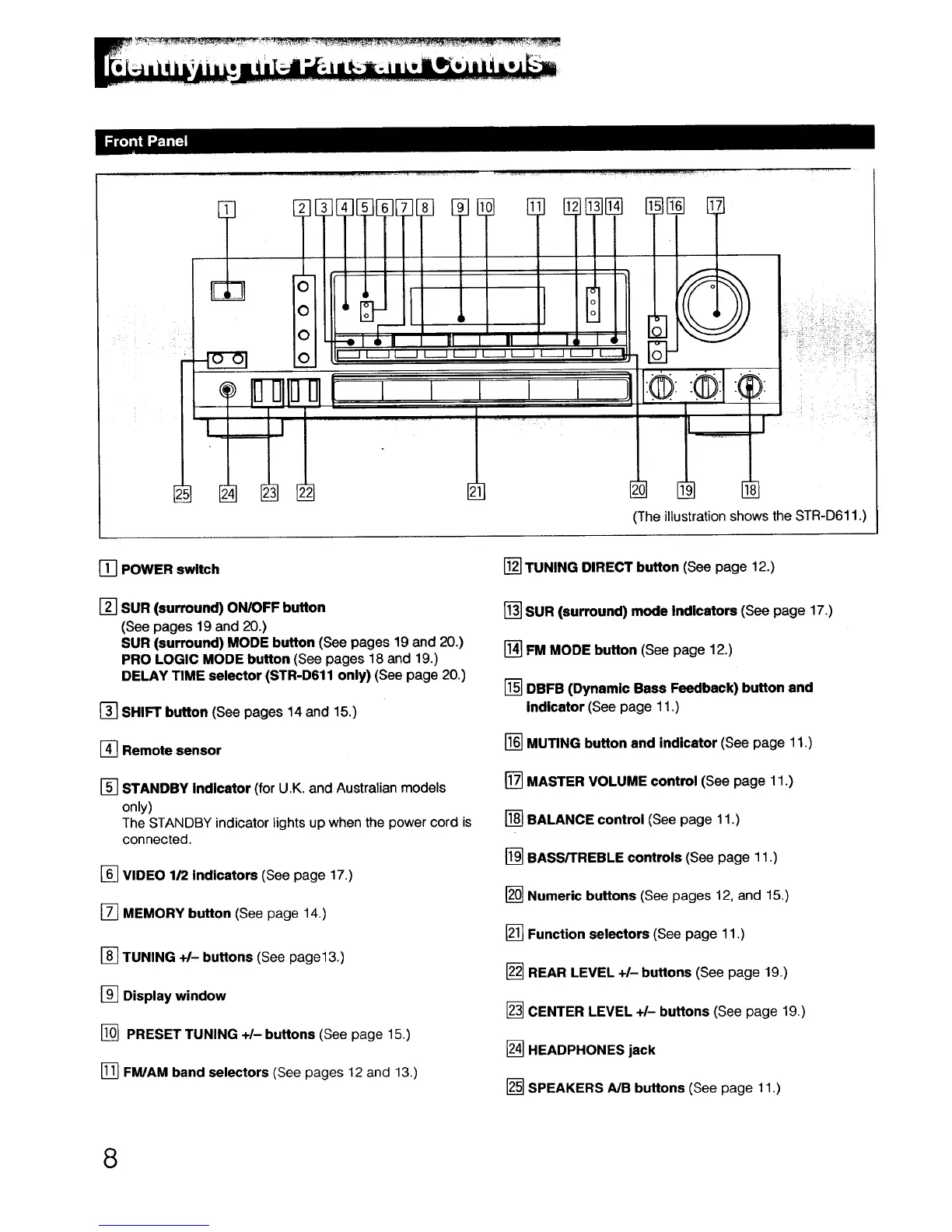
(The illustration shows the STR-D611 .)
[] POWER switch
[] SUR (surround) ON/OFF button
(See pages 19 and 20.)
SUR (surround) MODE button (See pages 19 and 20.)
PRO LOGIC MODE button (See pages 18 and 19.)
DELAY TIME selector (STR-D611 only) (See page 20.)
[] SHIFT button (See pages 14 and 15.)
[] Remote sensor
[] STANDBY Indicator (for U.K. and Australian models
only)
The STANDBY indicator lights up when the power cord is
connected.
[] VIDEO 1/2 indicators (See page 17.)
[] MEMORY button (See page 14.)
[] TUNING +1- buttons (See page13.)
[] Display window
[] PRESET TUNING +/- buttons (See page 15.)
[] FM/AM band selectors (See pages 12 and 13,)
[] TUNING DIRECT button (See page 12.)
[] SUR (surround) mode Indicators (See page 17.)
[] FM MODE button (See page 12.)
[] DBFB (Dynamic Bass Feedback) button and
Indicator (See page 11.)
[] MUTING button and indicator (See page 11.)
[] MASTER VOLUME control (See page 11.)
[] BALANCE control (See page 11.)
[] BASS/TREBLE controls (See page 11 .)
[] Numeric buttons (See pages 12, and 15.)
[] Function selectors (See page 11.)
[] REAR LEVEL +/-buttons (See page 19.)
[] CENTER LEVEL +/- buttons (See page 19.)
[] HEADPHONES jack
[] SPEAKERS A/B buttons (See page 11.)
8



 To Next Page