You can add 3 types ol surround ettects to tile soltware. 1o
enjoy the surround effects, two front and two rear speakers
are necessary.
In the Dolby mode, the speaker operation mode can be
selected according to your speaker configuration.
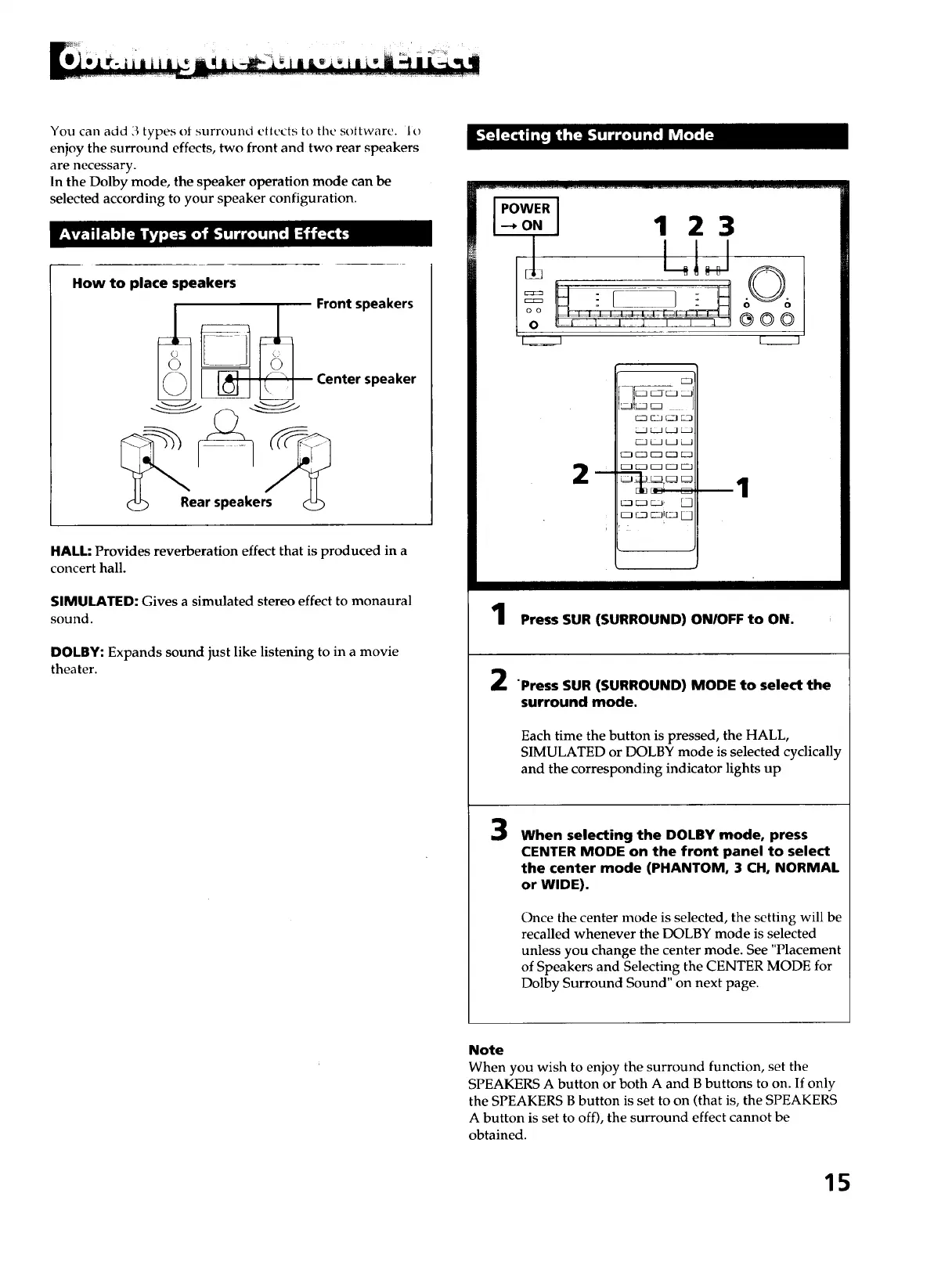
How to place speakers
Rear speakers
Front speakers
Center speaker
HALL: Provides reverberation effect that is produced in a
concert hall.
SIMULATED: Gives a simulated stereo effect to monaural
sound.
DOLBY: Expands sound just like listening to in a movie
theater.
IPOWERI
4o.I 1 23
k_J
m
3IE=J
rZ ' J
_!. _
2
1
Press SUR (SURROUND) ON/OFF to ON.
"Press SUR (SURROUND) MODE to select the
surround mode.
Each time the button is pressed, the HALL,
SIMULATED or DOLBY mode is selected cyclically
and the corresponding indicator lights up
3
When selecting the DOLBY mode, press
CENTER MODE on the front panel to select
the center mode (PHANTOM, 3 CH, NORMAL
or WIDE).
Once the center mode is selected, the setting will be
recalled whenever the DOLBY mode is selected
unless you change the center mode. See "Placement
of Speakers and Selecting the CENTER MODE for
Dolby Surround Sound" on next page.
Note
When you wish to enjoy the surround function, set the
SPEAKERS A button or both A and B buttons to on. If only
the SPEAKERS B button is set to on (that is, the SPEAKERS
A button is set to off), the surround effect cannot be
obtained.
15



 To Next Page