EasyManua.ls Logo

Sony STR-D911 - Automatic Station Scanning Method

Sony STR-D911
36 pages
Print Icon
To Next Page IconTo Next Page
To Previous Page IconTo Previous Page
Loading...
1
\
Yor:
Lavallets
mont:
lelelarcw
00]
colnet]
(eri
Mam
estelColuir
tele
aevialiate))
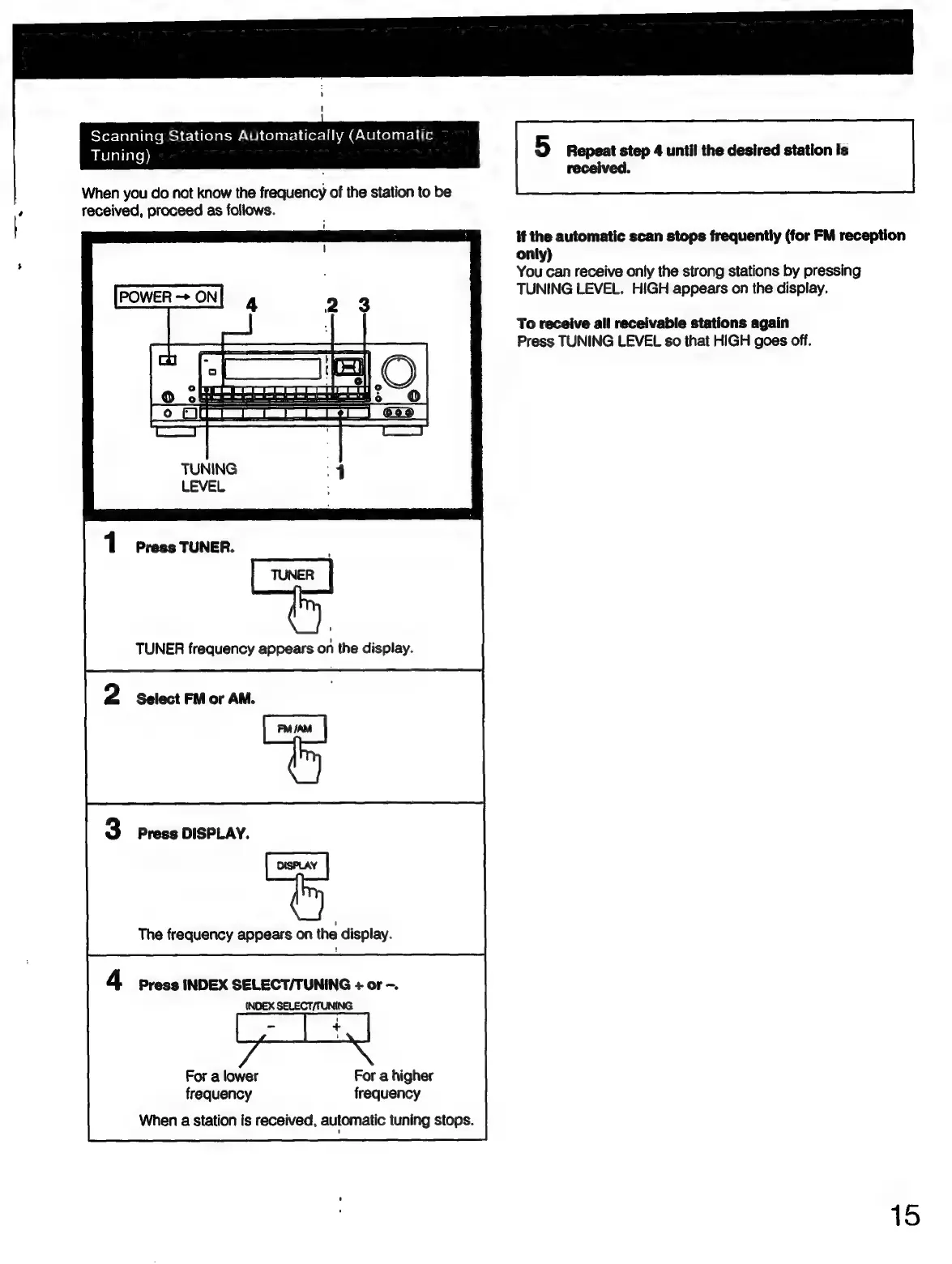
5
Repeat
step
4
until
the
desired
station
is
received.
When
you
do
not
know
the
frequency
of
the
station
to
be
received,
proceed
as
follows.
if
the
automatic
scan
stops
frequently
(for
FM
reception
only)
You
can
receive
only
the
strong
stations
by
pressing
TUNING
LEVEL.
HIGH
appears
on
the
display.
To
receive
all
receivable
stations
again
Press
TUNING
LEVEL
so
that
HIGH
goes
off.
"|
=)
;
—_1
=
O
TUNING
LEVEL
Press
TUNER.
TUNER
frequency
appears
on
the
display.
Select
FM
or
AM.
Press
DISPLAY.
The
frequency
appears
on
the
display.
Press
INDEX
SELECT/TUNING
+
or
-.
INDEX
SELECT/TUNING
For
a
lower
For
a
higher
frequency
frequency
When
a
station
is
received,
automatic
tuning
stops.
15

Related product manuals