EasyManua.ls Logo

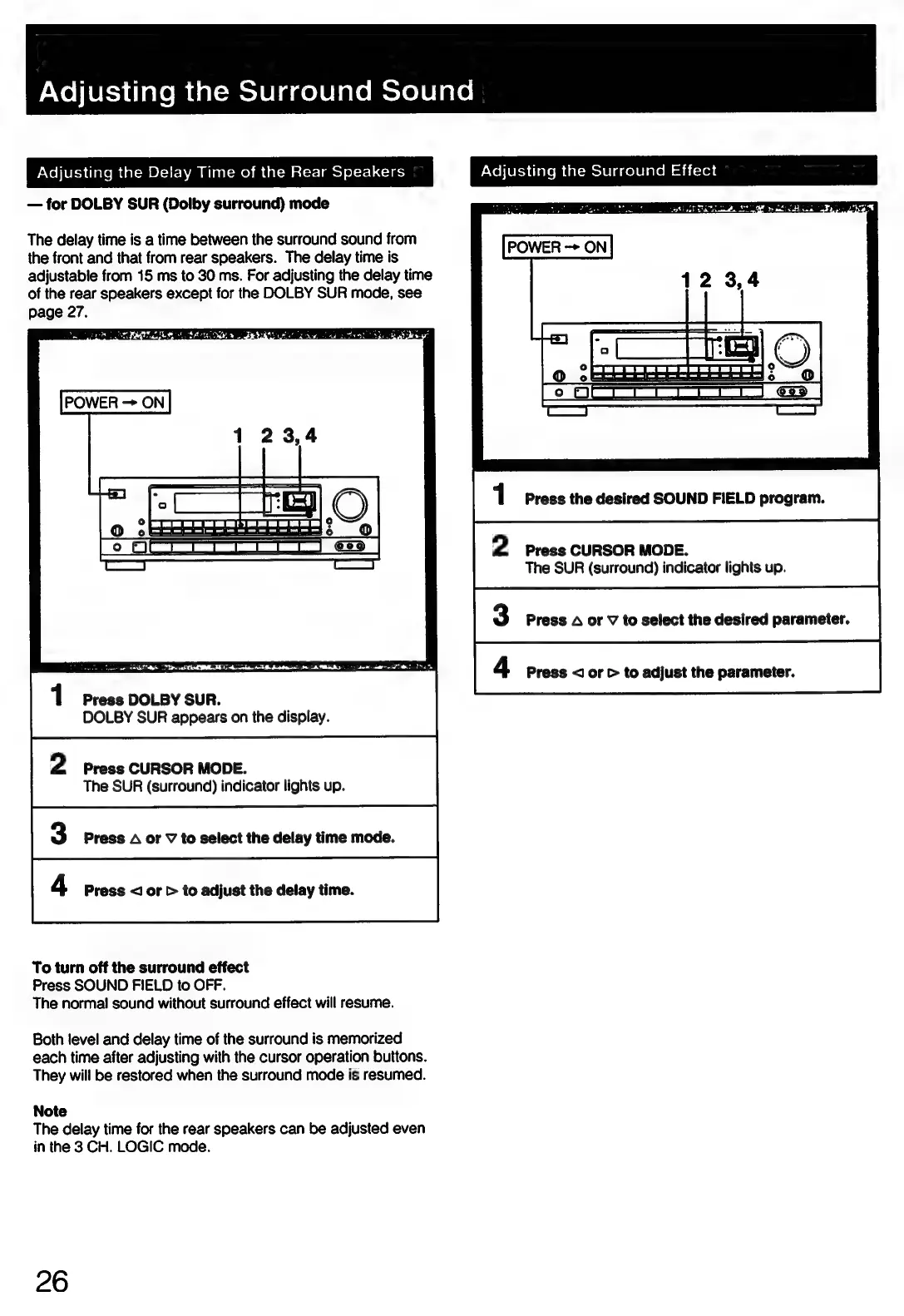
Sony STR-D911 - Surround Sound Adjustments; Setting Rear Speaker Delay Times; Adjusting Surround Field Effect Parameters

Sony STR-D911
36 pages
Print Icon
To Next Page IconTo Next Page
To Previous Page IconTo Previous Page
Loading...
PNolietidialemeal-mclelagelelalemoreleiace,
Adjusting
the
Delay
Time
of
the
Rear
Speakers
for
DOLBY
SUR
(Dolby
surround)
mode
The
delay
time
is
a
time
between
the
surround
sound
from
the
front
and
that
from
rear
speakers.
The
delay
time
is
adjustable
from
15
ms
to
30
ms.
For
adjusting
the
delay
time
of
the
rear
speakers
except
for
the
DOLBY
SUR
mode,
see
page
27.
Te
at
RR
TIN
AOI
TEL
A
aril
a
echt:
I
UBB
2
be
ate
MRT
1
Press
DOLBY
SUR.
DOLBY
SUR
appears
on
the
display.
2
Press
CURSOR
MODE.
The
SUR
(surround)
indicator
lights
up.
3
Press
A
or
V
to
select
the
delay
time
mode.
4
Press
<J
or
>
to
adjust
the
delay
time.
To
turn
off
the
surround
effect
Press
SOUND
FIELD
to
OFF.
The
norma!
sound
without
surround
effect
will
resume.
Both
level
and
delay
time
of
the
surround
is
memorized
each
time
after
adjusting
with
the
cursor
operation
buttons.
They
will
be
restored
when
the
surround
mode
is
resumed.
Note
The
delay
time
for
the
rear
speakers
can
be
adjusted
even
in
the
3
CH.
LOGIC
mode.
26
Adjusting
the
Surround
Effect
1
Press
the
desired
SOUND
FIELD
program.
2
Press
CURSOR
MODE.
The
SUR
(surround)
indicator
lights
up.
3
Press
A
or
V
to
select
the
desired
parameter.
4
Press
<]
or
>
to
adjust
the
parameter.

Related product manuals