User Guide
How to Use
Windows 8: The Basics
Parts Description
Setup
Network / Internet
Connections
Settings
Playback
Backup / Recovery
Security
Other Operations
Notifications
Troubleshooting
List of Topics
Print
Personal Computer
VAIO Fit 14E/15E SVF1421/SVF1521
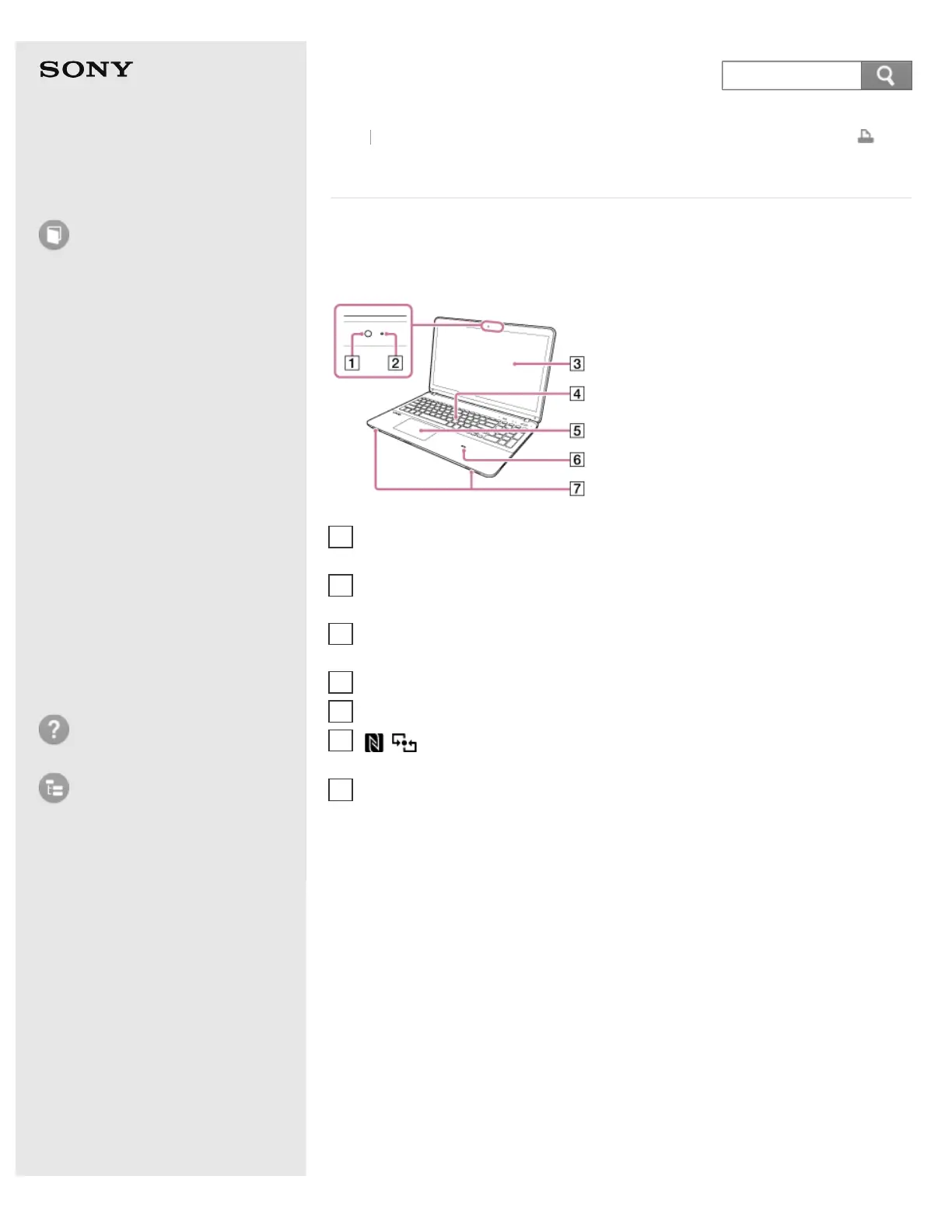
Parts and Controls on the Front
Describes the features on the front of the VAIO computer, such as buttons and
indicator lights.
*
The shape of the built-in camera depends on the model.
Back Back to Top
Built-in camera* (Using the Built-in Camera (Built-in camera equipped
models))
1
Built-in camera indicator (Using the Built-in Camera (Built-in camera equipped
models))
2
LCD screen or touch screen (Touch screen equipped models) (How to Use the
Touch Screen (Touch screen equipped models))
3
Keyboard
4
Touch pad (Using the Touch Pad)
5
Touch mark (NFC supported models) (Using NFC/One-touch functions
(NFC supported models))
6
Built-in speakers (stereo)
7










 To Next Page