EasyManua.ls Logo

Sony TC-FX600 - Deck Mechanism

Sony TC-FX600
39 pages
Print Icon
To Next Page IconTo Next Page
To Previous Page IconTo Previous Page
Loading...
TC-FX600
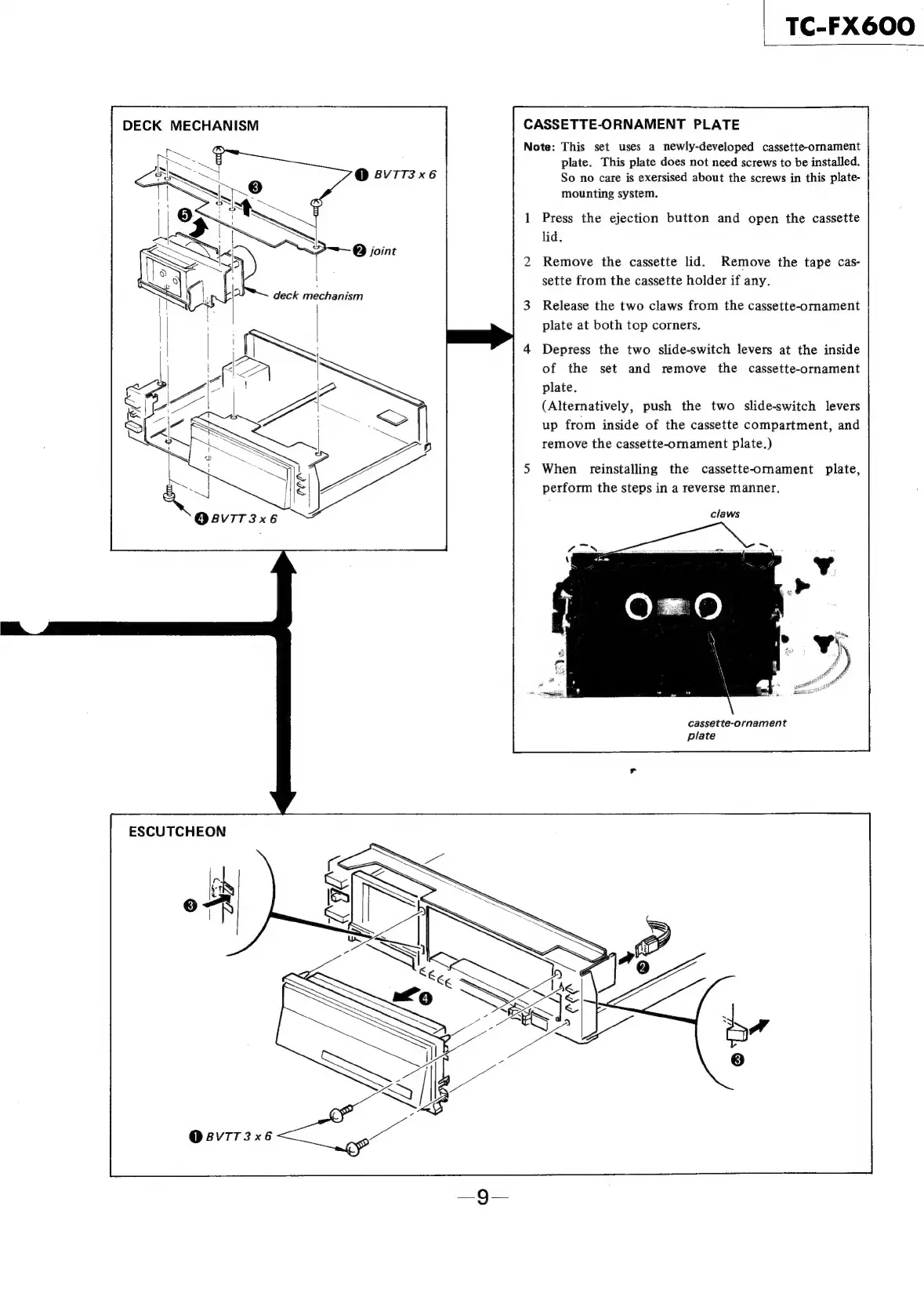
DECK
MECHANISM
CASSETTE-ORNAMENT
PLATE
Note:
This
set
uses
a
newly-developed
cassette-ornament
plate.
This
plate
does
not
need
screws
to
be
installed.
@
8VTT3
x6
So
no
care
is
exersised
about
the
screws
in
this
plate-
mounting
system.
1
Press
the
ejection
button
and
open
the
cassette
lid.
@
joint
,
2
Remove
the
cassette
lid.
Remove
the
tape
cas-
sette
from
the
cassette
holder
if
any.
3
Release
the
two
claws
from
the
cassette-ornament
plate
at
both
top
corners.
4
Depress
the
two
slide-switch
levers
at
the
inside
of
the
set
and
remove
the
cassette-ornament
plate.
(Alternatively,
push
the
two
slide-switch
levers
up
from
inside
of
the
cassette
compartment,
and
remove
the
cassette-ornament
plate.)
5
When
reinstalling
the
cassette-ornament
plate,
perform
the
steps
in
a
reverse
manner.
claws
cassette-ornament
plate
ESCUTCHEON
O@BVIT3x6