EasyManua.ls Logo

Sony TPS-L2 - Page 4

Sony TPS-L2
16 pages
Print Icon
To Next Page IconTo Next Page
To Previous Page IconTo Previous Page
Loading...
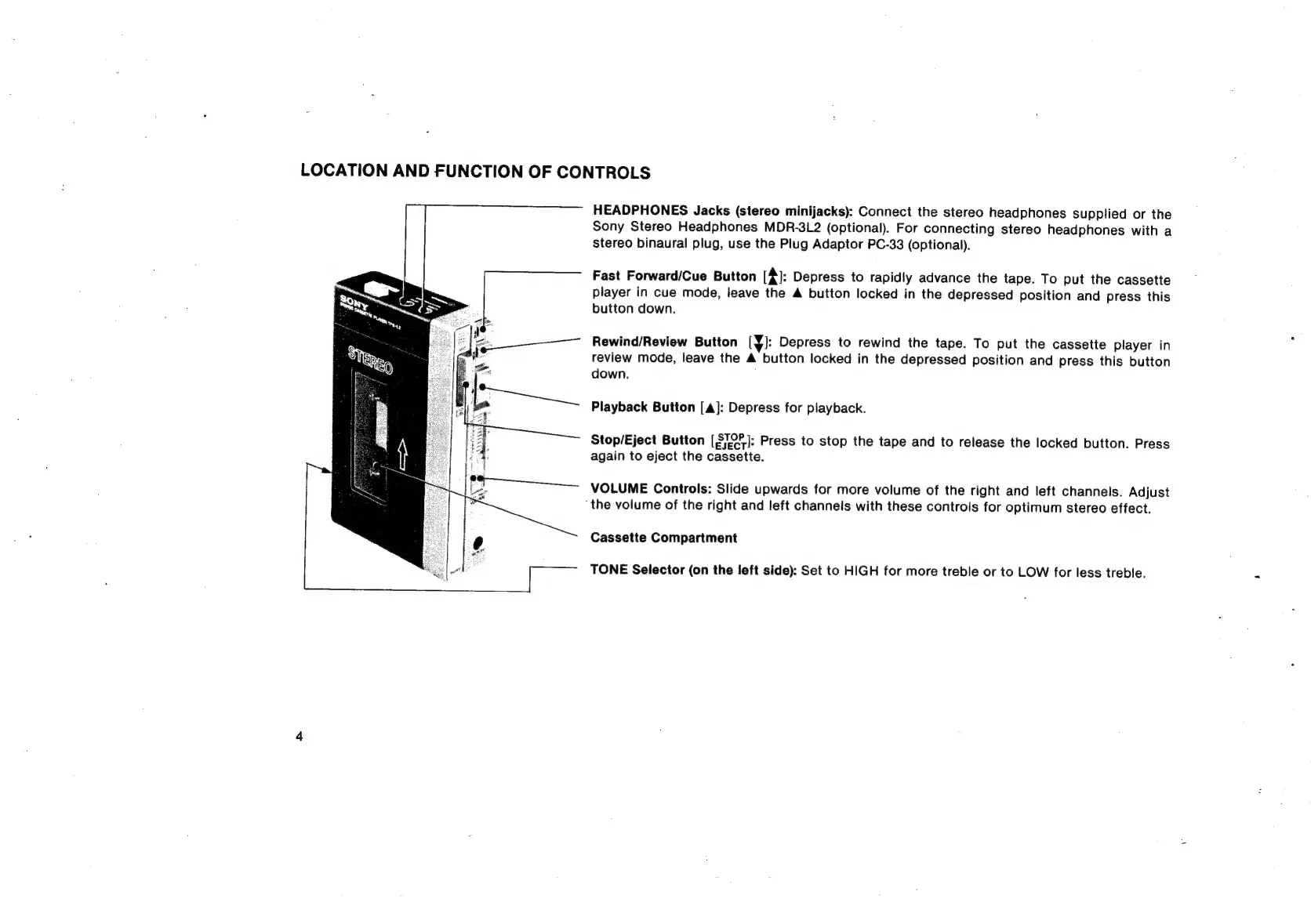
LOCATION
AND
FUNCTION
OF
CONTROLS
HEADPHONES
Jacks
(stereo
minijacks):
Connect
the
stereo
headphones
supplied
or
the
Sony
Stereo
Headphones
MDR-3L2
(optional).
For
connecting
stereo
headphones
with
a
stereo
binaural
plug,
use
the
Plug
Adaptor
PC-33
(optional).
Fast
Forward/Cue
Button
(4):
Depress
to
rapidly
advance
the
tape.
To
put
the
cassette
player
in
cue
mode,
leave
the
A
button
locked
in
the
depressed
position
and
press
this
button
down.
Rewind/Review
Button
[JY]:
Depress
to
rewind
the
tape.
To
put
the
cassette
player
in
review
mode,
leave
the
4
button
locked
in
the
depressed
position
and
press
this
button
down.
Playback
Button
[a]:
Depress
for
playback.
Stop/Eject
Button
[STOF]:
Press
to
stop
the
tape
and
to
release
the
locked
button.
Press
again
to
eject
the
cassette.
VOLUME
Controls:
Slide
upwards
for
more
volume
of
the
right
and
left
channels.
Adjust
the
volume
of
the
right
and
left
channels
with
these
controls
for
optimum
stereo
effect.
Cassette
Compartment
TONE
Selector
(on
the
left
side):
Set
to
HIGH
for
more
treble
or
to
LOW
for
less
treble.

Related product manuals