EasyManua.ls Logo

Sony TRINITRON KV-1442 - FINE-TUNING OF A WEAK STATION; SKIPPING UNUSED PROGRAM POSITIONS

Sony TRINITRON KV-1442
35 pages
Print Icon
To Next Page IconTo Next Page
To Previous Page IconTo Previous Page
Loading...
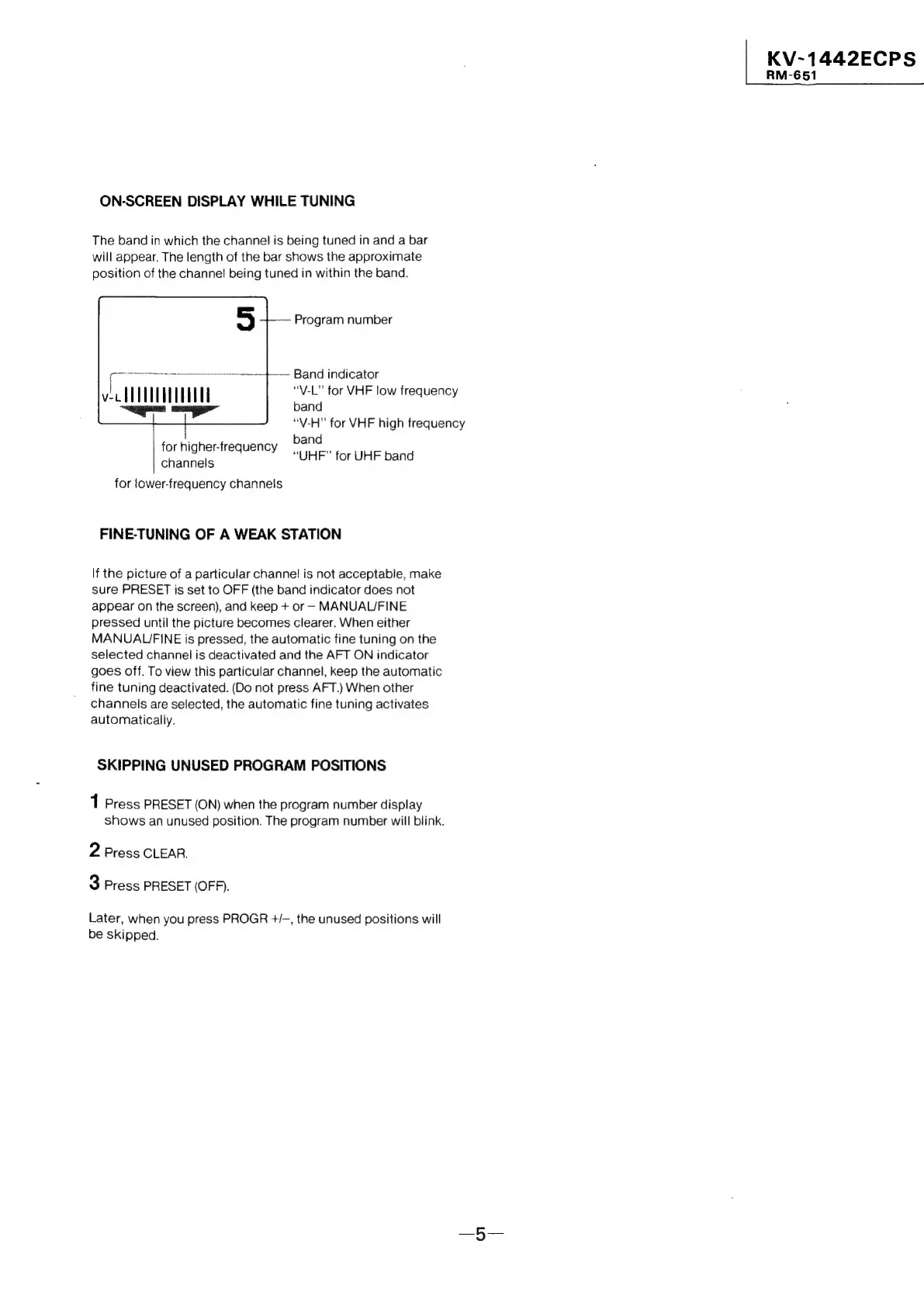
ON-SCREEN
DISPLAY
WHILE
TUNING
The
band
in
which
the
channel
is
being
tuned
in
and
a
bar
will
appear.
The
length
of
the bar
shows
the
approximate
position
of
the
channel
being
tuned
in
within
the
band.
Program
number
~+----
Band
indicator
“V-L”
for
VHF
low
frequency
band
“V-H”
for
VHF
high
frequency
band
for
higher-frequency
“UHE”
for
UHE
band
channels
for
lower-frequency
channels
FINE-TUNING
OF
A
WEAK
STATION
If
the
picture
of
a
particular
channel
is
not
acceptable,
make
sure
PRESET
is
set
to
OFF
(the
band
indicator
does
not
appear
on
the
screen),
and
keep
+
or
-
MANUAL/FINE
pressed
until
the
picture
becomes
clearer.
When
either
MANUALJFINE
is
pressed,
the
automatic
fine
tuning
on
the
selected
channel
is
deactivated
and
the
AFT
ON
indicator
goes
off.
To
view
this
particular
channel,
keep
the
automatic
fine
tuning
deactivated.
(Do
not
press
AFT.)
When
other
channels
are
selected,
the
automatic
fine
tuning
activates
automatically.
SKIPPING
UNUSED
PROGRAM
POSITIONS
1
Press
PRESET
(ON)
when
the
program
number
display
shows
an
unused
position.
The
program
number
will
blink.
2
Press
CLEAR.
3
Press
PRESET
(OFF).
Later,
when
you
press
PROGR
+/-,
the
unused
positions
will
be
skipped.
|
KV~-1442ECPS
RM-651

Related product manuals