EasyManua.ls Logo

Sony TRINITRON KV-1442 - Page 7

Sony TRINITRON KV-1442
35 pages
Print Icon
To Next Page IconTo Next Page
To Previous Page IconTo Previous Page
Loading...
KV-1442ECPS
RM-651
Operation
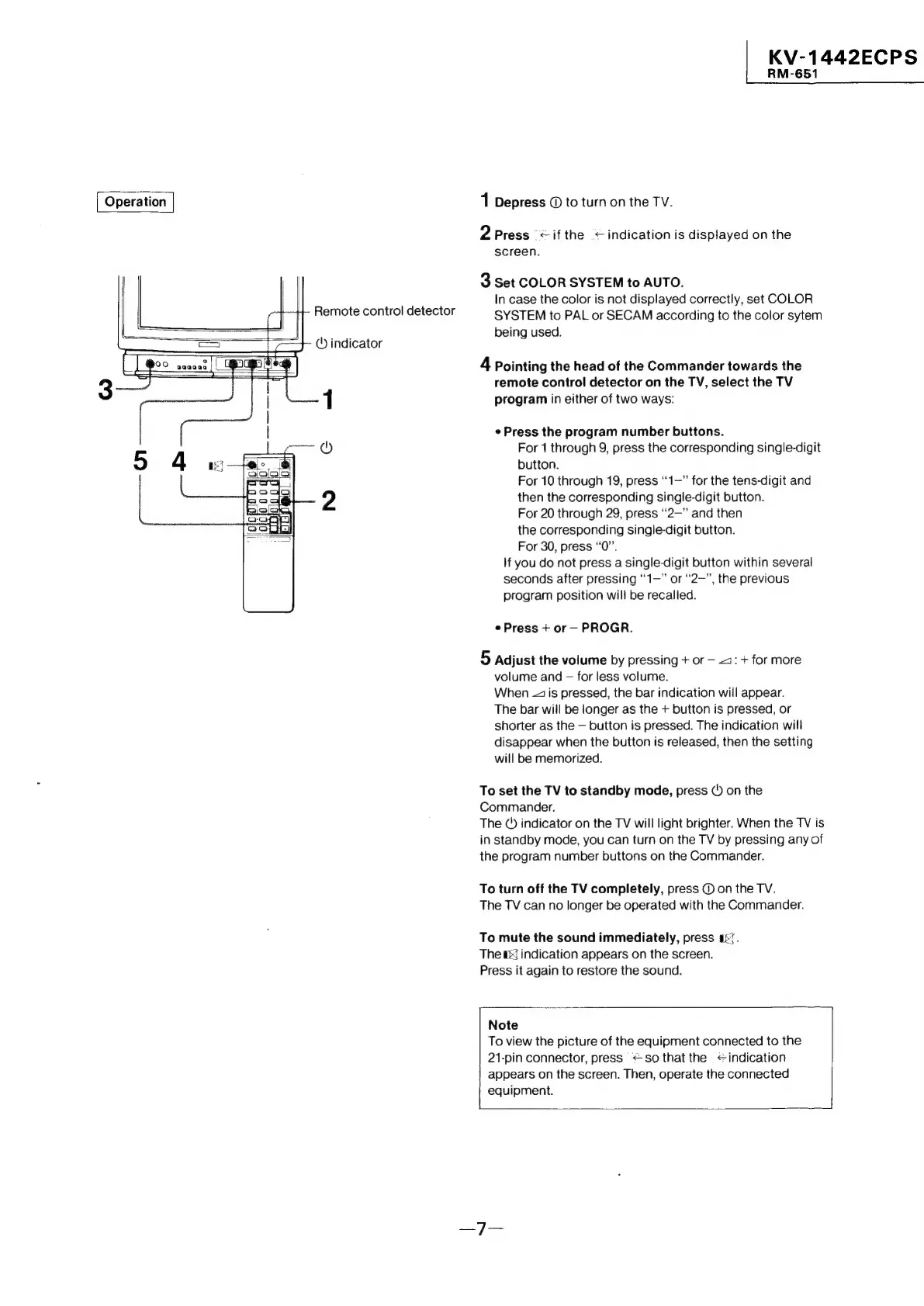
1
Depress
©
to
turn
on
the
TV.
2
Press
<if
the
<indication
is
displayed
on
the
screen.
3
Set
COLOR
SYSTEM
to
AUTO.
In
case
the
color
is
not
displayed
correctly,
set
COLOR
Remote
control
detector
SYSTEM
to
PAL
or
SECAM
according
to
the
color
sytem
being
used.
('
indicator
4
Pointing
the
head
of
the
Commander
towards
the
remote
control
detector
on
the
TV,
select
the
TV
1
program
in
either
of
two
ways:
Press
the
program
number
buttons.
aieiegee
©)
For
1
through
9,
press
the
corresponding
single-digit
button.
For
10
through
19,
press
‘‘1—”
for
the
tens-digit
and
2
then
the
corresponding
single-digit
button.
For
20
through
29,
press
“2—”
and
then
the
corresponding
single-digit
button.
For
30,
press
“0”.
If
you
do
not
press
a
single-digit
button
within
several
seconds
after
pressing
“1—”
or
“2—”,
the
previous
program
position
will
be
recalled.
Press
+
or—
PROGR.
5
Adjust
the
volume
by
pressing
+
or
—
4:
+
for
more
volume
and
—
for
less
volume.
When
-2
is
pressed,
the
bar
indication
will
appear.
The
bar
will
be
longer
as
the
+
button
is
pressed,
or
shorter
as
the
—
button
is
pressed.
The
indication
will
disappear
when
the
button
is
released,
then
the
setting
will
be
memorized.
To
set
the
TV
to
standby
mode,
press
(
on
the
Commander.
The
()
indicator
on
the
TV
will
light
brighter.
When
the
TV
is
in
standby
mode,
you
can
turn
on
the
TV
by
pressing
any
of
the
program
number
buttons
on
the
Commander.
To
turn
off
the
TV
completely,
press
@
on
the
TV.
The
TV
can
no
longer
be
operated
with
the
Commander.
To
mute
the
sound
immediately,
press
a57.
The
as]
indication
appears
on
the
screen.
Press
it
again
to
restore
the
sound.
Note
To
view
the
picture
of
the
equipment
connected
to
the
21-pin
connector,
press
<
so
that
the
<indication
appears
on
the
screen.
Then,
operate
the
connected
equipment.