EasyManua.ls Logo

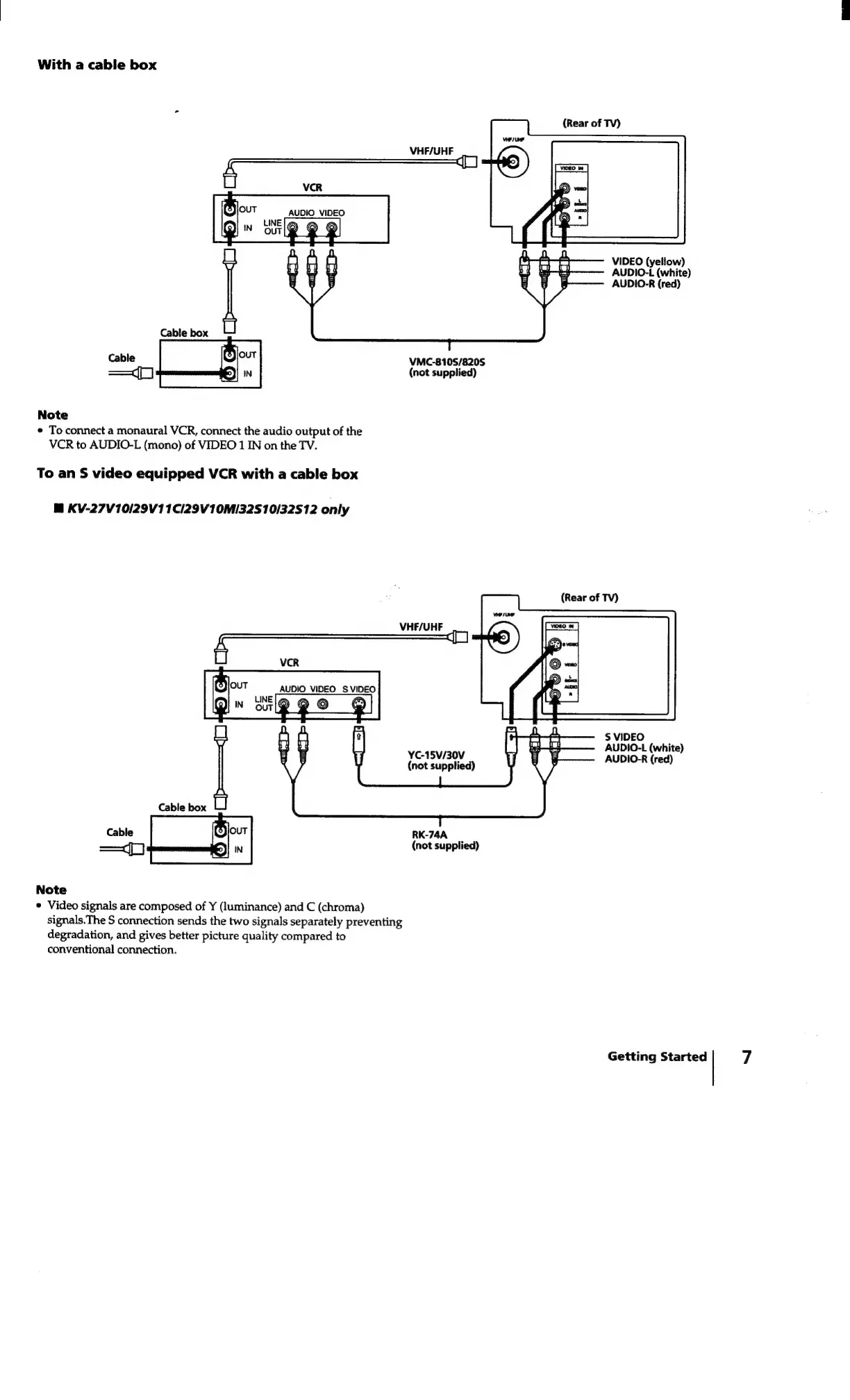
Sony Trinitron KV-27V10 - Connecting with a Cable Box; Standard VCR Connection; S-Video VCR Connection with Cable Box

Sony Trinitron KV-27V10
27 pages
Print Icon
To Next Page IconTo Next Page
To Previous Page IconTo Previous Page
Loading...
With
a
cable
box
(Rear
of
TV)
VHF/UHF
aA
AUDIO
VIDEO
VIDEO
(yellow)
AUDIO-L
(white)
AUDIO-R
(red)
Cable
VMC-810S/820S
(not
supplied)
Note
e
To
connect
a
monaural
VCR,
connect
the
audio
output
of
the
VCR
to
AUDIO-L
(mono)
of
VIDEO
1
IN
on
the
TV.
To
an
S
video
equipped
VCR
with
a
cable
box
M
KV-27V10/29V11C/29V10M/32S10/32512
only
(Rear
of
TV)
VHF/UHF
f
VCR
S$
VIDEO
AUDIO-L
(white)
AUDIO-R
(red)
YC-15V/30V
(not
supplied)
RK-74A
(not
supplied)
Note
¢
Video
signals
are
composed
of
Y
(luminance)
and
C
(chroma)
signals.The
S
connection
sends
the
two
signals
separately
preventing
degradation,
and
gives
better
picture
quality
compared
to
conventional
connection.
Getting
Started
7

Related product manuals