EasyManua.ls Logo

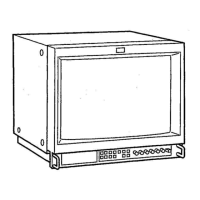
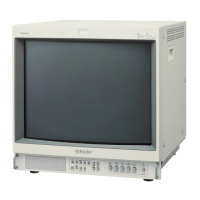
Sony Trinitron PVM-14M4U - Location and Function of Parts and Controls; Front Panel Overview

Sony Trinitron PVM-14M4U
19 pages
Print Icon
To Next Page IconTo Next Page
To Previous Page IconTo Previous Page
Loading...
UNIV
|MoYor-litelam-lalem
ml
elayeiiie)ame)m
a:lat-w-lavem
Ore)
elige)
[=
(Gq
09
0000-4)
q/
ag
po
come]
pent
Spl
RESET
Tr)
ty]
DEGAUSS
BLDE
UNDER
ONLY
SQAN___
DELAY
@
Tally
lamp
Lights
up
when
the
video
camera
connected
to
this
monitor
is
selected,
indicating
that
the
picture
is
being
recorded.
For
details
on
how
to
light
the
tally
lamp,
see
page
19.
©
POWER
switch
and
indicator
Depress
to
turn
on
the
monitor.
The
indicator
will
light
green.
©
REMOTE
indicator
Lights
up
when
you
select
ON
on
the
USER
PRESET
menu
(see
page
13),
or
when
you
connect
a
supplied
cable
to
the
REMOTE
connector.
The
controls
on
the
front
panel
do
not
work
when
this
indicator
lights
up.
For
details
on
how
to
connect
the
cable,
see
page
19.
©
VOLUME
control
Turn
this
control
clockwise
or
counterclockwise
to
obtain
the
desired
volume.
)
fy
;
,
|
APERTURE
BRIGHT
CHROMA
PHASE
CONTRAST
VOLUME
GDOOOGDEL
MIN
MAX
-
+
MIN
MAX
PUR
GRN
MIN
MAX
MIN
MAX
@
REMOTE
©
CONTRAST
control
Turn
this
control
clockwise
to
make
the
contrast
higher
or
counterclockwise
to
make
it
lower.
@
PHASE
control
This
control
is
effective
only
for
the
NTSC
and
NTSC.3
color
systems.
Turn
it
clockwise
to
make
the
skin
tones
greenish
or
counterclockwise
to
make
them
purplish.
@
CHROMA
control
Turn
this
control
clockwise
to
increase
the
color
intensity
or
counterclockwise
to
decrease
it.
©
BRIGHT
(brightness)
control
Turn
this
control
clockwise
to
increase
the
brightness
or
counterclockwise
to
decrease
it.
©
APERTURE
control
Turn
this
control
clockwise
to
increase
sharpness
or
counterclockwise
to
decrease
sharpness.

Related product manuals