20 (US)
Select the PARALLEL REMOTE connector pins for
which you want to change the function.
You can assign various functions to 1 to 4 pins and 6
to 8 pins. The following lists the functions you can
assign to the pins.
REMOTE 1/2
PARALLEL Menu
GROUP ADDRESS
Set the monitor group address number. You can set
within 0 to 99.
CH(1-4) CONFIG
Set the channel numbers (1 to 4) that have been
assigned to the direct keys in the BVM series unit.
Select from among CH1, CH2, CH3 and CH4.
You can set the channel for INPUT, ASPECT and
SCAN SIZE.
INPUT
Sets the input system to the selected channels.
Select from among LINE A, LINE B, RGB/COMP,
OPTION A and OPTION B.
ASPECT
Sets the aspect ratio of the picture.
Select 16:9 or 4:3.
SCAN SIZE
Sets the size of a picture which is displayed by
scanning the input signal.
Select UNDER or NORMAL.
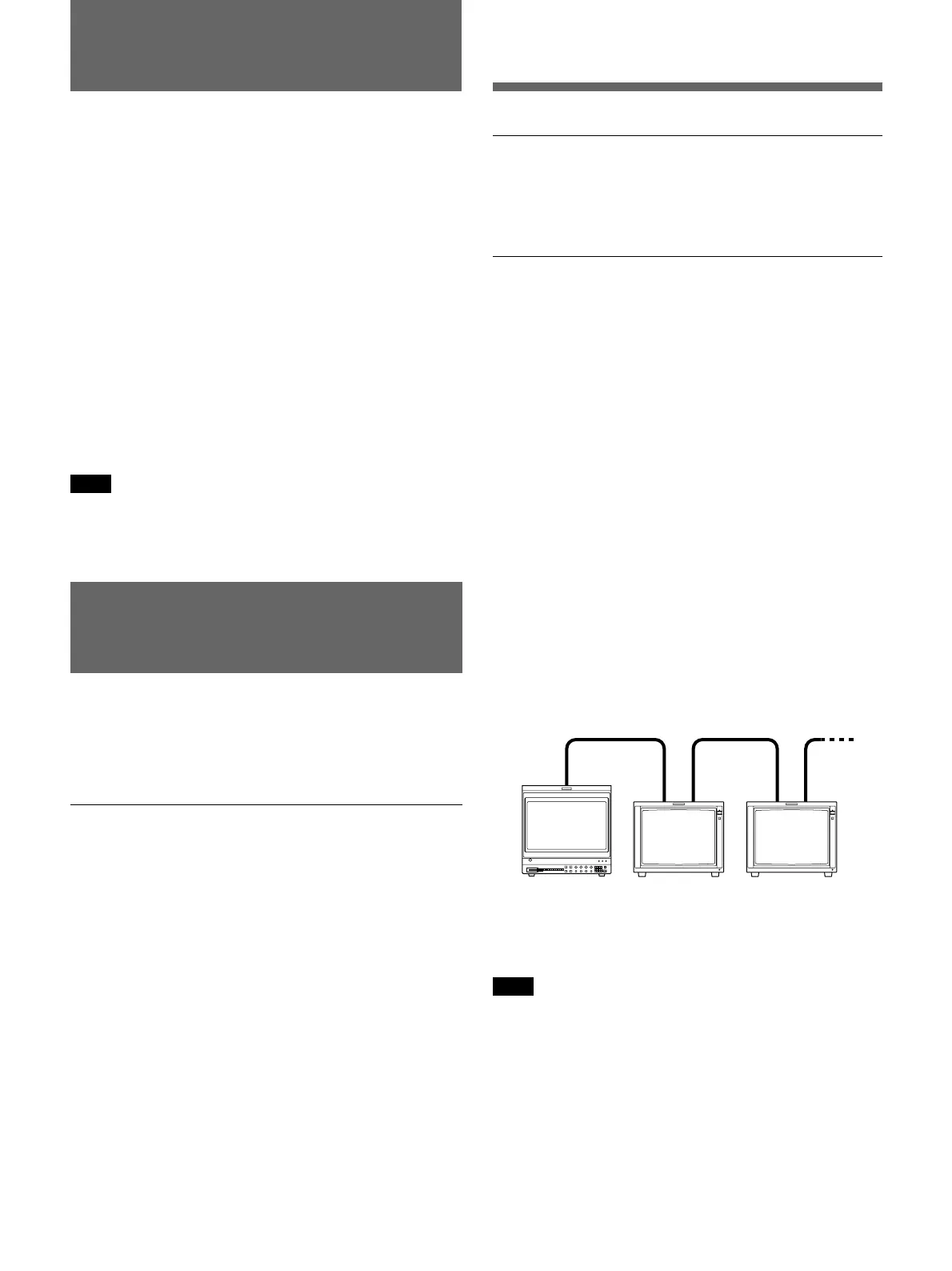
Serial Remote Control Configuration Example
Note
If you perform a single control multiple times
continuously in the serial mode, the remote state may
be disabled. In this case, execute the same control
command several times until the remote state is
recovered.
BVM-Series PVM-14L5/20L5 PVM-14L5/20L5
REMOTE 2/2 SERIAL
Menu
When you control this unit by using the serial remote
mode from the BVM series unit, set the monitor single
address and group address, or the channel number you
want to assign in this menu.
SINGLE ADDRESS
The following lists the functions that can be performed
by a serial remote command from a BVM series unit:
•– – (“– –”: No function
is assigned.)
•LINE A
•LINE B
•RGB/COMP
•OPTION A
•OPTION B
•TALLY RED
•TALLY GREEN
•UNDERSCAN
•16:9
•EXT SYNC
•H/V DELAY
•BLUE ONLY
•MONO
•4:3 MARKER
•DEGAUSS
•CONTRAST adjustment
•BRIGHT adjustment
•CHROMA adjustment
•PHASE adjustment
•Numeric keypad 1
button
•Numeric keypad 2
button
•Numeric keypad 3
button
•Numeric keypad 4
button
•Underscan button
•Horizontal delay
button*
•Vertical delay button*
•Monochrome button
•Aperture button
•16:9 button
•SYNC button
•Blue only button
•Safe area button
•Degauss button
* The system of this unit
functions in the H/V
DELAY mode.
Note
If you use the PARALLEL REMOTE function, you need
to connect cables. For more details, see page 25 (US).




 To Next Page