CHAPTER4.
OTHERS
4-1.Replacing the CPU
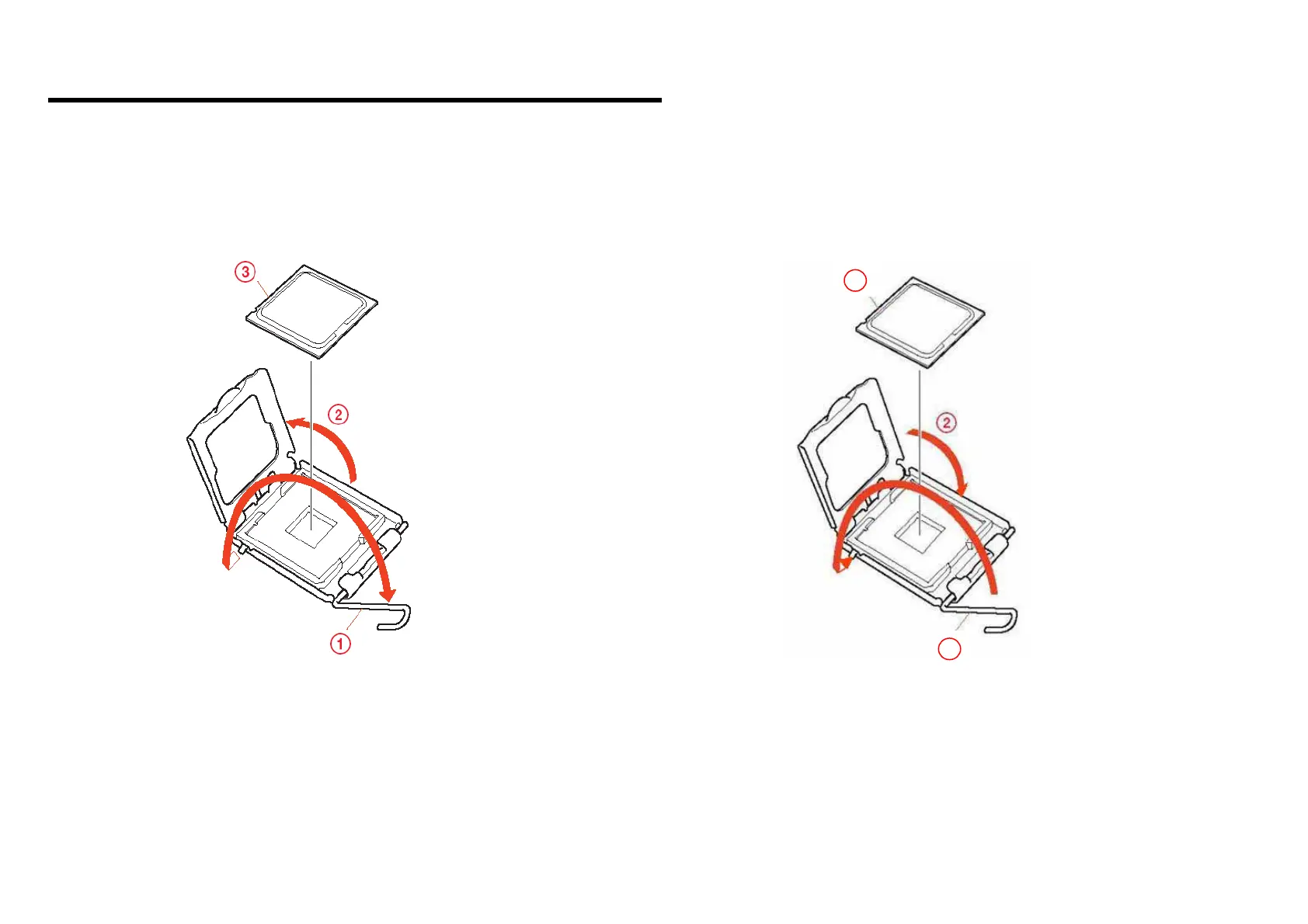
1. Removing the CPU
1. Move the lever around the holder and lift as shown by the arrow.
2. Open the cover in the direction of arrow.
3. Pull the CPU gently upward to lift it out of the CPU socket.
2. Installing the CPU
1. Put down the CPU gently downward to the CPU socket.
2. Close the cover in the direction of arrow.
3. Move the lever around the holder and put down as shown by the arrow.
4-1
[Sony Confidential]
VGN-AW Series (9-852-817-XX)
1
3






 To Next Page