18
nN
Getting Started >
Using the Battery Pack
Using the Battery Pack
The battery pack supplied with your computer is not fully charged at the time of delivery.
Installing/Removing the Battery Pack
To install the battery pack
1 Turn off the computer and close the LCD screen lid.
2 Slide the battery LOCK switch to the unlock position.
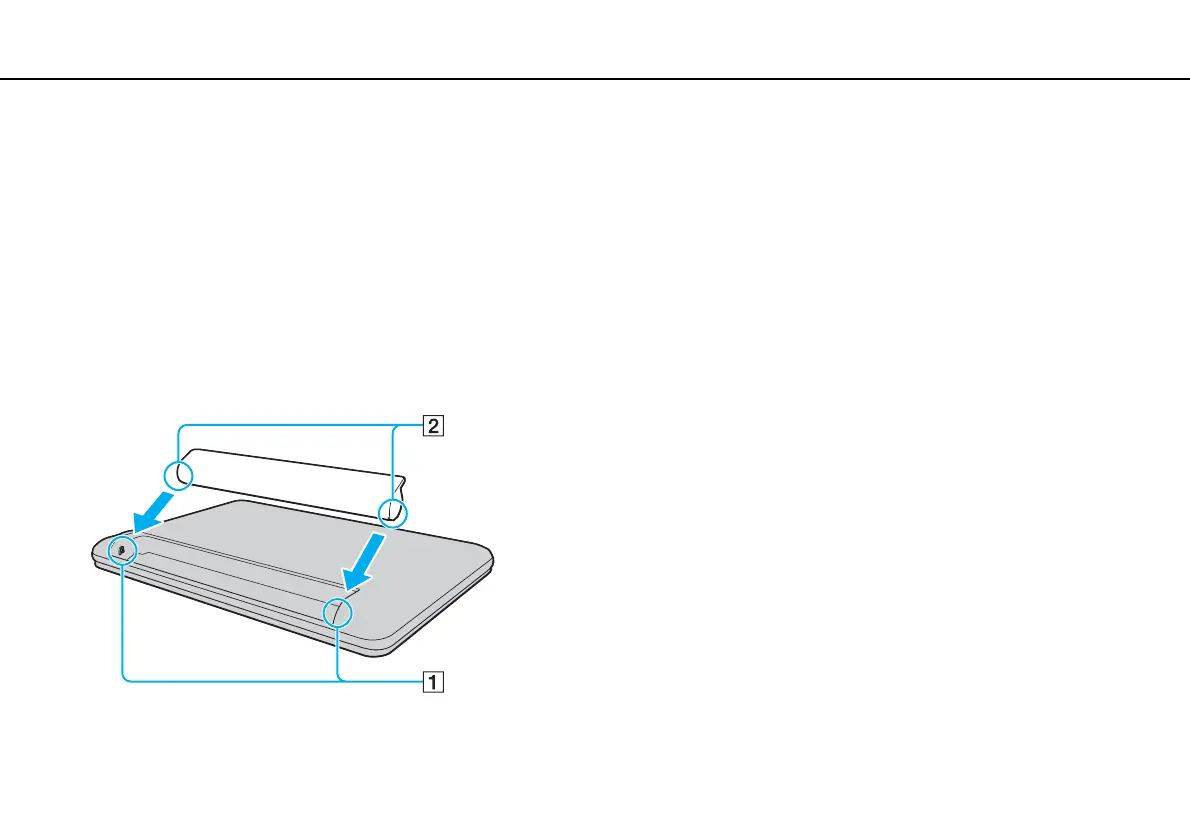
3 Slide the battery pack diagonally into the battery compartment until the projection (1) on either side of the battery
compartment fits into the U-shaped cut (2) on either side of the battery pack.








 To Next Page