EasyManua.ls Logo

Sony VPH-1041Q - Page 8

Sony VPH-1041Q
22 pages
Print Icon
To Next Page IconTo Next Page
To Previous Page IconTo Previous Page
Loading...
“Operation
/
aiid
iui
iiaieaaeiidaiaatie,
2
1
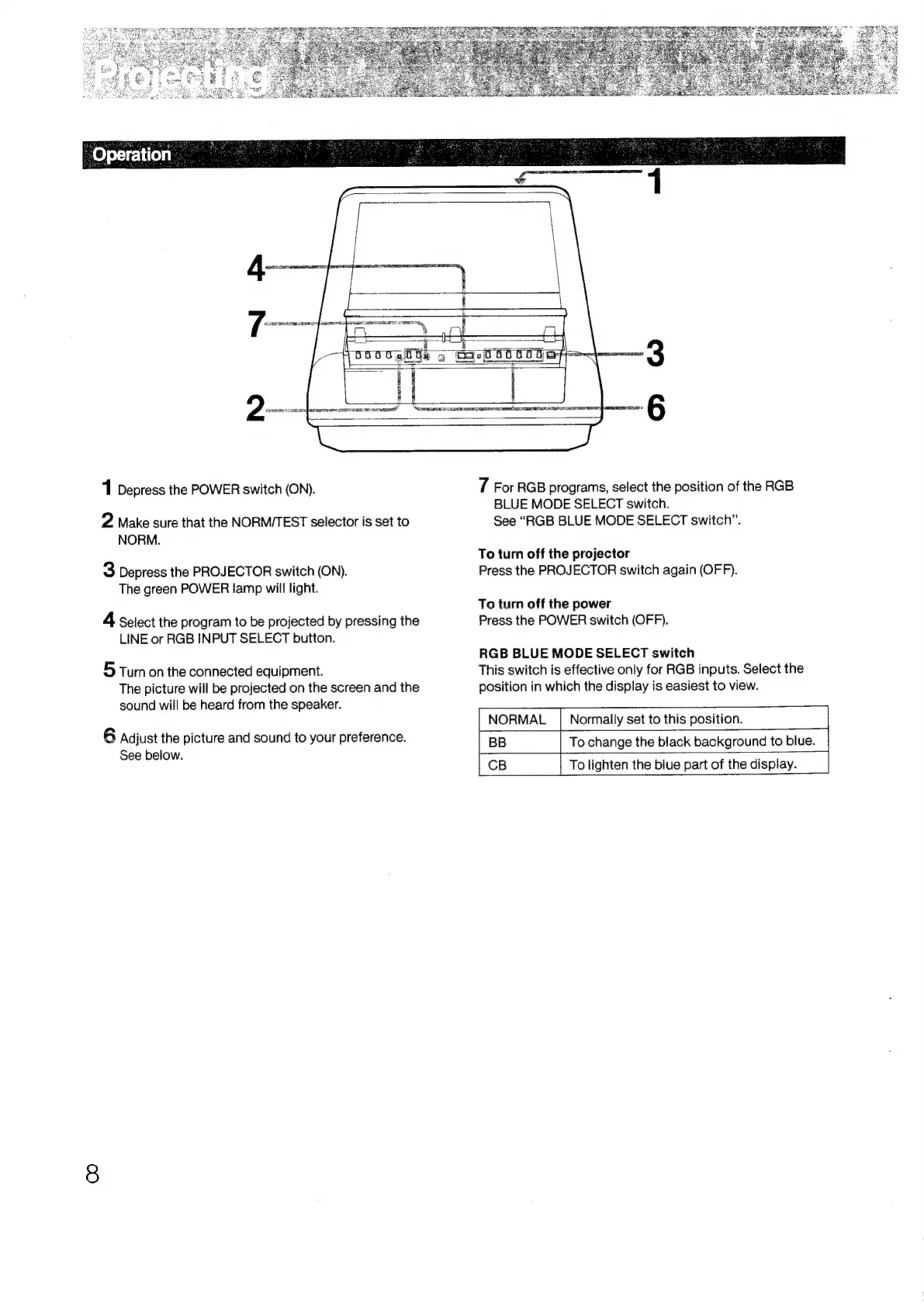
Depress
the
POWER
switch
(ON).
2
Make
sure
that
the
NORM/TEST
selector
is
set
to
NORM.
3
Depress
the
PROJECTOR
switch
(ON).
The
green
POWER
lamp
will
light.
4
Select
the
program
to
be
projected
by
pressing
the
LINE
or
RGB
INPUT
SELECT
button.
5
Turn
on
the
connected
equipment.
The
picture
will
be
projected
on
the
screen
and
the
sound
will
be
heard
from
the
speaker.
6
Adjust
the
picture
and
sound
to
your
preference.
See
below.
7
For
RGB
programs,
select
the
position
of
the
RGB
BLUE
MODE
SELECT
switch.
See
“RGB
BLUE
MODE
SELECT
switch”.
To
turn
off
the
projector
Press
the
PROJECTOR
switch
again
(OFF).
To
turn
off
the
power
Press
the
POWER
switch
(OFF).
RGB
BLUE
MODE
SELECT
switch
This
switch
is
effective
only
for
RGB
inputs.
Select
the
position
in
which
the
display
is
easiest
to
view.
NORMAL
|
Normally
set
to
this
position.
To
change
the
black
background
to
blue.
CB
|
To
lighten
the
biue
part
of
the
display.

Related product manuals