3LCD BrightEra
™
technology
This innovative inorganic panel
technology was designed by
Sony to deliver improved panel
light resistance, higher brightness,
higher resolution and increased
panel reliability.
Portable Projector
Weighing in at just 2.1kg with a
footprint smaller than an A4 sheet
of paper (295 x 74 x 204mm), it is easy
to carry between meeting rooms.
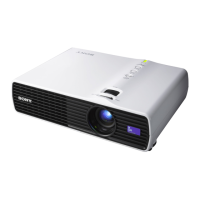
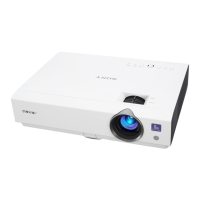
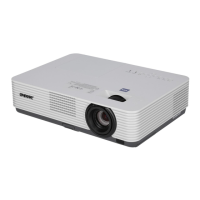
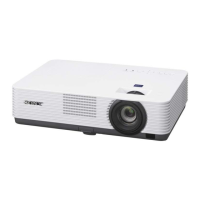
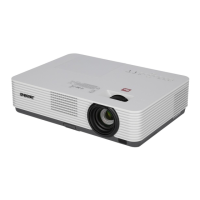
The VPL-DX11 projector has been designed to be a compact and portable
projector which is simple to use but also delivers high picture quality and
brightness as it incorporates Sony’s innovative BrightEra
™
technology.
This projector has a Colour Light Output of 3000 lumens brightness. This level
of brightness coupled with excellent picture quality in XGA (1024 x 768)
resolution, allows users to make powerful desktop presentations in virtually
any setting and under any lighting conditions.
This desktop projector is extremely portable as it weighs only 2.1kg and
has a footprint smaller than an A4 sheet of paper. This means it can
easily be carried between meeting rooms and is ideal for use in small to
medium-sized presentation rooms, including corporate conference
rooms and school classrooms.
3LCD XGA portable projector
with 3000 ANSI lumens
VPL-DX11 Portable Projector
Key Features
Other Features
Colour Light Output – 3000 lumens
Colour Light Output is a metric that
measures a projector’s ability to
deliver colour.
Quick Re-Start
If the projector is turned off
accidently, it does not need to
cool down before it can be turned
back on again. It is ready to present
again in approximately 5 seconds.
Easy-to-use Control Panel
The control panel is located on top
of the unit, with all the essential
controls such as Power On and
Menu are positioned in a line.
Off and Go
The projector is ready to be
unplugged as soon as it is switched
off. There is no need to wait for the
fan to turn off.
2 x Power-saving modes:
Lamp Cutoff: Lamp cuts off if no
signal is input for 10 minutes and
lights again when a signal is input
or any key is pressed.
Standby: The projector goes into
standby mode if no signal is input
for 10 minutes.
Image Freeze Function
Freeze the image displayed and
make changes to your presentation
without the audience knowing.
Auto Keystone Adjustment
Detects its tilt angle and corrects
distortion automatically.
Auto Input Search
Detects input signal and
displays automatically.
Digital Zoom (4x)
Highlight a portion of the image displayed
by 4x for audience impact.
Ceiling Mountable
For permanent applications.



 To Next Page

 General