EasyManua.ls Logo

Sony VPL-DX15 - User Manual

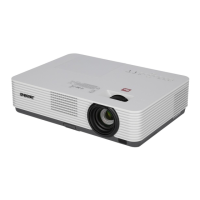
Sony VPL-DX15
6 pages
Print Icon
To Next Page IconTo Next Page
Loading...
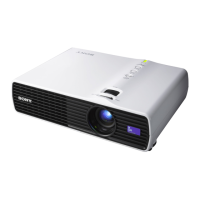
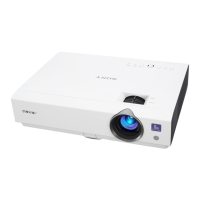
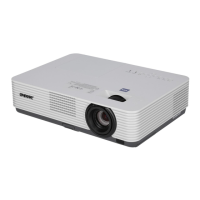
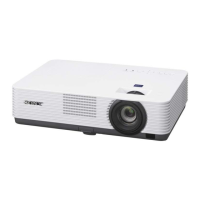
VPL-DX15
VPL-DX11
VPL-DX10
Powerful Mobile Projectors
sony.com/projectors
SONY55425_Brochure.indd 1 8/14/09 8:04:46 AM

Other manuals for Sony VPL-DX15

Questions and Answers

  • K
    Kristen DennisAug 20, 2025
    How to fix a Sony VPL-DX15 that won't turn on?
    • S
      sandra22Aug 20, 2025
      If your Sony Projector is not turning on, make sure the AC power cable is firmly connected. Also, check that the lamp or lamp cover is securely closed.
  • J
    Jerry VaughnAug 22, 2025
    Why is there no picture on my Sony VPL-DX15 Projector?
    • P
      Paul BrownAug 22, 2025
      There could be several reasons why your Sony Projector is not displaying a picture. First, ensure that the power is turned on. Next, check all cable connections to make sure they are properly connected. Also, verify that the lens shutter is open and the correct input source is selected. Finally, confirm that the picture is not muted by pressing the PIC MUTING key. If you are using a computer, ensure the signal is set to output to an external monitor.
  • E
    Edward RodriguezAug 25, 2025
    How to fix color balance on Sony VPL-DX15?
    • W
      Walter HowardAug 25, 2025
      If the color balance on your Sony Projector is incorrect, adjust the image quality settings in the Picture menu. Also, check the setting of “Input-A Signal Sel.” in the Setup menu and select the correct option (“Computer,” “Video GBR” or “Component”) according to the input signal. Finally, ensure that “Color System” in the Setup menu matches the color system being input.
  • D
    Donna BautistaAug 26, 2025
    What to do if Sony Projector picture is not clear?
    • S
      Sarah OsborneAug 26, 2025
      If the picture on your Sony Projector is not clear, try adjusting the focus. If that doesn't work, and you notice condensation on the lens, leave the projector on for about two hours.
  • C
    Cole SantosAug 28, 2025
    Why is my Sony VPL-DX15 picture noisy?
    • A
      ashley53Aug 28, 2025
      If the picture on your Sony Projector appears noisy, check if the connecting cable is connected properly.
  • J
    Jeffrey CrawfordAug 30, 2025
    Why is the LAMP/COVER indicator flashing orange on my Sony VPL-DX15 Projector?
    • J
      Joshua BellAug 30, 2025
      If the LAMP/COVER indicator on your Sony Projector is flashing orange with a repetition rate of 2 flashes, it means the lamp cover is detached. Attach the cover securely.
  • K
    Karla WilliamsSep 1, 2025
    Why does the image extend beyond the screen on my Sony VPL-DX15?
    • J
      johngreenSep 1, 2025
      If the image extends beyond the screen on your Sony Projector, and the APA key was pressed even though there are black edges around the image, display the full image on the screen and press the APA key. Alternatively, adjust “Shift” on the Screen setting menu.
  • D
    Daniel BrownSep 3, 2025
    What does it mean when the ?/1 key flashes red on my Sony VPL-DX15?
    • B
      bradleygailSep 3, 2025
      If the ?/1 key flashes red with a repetition rate of 2 flashes, it indicates that the internal temperature is unusually high. Check to see that nothing is blocking the ventilation holes. It could also mean the projector is being used at a high altitude; in this case, ensure that “High Altitude Mode” in the Setup menu is set to “On.”
  • L
    Lauren SalinasSep 5, 2025
    How to troubleshoot no sound on Sony VPL-DX15?
    • M
      Micheal DavisSep 5, 2025
      If there is no sound coming from your Sony Projector, check that all cable connections are correct. Ensure you are using a no-resistance stereo audio cable. Also, verify that the sound is not muted by pressing the AUDIO MUTING key and adjust the volume using the VOLUME +/– key on the Remote Commander.
  • A
    asimmonsSep 7, 2025
    How to fix Sony VPL-DX15 Projector picture flickering?
    • M
      Michele JonesSep 7, 2025
      If the picture on your Sony Projector is flickering, adjust “Phase” on the Screen setting menu.

Summary

VPL-D Series: Overview and Common Features

High Picture Quality and Brightness

Details the series' high picture quality and brightness, achieved via 3LCD and BrightEra™ technology.

Compact and Lightweight Design

Describes the projector's compact and lightweight body, suitable for easy portability and placement.

Advanced Projection Technology and Usability

3 LCD Color Performance

Explains the 3LCD projection system's advantages for color reproduction and natural images.

Lens Shutter and Control Panel

Covers the mechanical lens shutter for image muting and the projector's easy-to-use control panel.

VPL-DX15 Network and PC-less Features

Network Presentation Capabilities

Details LAN and wireless network functions for PC presentations with the VPL-DX15.

Network File Viewing and Remote Control

Explains projecting files from networked PCs and controlling PCs remotely via the VPL-DX15.

Streaming Video and Remote Maintenance

Covers streaming video playback and remote projector status monitoring/control.

PC-less Operation, Connectivity, and Specifications

PC-less USB Presentation

Enables direct projection of files from a USB memory device without needing a PC.

Connector Panels and Dimensions

Shows connector layouts for different models and provides physical dimensions of the projectors.

Detailed Product Specifications

Presents comprehensive technical specifications for the VPL-D Series projectors.

Sony VPL-DX15 Specifications

General IconGeneral
BrandSony
ModelVPL-DX15
CategoryProjector
LanguageEnglish

Related product manuals