EasyManua.ls Logo

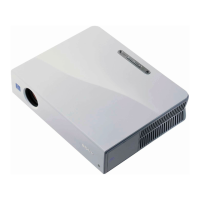
Sony VPL-EW575 - User Manual

Sony VPL-EW575
99 pages
Print Icon
To Next Page IconTo Next Page
Loading...
4-689-816-12 (1)
© 2016 Sony Corporation
Data
Projector
Operating Instructions
Before operating the unit, please read this manual and supplied Quick Reference Manual
thoroughly and retain it for future reference.
VPL-EW578/EW575/EW455/EW435
VPL-EX575/EX570/EX455/EX450/EX435/EX430
Not all models are available in all countries and area. Please check
with your local Sony Authorized Dealer.

Table of Contents

Other manuals for Sony VPL-EW575

Question and Answer IconNeed help?

Do you have a question about the Sony VPL-EW575 and is the answer not in the manual?

Summary

Remote Control and Panel Keys

Remote Commander Usage

Explains the use of buttons on the remote control for projector functions.

Preparation

Projector Connection Basics

General instructions for physically connecting the projector to power and input sources.

Computer Connection Guide

Steps to connect computers via RGB and HDMI, including resolution settings.

Image Projection and Adjustment

Starting Image Projection

Step-by-step guide to power on, select input, and start projection.

Turning Off the Projector

Proper procedures for shutting down the projector and disconnecting power.

Menu-Based Adjustments and Settings

Connection and Power Menu Options

Network settings (LAN/WLAN) and power management configurations.

Network Connectivity Features

Network Features Overview

Capabilities of connecting to a network for remote control and status monitoring.

Network Presentation Function

Network Presentation Overview

Overview of projecting computer screens wirelessly to multiple devices.

Video and Audio Playback via USB

USB Media Playback

How to play video and audio files from a computer using a USB connection.

USB Media Viewer Function

Troubleshooting and Maintenance

Warning Indicators and Remedies

Troubleshooting issues based on indicator lights and flashes.

General Troubleshooting Guide

Comprehensive guide to diagnosing and resolving common projector problems.

Replacing the Projector Lamp

Step-by-step instructions for safely replacing the projector lamp.

Projection Distance Calculations

Summary

Remote Control and Panel Keys

Remote Commander Usage

Explains the use of buttons on the remote control for projector functions.

Preparation

Projector Connection Basics

General instructions for physically connecting the projector to power and input sources.

Computer Connection Guide

Steps to connect computers via RGB and HDMI, including resolution settings.

Image Projection and Adjustment

Starting Image Projection

Step-by-step guide to power on, select input, and start projection.

Turning Off the Projector

Proper procedures for shutting down the projector and disconnecting power.

Menu-Based Adjustments and Settings

Connection and Power Menu Options

Network settings (LAN/WLAN) and power management configurations.

Network Connectivity Features

Network Features Overview

Capabilities of connecting to a network for remote control and status monitoring.

Network Presentation Function

Network Presentation Overview

Overview of projecting computer screens wirelessly to multiple devices.

Video and Audio Playback via USB

USB Media Playback

How to play video and audio files from a computer using a USB connection.

USB Media Viewer Function

Troubleshooting and Maintenance

Warning Indicators and Remedies

Troubleshooting issues based on indicator lights and flashes.

General Troubleshooting Guide

Comprehensive guide to diagnosing and resolving common projector problems.

Replacing the Projector Lamp

Step-by-step instructions for safely replacing the projector lamp.

Projection Distance Calculations

Sony VPL-EW575 Specifications

General IconGeneral
BrandSony
ModelVPL-EW575
CategoryProjector
LanguageEnglish

Related product manuals