EasyManua.ls Logo

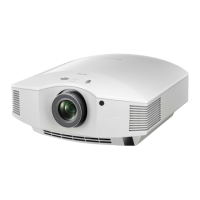
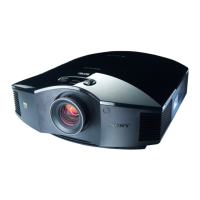
Sony VPL-HW50ES - User Manual

Sony VPL-HW50ES
95 pages
Print Icon
To Next Page IconTo Next Page
Loading...
Operating Instructions
Before operating the unit, please read this manual thoroughly and retain it for
future reference.
VPL-HW50ES
VPL-HW50ES
4-439-386-11
(
1
)
E:\DATA\4439386111\4439386111VPLHW50ESUC\00COV-
VPLHW50ESUC\010COV.fm
masterpage:Back
Cover
© 2012 Sony Corporation
4-439-386-11 (1)
Video Projector
VPL-HW30ES/HW30AES
4-290-338-13 (1)
E:\DATA\4439386111\4439386111VPLHW50ESUC\00COV-
VPLHW50ESUC\100BCO.fm
masterpage:Back
Cover
S
ony Corporation
Printed in Japan

Table of Contents

Other manuals for Sony VPL-HW50ES

Questions and Answers

  • J
    jessicaharrisSep 9, 2025
    Why do my Sony VPL-HW50ES and connected equipment turn On/Off at the same time?
    • A
      Alexandria MartinezSep 9, 2025
      If your Sony Projector and connected equipment turn On/Off, play back, and operate at the same time, set “Control for HDMI”, “Device Auto Power Off”, and “PJ Auto Power ON” to “Off.”
  • J
    jamesmossAug 23, 2025
    Why does the power suddenly turn off on my Sony VPL-HW50ES Projector?
    • A
      Amy ClarkAug 23, 2025
      If your Sony Projector's power suddenly turns off, check that “Power Saving” in the Setup menu is set to “Standby.” If it is, set “Power Saving” to “Off.”
  • T
    traci31Aug 25, 2025
    What to do if my Sony VPL-HW50ES Projector has no picture?
    • J
      Jose ThompsonAug 25, 2025
      If your Sony Projector displays no picture, ensure that all connections are properly made. Use the INPUT button to select the correct input source. If you are using a computer, set the computer signal to output from or only to an external monitor.
  • T
    Tara RodriguezAug 26, 2025
    Why is the picture not clear on my Sony VPL-HW50ES Projector?
    • M
      Michelle GrantAug 26, 2025
      If your Sony Projector's picture is not clear, try adjusting the focus. If that doesn't work, leave the projector on for about 2 hours.
  • A
    Alexis HaynesAug 27, 2025
    Why is the picture too dark on my Sony VPL-HW50ES Projector?
    • E
      Erica SandersAug 27, 2025
      If the picture on your Sony Projector is too dark, adjust the “Contrast” or “Brightness” in the Picture menu.
  • D
    Daniel GuzmanAug 29, 2025
    How to fix faded texts when connected with a computer on Sony VPL-HW50ES?
    • I
      idavisAug 29, 2025
      If the texts appear faded when connected to a computer on your Sony Projector, adjust “Sharpness” in the Picture menu, or set “HDMI Dynamic Range” to “Limited” in the Function menu.
  • L
    linda43Sep 17, 2025
    What does it mean when ON/STANDBY flashes red four times on Sony VPL-HW50ES?
    • T
      Terry HoganSep 17, 2025
      If the ON/STANDBY indicator on your Sony Projector flashes red four times, consult with qualified Sony personnel.
  • B
    brandonlopezSep 18, 2025
    What does it mean when ON/STANDBY flashes red two times on Sony VPL-HW50ES?
    • A
      April BaldwinSep 22, 2025
      Check to ensure that if nothing is blocking the ventilation holes or whether or not the Sony Projector is being used at high altitudes.
  • S
    Sandra JohnsonSep 7, 2025
    Why can't I adjust the lens shift on my Sony VPL-HW50ES?
    • A
      askinnerSep 7, 2025
      If you cannot adjust the lens shift on your Sony Projector, make sure you are adjusting it within the allowed range of movement.
  • D
    douglasbentonSep 4, 2025
    How to fix picture flickering on Sony VPL-HW50ES Projector?
    • T
      Tommy LaraSep 4, 2025
      If the picture on your Sony Projector flickers, activate “APA” and adjust the current input signal. You can also adjust “Phase” for “Adjust Signal” in the Screen menu.

Summary

Precautions

General Safety and Handling

Covers safety, heat management, and repacking advice for the projector.

3 D Glasses Safety Precautions

Provides guidelines for the safe operation and use of 3D glasses.

Location of Controls

Remote Control Overview

Explains the function of each button on the projector's remote control.

Connections and Preparations

Projector Installation Guidelines

Provides advice on projector placement, ventilation, and orientation for optimal performance.

Installing the Projector

Before Projector Setup

Details unsuitable locations, improper usage, and ventilation blocking warnings.

Positioning the Projector and Screen

Determine Installation Position

Guides on calculating projector-to-screen distances for various sizes using tables.

Lens Alignment and Adjustment

Ensures the projector lens is parallel to the screen for optimal image fitting.

Adjusting Picture Position

Using Lens Shift Dials

Adjusts the horizontal and vertical position of the projected image.

Connecting the Projector

HDMI Connections

Connects audio/video sources like VCRs, Blu-ray players, and computers via HDMI.

Projecting the Picture

Watching 3 D Video Images

3 D Content Playback

Guides on playing 3D content from sources and using 3D glasses.

Adjusting Picture Quality Directly

Troubleshooting

Power and Picture Issues

Diagnosing and resolving problems related to power supply and image display.

On-Screen Display and Remote Issues

Troubleshooting display errors, input terminal visibility, and remote control functionality.

Warning Indicators and Messages

Interpreting projector status lights and understanding warning messages.

Maintenance and Replacement

Replacing Lamp and Air Filter

Procedure for replacing the projector lamp and air filter, and cleaning ventilation holes.

Ceiling Installation

Suspension Support Attachment

Instructions for attaching the projector suspension support for ceiling mounting.

Sony VPL-HW50ES Specifications

General IconGeneral
Display TechnologySXRD
Resolution1920 x 1080
Brightness1700 lumens
Lamp TypeUHP
Lens ShiftVertical: ±71%, Horizontal: ±25%
Zoom Ratio1.6x
3DYes
HDMI Ports2
Lamp Life5000 hours
Projection Size40 - 300 inches
Input LagApproximately 25 ms
InputsHDMI, Component, Composite, RS-232C
Dimensions (W x H x D)407.4 x 179.2 x 463.9 mm
Contrast Ratio100, 000:1 (Dynamic)

Related product manuals