EasyManua.ls Logo

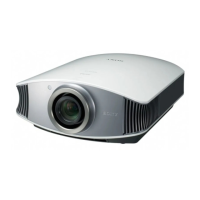
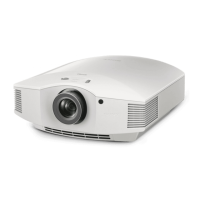
Sony BRAVIA VPL-HW10 - User Manual

Sony BRAVIA VPL-HW10
80 pages
Print Icon
To Next Page IconTo Next Page
Loading...
Operating Instructions
VPL-HW10
© 2008 Sony Corporation
3-876-649-15 (1)
Video Projector

Questions and Answers

  • D
    Dakota CunninghamSep 23, 2025
    Why On-screen display does not appear on Sony Projector?
    • J
      Jeffrey LeeSep 23, 2025
      If the on-screen display does not appear on your Sony Projector, set "Status" in the Setup menu to "On." Also, check if the ON/STANDBY indicator should light in green.
  • S
    Sara VanceAug 23, 2025
    Why is there no picture on my Sony BRAVIA VPL-HW10 Projector?
    • G
      George GlassAug 23, 2025
      If there is no picture on your Sony Projector, check the following: * Ensure that the proper connections have been made. * Select the correct input source using the INPUT button. * Set the computer signal to output from an external monitor or only to an external monitor. * Select "Computer," "Component" or "Video GBR" for "Input-A Signal Sel." on the Setup menu according to the input signal.
  • M
    michaelcampbellAug 25, 2025
    What to do if my Sony Projector shows 'Please replace the Lamp/ Filter.'?
    • G
      Gary LopezAug 26, 2025
      If your Sony Projector displays the message 'Please replace the Lamp/ Filter', you should replace the lamp and the air filter. Also, restart cleaning the ventilation holes (intake).
  • N
    ncabreraAug 26, 2025
    What to do if Sony BRAVIA VPL-HW10 shows 'Please clean the filter.'?
    • J
      Jason StewartAug 27, 2025
      If your Sony Projector displays 'Please clean the filter', clean the air filter.
  • J
    Jacob GonzalesAug 27, 2025
    What to do if Sony BRAVIA VPL-HW10 Projector shows 'Please clean the filter. Have you finished? Yes No'?
    • C
      Courtney CarpenterAug 27, 2025
      If your Sony Projector displays 'Please clean the filter. Have you finished? Yes No', clean the air filter.
  • S
    Steven FrostSep 16, 2025
    What to do if Sony BRAVIA VPL-HW10 Projector shows 'Frequency is out of range!'?
    • D
      Donald HernandezSep 16, 2025
      If your Sony Projector displays 'Frequency is out of range!', input a signal that is within the acceptable frequency range of the projector.
  • D
    Douglas MoralesSep 13, 2025
    What does it mean when Sony BRAVIA VPL-HW10 Projector LAMP/COVER flashes in red (3 flashes)?
    • T
      Tyrone KimSep 13, 2025
      If the LAMP/COVER indicator on your Sony Projector flashes red with a repetition rate of 3 flashes, you should replace the lamp. Also, wait until the lamp cools, and then turn on the power again.
  • J
    Jack EstradaSep 14, 2025
    How to fix Sony BRAVIA VPL-HW10 Projector ON/STANDBY flashes in red (4 flashes)?
    • E
      ewilsonSep 14, 2025
      If the ON/STANDBY indicator on your Sony Projector is flashing red with a repetition rate of 4 flashes, consult with qualified Sony personnel.
  • K
    Kevin BaileySep 5, 2025
    Why does the bright area of the picture may become unclear or texts may become faded on Sony BRAVIA VPL-HW10?
    • E
      Edward CurrySep 6, 2025
      If the bright area of the picture may become unclear or texts may become faded on your Sony Projector (this symptom may occur when a signal other than those of HDMI standard is input), switch the RGB dynamic range of the connected equipment to Limited (16-235). If this adjustment is unavailable, adjust "Brightness", "Contrast", or "Sharpness" in the Picture menu of the projector.
  • M
    mgarciaSep 3, 2025
    Why is the picture from the INPUT A connector colored strange on my Sony BRAVIA VPL-HW10 Projector?
    • G
      Gina CabreraSep 3, 2025
      If the picture from the INPUT A connector on your Sony Projector is colored strangely, select "Computer," "Component" or "Video GBR" for "Input-A Signal Sel." on the Setup menu according to the input signal.

Summary

Precautions

On safety

Safety precautions for operating the projector, including voltage and liquid exposure.

On preventing internal heat build-up

Advice on preventing overheating and ensuring proper ventilation for the projector.

On repacking

Instructions for safely repacking the projector using original materials.

Location of Controls

Front;Right Side Controls

Identifies buttons and indicators on the projector's front and right side panels.

Rear;Bottom Controls

Illustrates ventilation holes, lamp cover, and filter holder.

Remote Control Layout

Details the function of each button on the projector's remote control.

Connections and Preparations

Unpacking and Battery Insertion

Guides on unpacking, inserting batteries, and handling the remote.

Installing the Projector

Instructions for suitable and unsuitable installation locations.

Connecting External Devices

Procedures for connecting video sources like VCRs, DVD players, and computers.

Adjusting Picture Position

Steps to adjust picture position using lens shift, zoom, and focus.

Selecting Menu Language

Guide to changing the on-screen display language.

Projecting

Projecting the Picture on the Screen

Steps to power on, select input, and display the picture.

Turning Off the Power

Instructions on how to properly turn off the projector.

Selecting Display Modes

Explains wide screen modes and picture viewing modes.

Adjusting Picture Quality

Guide on using the remote control to adjust picture parameters.

Using Other Functions

Explains functions like Muting, APA, and Freeze.

Using the Menus

Operation through the Menus

General guidance on navigating and operating the projector's on-screen menu system.

Menu Settings and Options

Details on Picture, Screen, Setup, Function, Installation, and Information menus.

Preset Signals and Information

Accessing device information and understanding preset signal compatibility.

Troubleshooting and Maintenance

Diagnosing and Solving Problems

Remedies for common issues like power, picture, display, and remote control malfunctions.

Lamp and Filter Maintenance

Steps for replacing lamp/filter, cleaning ventilation, and general projector care.

Cleaning and Care

Instructions for cleaning the lens, cabinet, and maintaining the projector's condition.

Specifications and Installation

Technical Specifications

Detailed technical data including dimensions, power, and signal compatibility.

Installation and Accessories

Information on power connection, accessories, and ceiling installation support.

Advanced Installation and Support

Ceiling Installation

Guidance for mounting the projector on a ceiling with measurements for support.

PSS-H10 Support Attachment

Provides top view measurements for attaching the PSS-H10 projector suspension support.

Sony BRAVIA VPL-HW10 Specifications

General IconGeneral
Resolution1920 x 1080
Display TechnologySXRD
Zoom Ratio1.5x
Lamp Life2000 hours (high mode), 3000 hours (low mode)
Input TerminalsHDMI, Component, Composite
Projection Size40 to 200 inches
Contrast Ratio30, 000:1 (dynamic)

Related product manuals