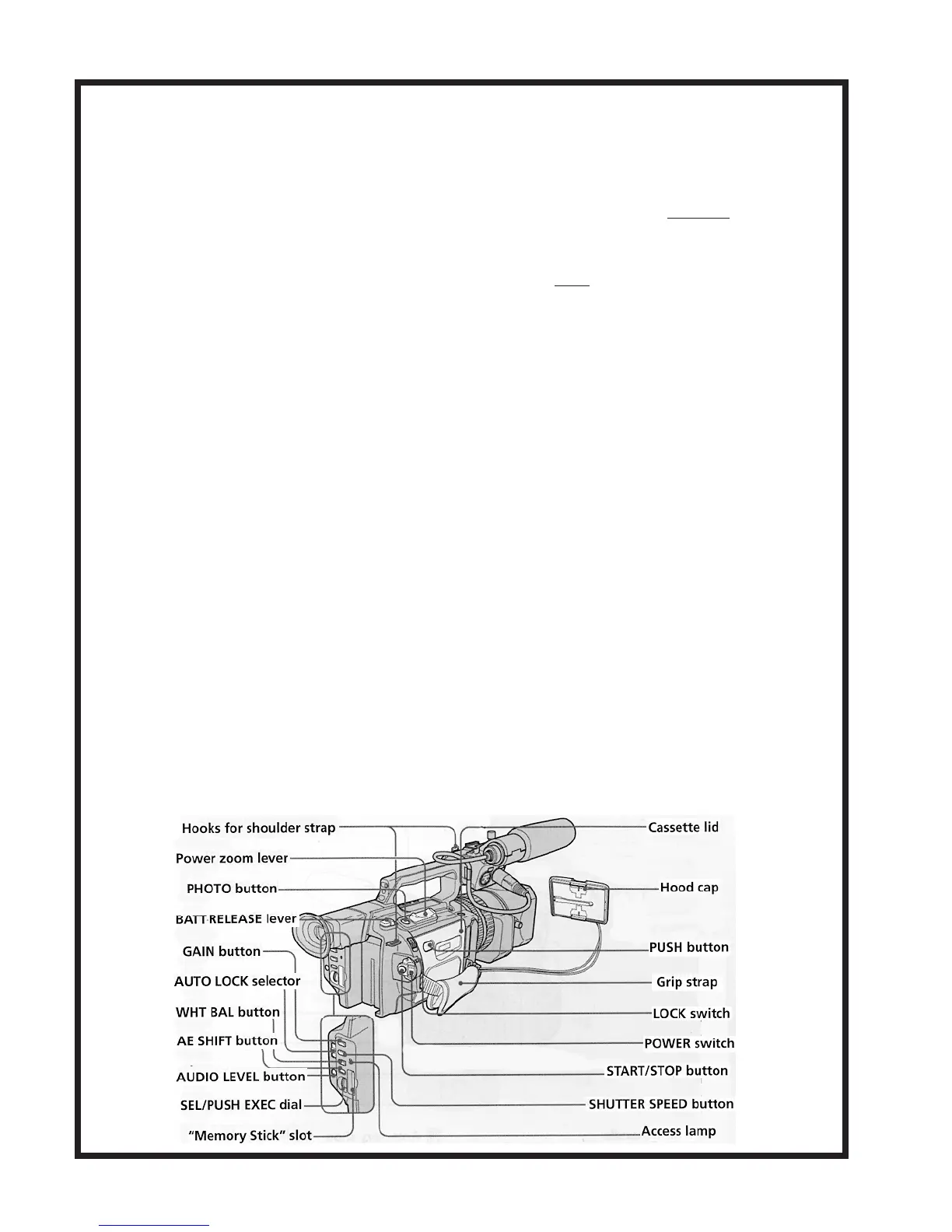
Instructional Guide for Sony DSR-PD150
An explanation of 16x9 mode:
16x9 “wide” screen mode allows you to shoot in the aspect ratio designed for viewing on a wide
screen TV. When shooting in this mode, black bands appear at the top and bottom of the cameraʼs
LCD screen or Viewfinder showing you the ratio. Caution: Shooting in 16x9 does not mean you
will achieve the “letterbox” effect when you play it back on a normal television. It will instead
appear squeezed along the horizontal axis. Only by use of a non-linear editing program can you un-
squeeze the image and crop it down to your desired ratio. You need a wide screen TV to properly
view the 16x9 aspect ratio.
Differences between the VX2000 and the PD-150:
DVCAM
The DSR-PD150 has the ability to record in both DVCAM and Mini DV formats. Mini DV is the
normal format used when recording on a Palmcorder. On the VX2000, VX1000, and PD150, you
can record in DVCAM on Mini DV or Mini DVCAM tapes. Mini DVCAM tapes are sturdier and
hold DVCAM information better than Mini DV tapes. A Mini DV tape, which runs 60 minutes in
SP mode, will only hold 47 minutes when recorded in DVCAM mode. Tapes recorded in DVCAM
mode must be played back on the PD150 or on a DVCAM deck available in Media Services or at
Media Loan.
XLR Inputs
There are two XLR inputs in the PD-150, which alleviates the need for any kind of down
converter. Microphones can be connected directly through regular mic cables. There is also 48v
phantom power provided through each input. In addition, each input can be switched between “Mic”
and “line,” allowing you to use external line level audio equipment.
Time Code Menu Options
A new menu set has been added to the PD-150, which is denoted by an icon labeled “TC.” This
menu option denotes new “time code” options available. Please ask a 16mm representative for the
full PD-150 manual with instructions on these settings.
8













 To Next Page