EasyManua.ls Logo

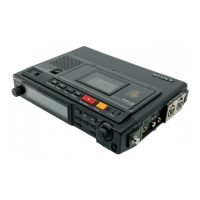
Sony Walkman TCD-D7 - Location and Function of Controls; Tape Operation Buttons; SP;LP Mode Selection; Volume Control Buttons

Sony Walkman TCD-D7
30 pages
Print Icon
To Next Page IconTo Next Page
To Previous Page IconTo Previous Page
Loading...
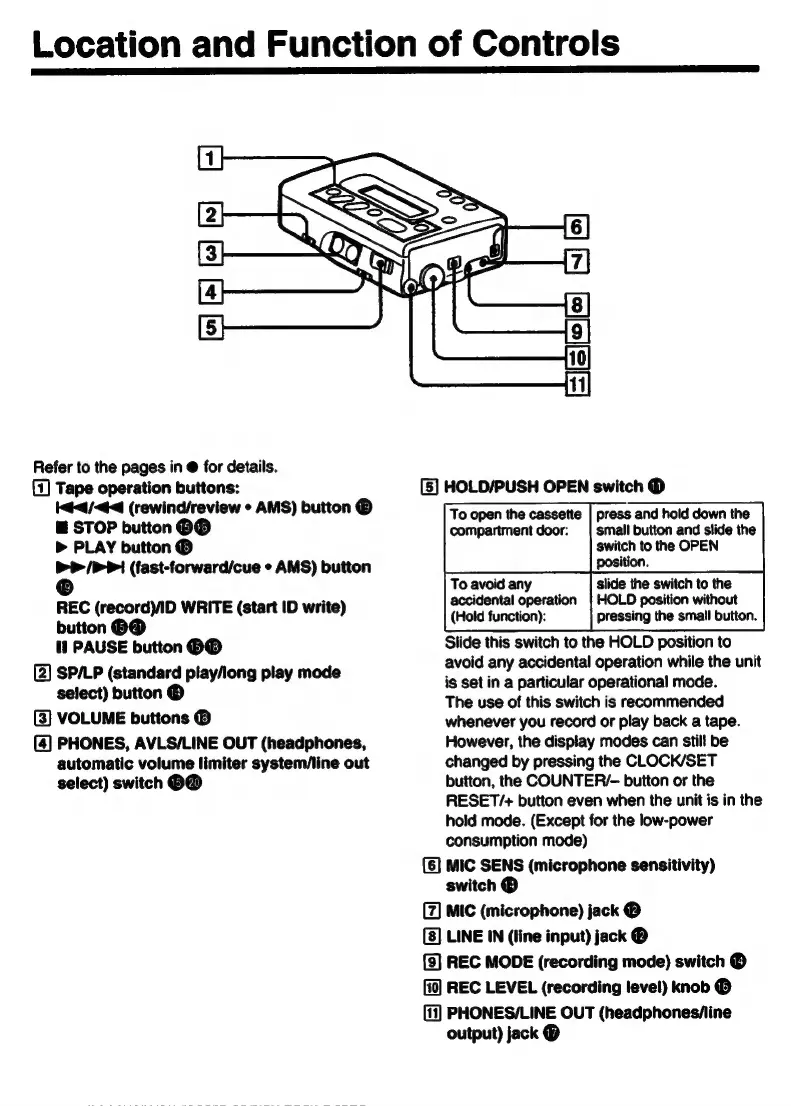
Location
and
Function
of
Controls
Refer
to
the
pages
in
for
details.
(1)
Tape
operation
buttons:
[5]
HOLD/PUSH
OPEN
switch
O
44/44
(rewind/review
+
AMS)
button
®
Too
pen
the
cassette
|
press
and
hold
down
the
E
STOP
button
HO
compartment
door:
|
small
button
and
slide
the
>
PLAY
button
©
switch
to
the
OPEN
>>
/PPI
(fast-forward/cue
·
AMS)
button
position.
Oo
To
avoid
any
slide
the
switch
to
the
accidental
operation
|
HOLD
position
without
REC
(record)/ID
WRITE
(start
ID
write)
button
69
(Hold
function):
pressing
the
small
button.
11
PAUSE
button
HO
Slide
this
switch
to
the
HOLD
position
to
avoid
any
accidental
operation
while
the
unit
a
si
>
play/long
play
mode
is
set
in
a
particular
operational
mode.
The
use
of
this
switch
is
recommended
[3]
VOLUME
buttons
®
whenever
you
record
or
play
back
a
tape.
(4]
PHONES,
AVLS/LINE
OUT
(headphones,
However,
the
display
modes
can
still
be
automatic
volume
limiter
system/line
out
changed
by
pressing
the
CLOCK/SET
select)
switch
OO
button,
the
COUNTER/-
button
or
the
RESET/+
button
even
when
the
unit
is in
the
hold
mode.
(Except
for
the
low-power
consumption
mode)
[6]
MIC
SENS
(microphone
sensitivity)
switch
®
I
MIC
(microphone)
jack
@
LINE
IN
(line
input)
jack
Y)
REC
MODE
(recording
mode)
switch
®
REC
LEVEL
(recording
level)
knob
®
(11)
PHONES/LINE
OUT
(headphones/line
output)
jack
®

Related product manuals